
Locking Ethernet Cable | Secure Your Network Connections
Locking Ethernet Cable: How to Physically Secure Network Connections
(Locking Ethernet Cable)
A network can be protected by firewalls, monitoring, and access controls, yet the physical Ethernet connection can still be exposed. Locking Ethernet Cable connections adds a hardware-level control that keeps an authorized RJ45 cable attached to its network port until someone with the exclusive SmartKeeper key releases it. SmartKeeper LAN Cable Lock Plus designed specifically to restrict physical removal of an inserted LAN cable from network devices such as switches, servers, and routers.
Table of Contents

What Does Locking an Ethernet Cable Mean?
Locking Ethernet Cable means physically securing the RJ45 connector to the Ethernet port so the cable cannot simply be pulled out. For SmartKeeper, the most direct method is the LAN Cable Lock Plus, which mounts on the connected RJ45 cable and is released with the corresponding patterned Universal Lock Key. This creates a physical control at the connection point rather than relying only on software-based network protection.

Identify the connection to protect
Locate the RJ45 Ethernet cable already connected to a switch, server, router, workstation, POS terminal, IP camera, VoIP phone, or another compatible network device.
Keep the LAN cable connected
Where continuity matters, leave the Ethernet cable in place. LAN Cable Lock Plus is designed for installation without disconnecting the cable from the network port.
Fit the LAN Cable Lock Plus
Mount the SmartKeeper LAN Cable Lock Plus on the connected RJ45 connector and engage its locking mechanism so the cable is physically retained at the port.
Control removal with the matching key
To remove the lock, use the customized patterned SmartKeeper Key. Either a Professional or Essential-specific key patterns can be used to limit who can remove protected connections.
Protect nearby unused RJ45 ports too
Cable locking secures an active connection. For unused Ethernet ports beside it, use SmartKeeper Network (RJ45) Port Lock Plus so an unauthorized device cannot simply use an open port instead.
Why Locking Ethernet Cables Is Important
Prevent unauthorized cable removal
A locked connection makes it harder for an unauthorized person to disconnect an approved network cable or replace the connection with another device.
Reduce accidental disconnection
In busy offices, classrooms, server rooms, and shared environments, physical retention helps keep critical wired connections in place.
Protect network availability
Removing the wrong cable from infrastructure such as a switch, server, or POS terminal can interrupt the service that depends on that wired connection.
Control physical access to sensitive networks
Physical cable & port controls add another layer around network hardware, especially where switches, servers, and wall connections are accessible to staff, contractors, or students.
Close the gap beside software security
Software can manage network traffic and logical access, but a physical lock directly controls whether an Ethernet connector can be removed from its port.
Areas where Locking Ethernet Cables Is Critical
The strongest use cases are locations where a wired connection supports sensitive data, shared infrastructure, operational continuity, or equipment that should not be casually disconnected. Prioritize the following areas and connection points:
Environments
Priority Ethernet Connections
Why Physical Locking Matters
Data centers and server rooms
Server, switch, router, firewall, management, and rack connections
Helps prevent service disruption from cable removal
Corporate offices
Network switches, meeting-room systems, shared workstations, VoIP phones, printers, and wall ports
Ensures shared Ethernet connections are securely in place
Government offices and public
sector facilities
Workstations, secure administrative areas, network closets, service counters, and shared terminals
Supports controlled access to sensitive network connections
Manufacturing and industrial sites
Industrial PCs, HMIs, network switches, control-room equipment, and Ethernet-connected machinery
Helps maintain stable connections for operational equipment
Retail and POS environments
POS terminals, back-office PCs, network switches, IP phones, and connected peripherals using Ethernet
Reduces cable tampering and accidental disconnection
Banks and financial offices
Employee workstations, branch systems, network appliances, service desks, and back-office equipment
Protects connections supporting financial operations
Schools and universities
Computer laboratories, classroom PCs, faculty systems, library terminals, switches, and network rooms
Protects approved connections on shared equipment
Hospitals and healthcare facilities
Networked workstations, administrative systems, supported medical-device connections, and network closets
Reduces unauthorized or accidental disconnection of critical systems
Security and surveillance systems
IP cameras, NVR-connected network infrastructure, access-control network devices, and monitoring switches
Helps prevent interruption to security monitoring and data disruption
Need Cybersecurity Solutions
for your Ethernet Cable?
Check Out the Key for Port Locks: Universal Lock Key
Recommended SmartKeeper Products for Locking Ethernet Cables & Ports
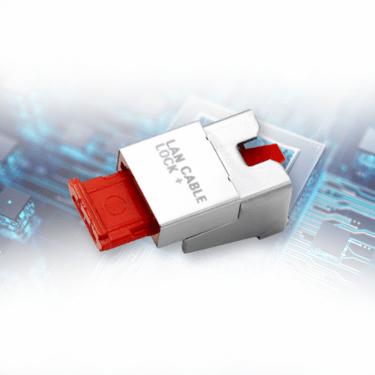
The primary SmartKeeper solution for Locking Ethernet Cable connections. It physically restricts removal of an inserted LAN cable from an RJ45 network device and can be installed without unplugging the cable
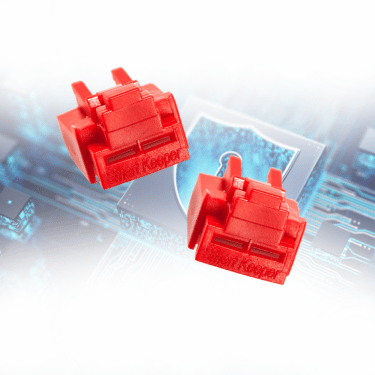
Network Port Lock Plus
Secures unused RJ45 Ethernet ports. Use it alongside cable locks so an unauthorized device cannot bypass a protected active connection by moving to an open port.
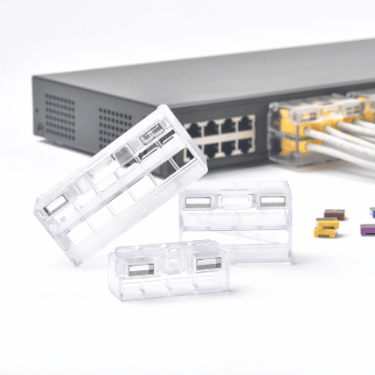
It comes with 4P/8P/12P, designed to tether multiple LAN cables to Ethernet ports as a module. A module configurations for multiple adjacent connections and installation without unplugging the LAN cables.
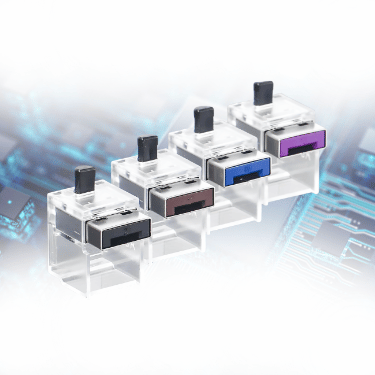
An Essential Series device, a simpler SmartKeeper option for fastening an Ethernet cable to its port, suited to personal or individual-device use cases where compatible.
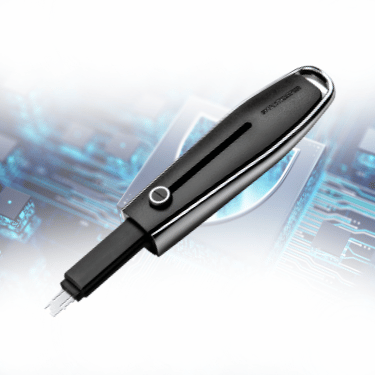
Universal Lock Key
A SmartKeeper Pro Series key that removes locks only when the key pattern matches, and organization-specific patterns can support controlled access across business deployments.
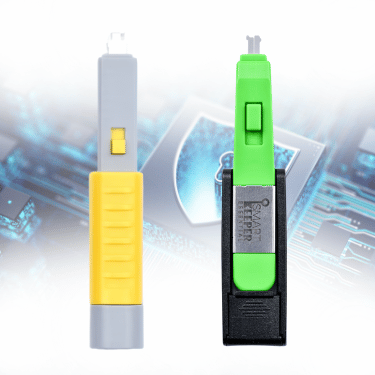
Color-coded keys for compatible SmartKeeper Essential Series locks. Unlocks the locks with the same matching color, making it easier to manage multiple locks for personal devices and individual workstations.
Why Source from Acton for Cybersecurity Solution?
Authorized Distributor of SmartKeeper
Network security is only as strong as its most exposed physical connection, which is why protection must extend beyond software and start at the Ethernet port. As an authorized distributor, NewGenProtect provides genuine SmartKeeper, X-PHY, and Flexxon solutions, supported by deployment guidance and local assistance across Southeast Asia. For Locking Ethernet Cable connections, SmartKeeper adds a physical layer that helps prevent unauthorized cable removal, protects active RJ45 connections, and secures nearby unused ports that software alone cannot physically control. With NewGenProtect, businesses can strengthen physical network security with authentic, dependable solutions built for daily operations.
FAQs
A Locking Ethernet Cable setup physically secures an Ethernet cable at its RJ45 connection point. With SmartKeeper LAN Cable Lock Plus, the connected cable is retained at the network port and can only be released with the corresponding patterned Universal Lock Key.
No. A cable lock secures an active cable connection. Use SmartKeeper Network Port Lock Plus or an RJ45 Port Blocker on nearby unused Ethernet ports to restrict unauthorized physical access through open network ports.
LAN Cable Lock Plus retains an inserted Ethernet cable in an active RJ45 connection. An RJ45 Port Blocker secures an unused Ethernet port. Using both helps protect active connections and nearby open ports.
For multiple adjacent LAN connections, SmartKeeper Network Module Lock is designed to tether multiple LAN cables to Ethernet ports as a module. Suitable configuration and port spacing should be confirmed before deployment.
No. Physical cable and port controls complement firewalls, access controls, monitoring, and other software-based protections. They address physical removal of cables and physical access to Ethernet ports.
- Post date: October 28, 2026
- 622 Views
- 0 Comments

Physical Cybersecurity Trend in Philippines 2026
Physical Cybersecurity Trend In Philippines: A Threat You Can Touch
(Physical Cybersecurity Trend in Philippines)
Most Filipinos think of cybersecurity as passwords, antivirus software, and suspicious links. But some of the easiest ways into your data are physical: an open USB port, a borrowed charging cable, or an unattended laptop. As the Philippines goes digital faster than ever, this physical layer is the one most people overlook.
Table of Contents
The Awareness Gap: How Filipinos See Cybersecurity
Filipinos are highly connected, yet awareness of cyber risk is uneven. Here’s what they have found on the survey for Cybersecurity:
- Only 1 in 3 is aware. Out of every three Filipinos aged 10 and over, only one knew about cybersecurity or data privacy risks. That leaves about two in three people unaware of how their data can be exposed.
- Most users have already been hit. About six in every ten Filipinos who use phones, computers, or other devices faced at least one cybersecurity incident in 2024. For many, the risk is already a real experience, not just a possibility.
- Awareness depends on location. In Metro Manila, more than half of people are aware of cyber risks. People in cities are about twice as likely to be aware as those in rural areas. Awareness can be limited depending on where they are.
- Education makes a big difference. The less knowledge people have, the less likely they are to spot cyber risks, leaving many Filipinos exposed, and unaware of the digital situation.
Without Physical Cybersecurity, one open port or unchecked cable is all an attacker needs. In 2025, USB malware was used in an espionage campaign against a Southeast Asian government organization, and the Cybercrime Investigation and Coordinating Center (CICC) warned of malicious cables that can let hackers control your phone. With six in ten Filipino device users already hit by an incident, leaving ports unprotected is a risk no one can afford.
Why Physical Cybersecurity Matters Now
Threats in the country are rising fast, and many attacks still depend on physical access:
- Data breaches are climbing. In 2025, the Philippines recorded 266 data breach incidents, 34,839 phishing attacks, and 22 ransomware attacks.
- Digital adoption is outpacing security. Rapid digital adoption continues to outpace security maturity across government, businesses, and critical services.
- USB remains a doorway. In industrial environments, threats designed to spread over USB rose to 52% from 37%.
- Firewalls can’t stop a plug. Software can detect threats, but it can’t physically stop a device from being plugged in.
4 Physical Cybersecurity Trends for Businesses & Individuals
Businesses and individuals face the same open doors, such as ports, cables, and devices, but the trends are different.
Trends
Businesses
Individuals
Rising attack route
More threats now spread in USB drives
Ordinary-looking cables can let hackers control your phone
Where risk starts
Most data loss comes from careless staff, not hackers
Free USB ports in airports and malls can spread malware
Who’s being targeted
Any that holds customer data is a target, from enterprises to online shops
Stolen personal data is used for fake jobs, scams, and loans
How protection is shifting
Physical protection is now part of data privacy rules
Newer phones now block many rigged-charger attacks
Threats are moving closer to the devices we touch every day, making physical protection as urgent as software security.
Physical Cybersecurity Risks for Businesses
How it affects businesses
- Operational downtime from ransomware and disrupted systems .
- Damage to brand reputation and customer trust.
- Compliance pressure, as personal information controllers must implement organizational, physical, and technical measures to protect personal data
Physical Cybersecurity Risks for Individuals
Simple habits that help
- Use your own charger and plug into a wall outlet.
- Avoid borrowed or unknown cables.
- Use a data blocker when charging from a USB port.
- Never leave devices unattended in public spaces.
How SmartKeeper Supports Businesses & Individuals
SmartKeeper adds a hardware layer of protection with no software, power, or maintenance required.
SmartKeeper Solutions
Individuals
Power-only charging. No data theft.
USB Port Locks (USB-A, USB-B, USB-C, Mini and Micro USB-B)
Blocks unknown drives and cables.
No unplugging or cable swaps.
Secures racks and network ports.
Key-controlled file transfers.
PC Lock and Laptop Lock (Combination)
Deters device theft and tampering.
Why Source from Acton for Cybersecurity Solution?
Authorized Distributor of SmartKeeper
As the Philippines goes digital, the risk is moving closer to the devices Filipinos use every day: open USB ports, unchecked cables, and unattended laptops. Most are unaware or focused on their daily lives, hence security is a must. Protection must start at the hardware level, not just the network. As an authorized distributor, NewGenProtect delivers genuine SmartKeeper, X-PHY, and Flexxon solutions, backed by expert deployment guidance and local support across Southeast Asia. From office server racks to personal phones on public chargers, this physical-first approach blocks unauthorized access, guards sensitive data, and closes the gaps software alone can’t reach. With NewGenProtect, Philippine businesses and users get physical cybersecurity that is authentic, dependable, and built to last.
FAQs
It protects the hardware doorways to your data, such as USB ports, network ports, cables, and devices. It complements software security rather than replacing it.
Yes. In December 2025, the Cybercrime Investigation and Coordinating Center (CICC) warned the public about malicious charging cables
Not alone. It can detect threats but cannot physically stop a device from being plugged in. A port lock removes that opening.
No. Offices, schools, clinics, banks, and individuals all face the same open-port risks.

- Post date: October 22, 2026
- 727 Views
- 0 Comments
Unlock the Physical Cybersecurity Market Trend in Southeast Asia
Physical Cybersecurity in Southeast Asia: The Gap Software Can't Close
(Physical Cybersecurity Market Trend in Southeast Asia)
Firewalls, antivirus, and cloud security get the budget. But every device also has a USB port, a LAN jack, and a person sitting next to it. Southeast Asia’s cybersecurity market is projected to keep growing, and regulators now expect physical safeguards alongside technical ones. Discover the trends shaping physical cybersecurity in the region, and where you can act first.
Table of Contents
What Is Physical Cybersecurity?
Physical cybersecurity protects the hardware doorways to your data. It works alongside software defenses, not instead of them.
In practice, it covers four things for an organization’s physical cybersecurity:
- Ports. USB and network (RJ45) ports that anyone could plug into.
- Cables. LAN and USB cables that could be unplugged or swapped.
- Devices. Desktops and laptops that could be tampered with or stolen.
- Peripherals and access. Keyboards, mice, and exclusive keys to control what is to unlock.
If someone can plug into it, unplug it, or walk away with it, it belongs in your physical cybersecurity plan.
Market Trends about Physical Cybersecurity in Southeast Asia
Budgets Are Growing on Both Sides of the Door
Money flows into cyber and physical protection at the same time:
- Asia-Pacific physical security. Projected to grow from USD 42.25 billion in 2025 to USD 59.54 billion in 2030, a 7.1% CAGR.
- Southeast Asia security. The region’s overall security market, which covers physical, financial, and digital security, is projected to grow from USD 6,365.2 million in 2025 to USD 18,237.0 million by 2034, a 12.41% CAGR for 2026 to 2034.
- ASEAN cybersecurity. Valued at USD 5.51 billion in 2025 and projected to reach USD 14.1 billion by 2031, a 16.95% CAGR for 2026 to 2031.
Sources: Mordor Intelligence, and IMARC Group. (2026).


Threat Pressure Keeps Rising in Different Areas
Attacks cluster in key markets and sectors.
In 2024, the most frequently attacked Southeast Asian countries were Thailand (27%), Vietnam (21%), and Singapore (20%), and the most targeted sectors were industrial (20%), government (19%), and financial (13%).
Cybercrime is a large share of crime.
Across Asia and the South Pacific, including SEA, cybercrime accounts for over 30% of all recorded crime in more than half of the countries INTERPOL surveyed, and the region logged over 135,000 ransomware-related attacks in 2024.
Organizations feel the pressure.
ASEAN organizations named phishing (42.9%), malware and ransomware (37.0%), and a shortage of cybersecurity talent (37.0%) among their top concerns.
Data Breaches cost more.
The average data breach cost in Southeast Asia reached a record USD 4.12 million in 2026, up 12% from USD 3.67 million in 2025, with financial services the highest at USD 6.53 million.
Need Cybersecurity Solutions for your Organization?
Check Out the Key for Port Locks: Universal Lock Key
The Infrastructure Boom Adds Ports Faster Than Policies
Data centers get the headlines, but the same pattern shows up in every new office, lab, and branch:
- More facilities. Southeast Asia now hosts more than 2,000 data centres, with hundreds more under construction.
- More investment. Regional data center investment is projected to grow from USD 15.72 billion in 2025 to USD 35.08 billion by 2031.
- More physical security. Asia-Pacific data center physical security is projected to grow from USD 0.61 billion in 2025 to USD 1.19 billion by 2030, with cabinet locking named as a layer that addresses insider threats such as malicious employees.
More racks, more patch panels, and more people with access all mean more ports to account for.
Insiders and Everyday Mistakes Are the Quiet Risk
Not every incident is an attack from outside:
- Insider data loss is common. In a global survey of 883 IT and security professionals, 77% of organizations reported insider-driven data loss in the past 18 months.
- Most of it is accidental. 62% of incidents involved negligent or compromised users, and only 16% involved confirmed malicious intent.
- Smaller teams are in the frame. By enterprise size, SMEs record the fastest growth in ASEAN cybersecurity, at an 18.55% CAGR through 2031, and in Singapore, SMEs in professional services were disproportionately targeted by ransomware.
A shared workstation with open ports is a risk whether the person at the keyboard means harm or not.

Every Trend Ends at the Same Place: The Port
Budgets, regulation, new facilities, USB threats, and insider risk all meet at one spot: the physical connection on a device. Software cannot physically stop a device from being plugged in. That is the gap SmartKeeper was built to close.
SmartKeeper: Physical Cybersecurity You Can Hold in Your Hand
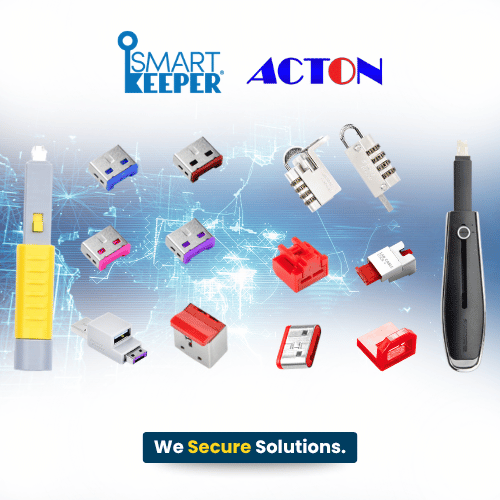
SmartKeeper is a line of hardware locks that seal ports, secure cables, and tether devices.
Here’s how it maps to the trends above:
Why Source from Acton for Cybersecurity Solution?
Authorized Distributor of SmartKeeper
As Southeast Asia’s cybersecurity market grows, the market trend is moving toward the physical layer: protection must start at the hardware level, not just the network. As an authorized distributor, NewGenProtect delivers genuine SmartKeeper, X-PHY, and Flexxon solutions, backed by expert deployment guidance and local support across Southeast Asia. This physical-first approach blocks unauthorized access, guards sensitive data, and closes the gaps software alone can’t reach, from every USB and network port to the data stored behind them. With NewGenProtect, physical cybersecurity in Southeast Asia stays authentic, dependable, and built to last.
FAQs
Physical security is the broader field. It protects assets such as data, software, hardware, and people from unanticipated events.
No. The same gaps exist in offices, schools, laboratories, banks, public institutions, and network rooms.
No, they work best together. Software cannot physically stop a device from being plugged in. Physical locks add a hardware layer that works alongside your existing security tools.
SmartKeeper is a line of hardware locks that seal USB and network ports, secure cables, and tether devices. It needs no software and no power. Each lock opens only with its matching colored key, so teams can standardize and audit physical access.
- Post date: October 15, 2026
- 680 Views
- 0 Comments
Juice Jacking Singapore: Is Free Phone Charging Really Safe?
Charging in Singapore? Your Phone May Be Sharing More Than Power
(Juice Jacking Singapore)
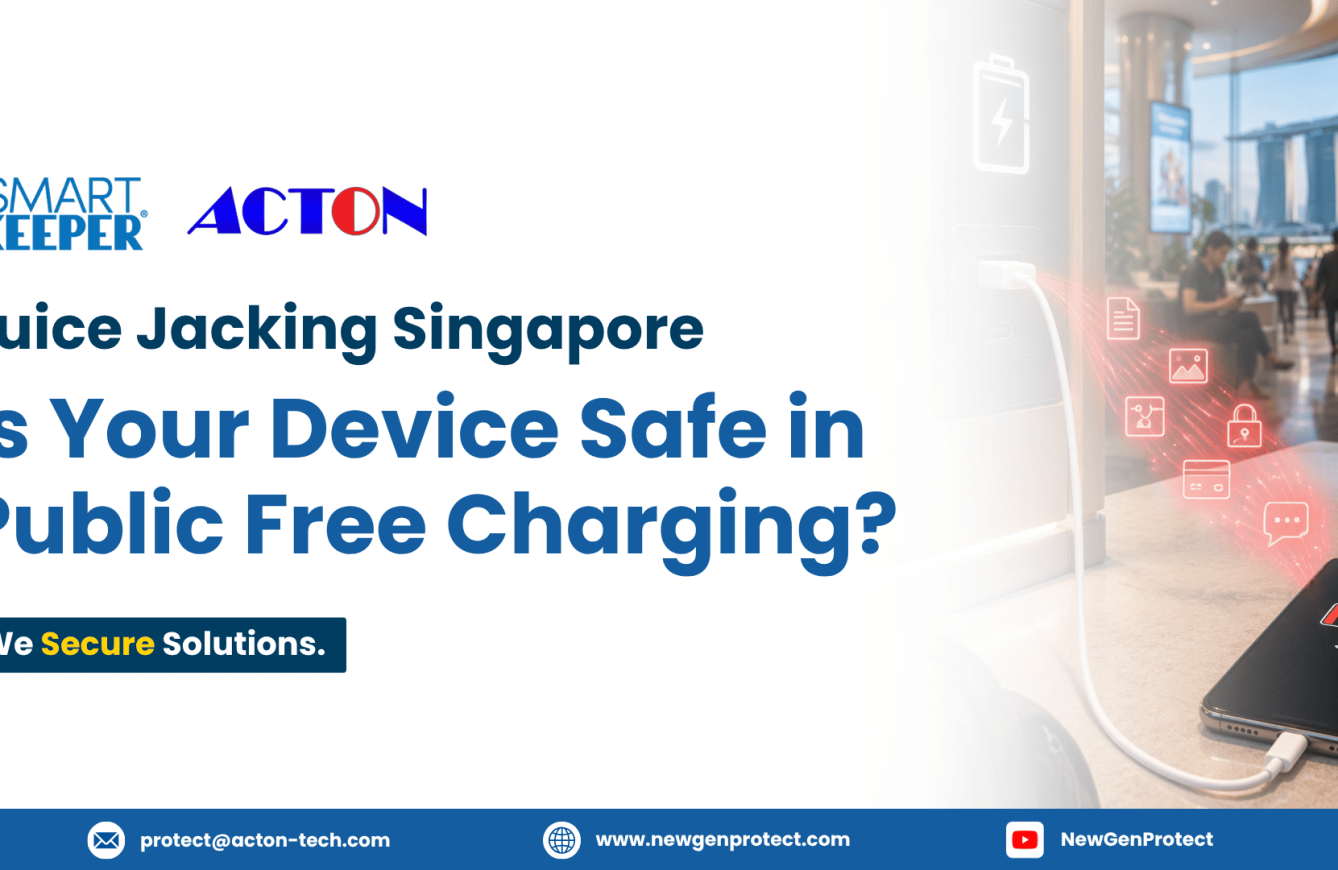
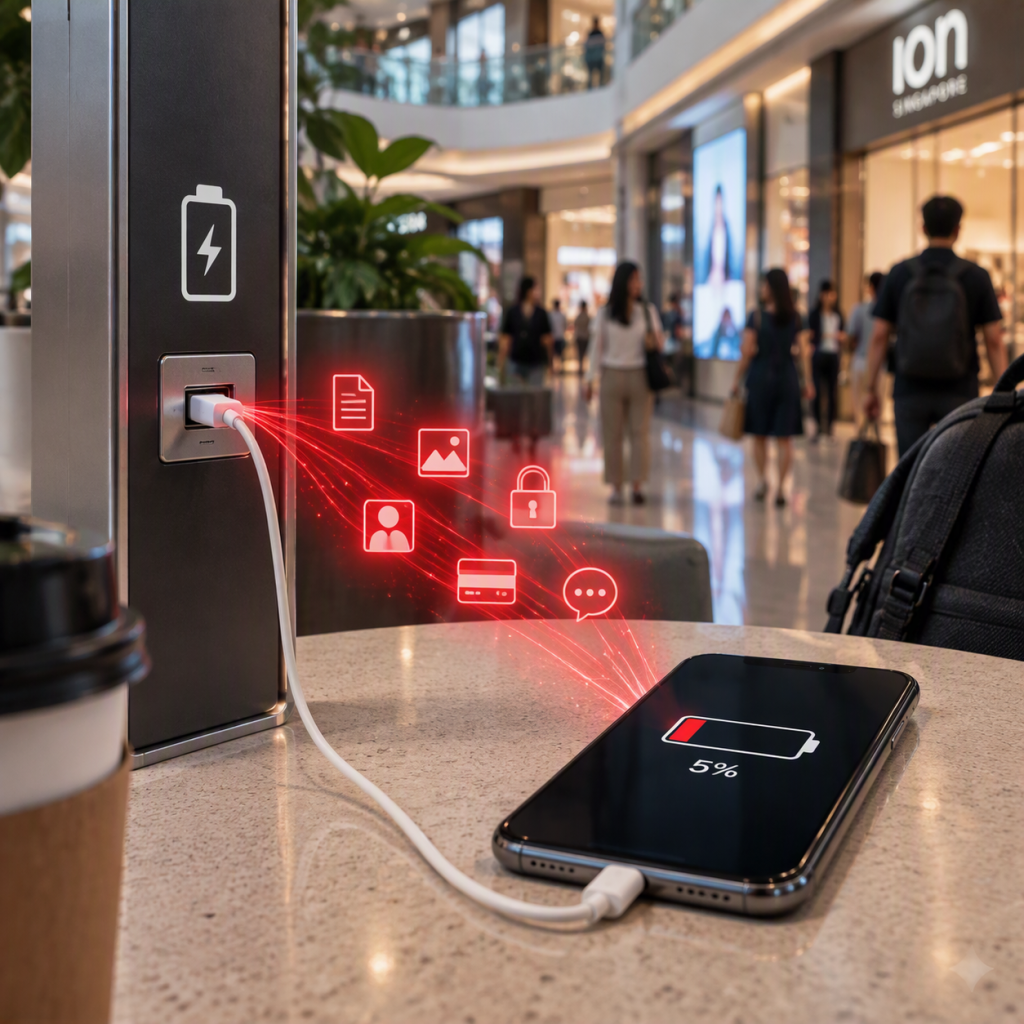
Phone at 5%, and a free USB port is right there: a mall, a hotel lobby, a transport hub. You plug in without a second thought. But a USB port can carry both power and data on the same cable, which means a tampered port or cable can do more than charge your phone. Your phone holds personal data, financial data, login credentials, and business information, exactly what cybercriminals look for. Singapore’s authorities have warned about exactly this, naming juice jacking in a joint advisory. Here’s what it does, what it puts at risk, and how to charge without handing over your data.
Table of Contents

Singapore Has Already Flagged It
In April 2023, the Cyber Security Agency of Singapore (CSA) and the Singapore Police Force (SPF) issued a joint advisory naming juice jacking as one of four ways mobile devices can be compromised, alongside rogue Wi-Fi, unsecured file sharing, and Bluetooth attacks. Their definition is simple: cybercriminals tamper with a charging port or USB cable to infect a device with malware or steal data. It usually happens at free charging stations in high-traffic public places.
What Juice Jacking Does When You Plug In
- Tampers with the port or cable.
- Steals your data.
- Installs malware & infects device.
- Counts on a quick tap.
The Risks for Singapore Users
- Your money. Stolen Financial Data
- Your logins. Stolen login credentials
- Your work. Lost client records
- Your older device. Outdated security.
Singapore’s transport network has already acted, charging stations provided by public transport operators transmit power only, But your day doesn’t stay at the transport node.
Here’s why they still need to be careful:
- Your phone runs your day. 96.47% of Singapore residents aged 18 and over owned a smartphone in 2024, rising to 99.79%. Phones hold personal data, financial data, login credentials, and business information, which is exactly what cybercriminals target
- Charging points are part of daily travel. Juice jacking usually happens at charging stations in high-traffic public places, so wherever a charging point offers a USB port, it is one more connection to trust.
- Updates don’t reach every phone. Apple and Google tightened their prompts after that research, but the fix arrives by update, and a phone that no longer receives security updates may never get it.
- A harmless-looking cable can be the threat. An unfamiliar cable is a bigger unknown than the port itself.
How SmartKeeper Helps Singaporeans Stay Juice-Jack Free in their Daily Life
Cyber Security Agency of Singapore (CSA) and the Singapore Police Force (SPF) advise using a USB data blocker at public charging ports, turning off automatic file transfer, and considering switching your device off before charging. A data blocker physically blocks data transfer, acting as a shield between your phone and the port or cable.
Devices to Prevent Juice Jacking
- Smart Data Blocker.
- USB-A, USB-C, USB-B Port Lock.
- Mini and Micro USB-B Port Lock.
- USB Cable Lock.
- Lockable Flash Drive.
- Lock Key Basic and Lock Key Mini.
SmartKeeper Protects your Device from Juice Jacking
Smart Keeper closes the gap at the hardware level. No software, no power, no setup. Security experts point to the same fix: a USB data blocker that physically blocks data while letting power through, continue safe charging.

Port Block Solutions:
Why Source from Acton for Cybersecurity Solution?
Authorized Distributor of SmartKeeper
Your phone is only as safe as the port or cable you plug it into, which is why protection against juice jacking must start at the hardware level, not just in your phone’s settings. As an authorized distributor, NewGenProtect delivers genuine SmartKeeper, X-PHY, and Flexxon solutions, backed by expert deployment guidance and local support across Southeast Asia. This physical-first approach blocks unauthorized access, guards your sensitive data, and closes the gaps software alone can’t reach, so every charge stays power-only, whether you’re at the airport, the mall, or your desk. With NewGenProtect, your everyday charging stays authentic, dependable, and built to last.
FAQs
Phone prompts help, but they aren’t a guarantee. Apple and Google tightened their prompts after researchers showed a way to fake the tap that approves a data connection. Singapore’s cyber and police agencies advise a USB data blocker at publicly accessible charging ports.
The CSA and the SPF advise using a USB data blocker at publicly accessible charging ports, turning off automatic file transfer in your phone’s settings, and considering switching your device off before charging.
It may slightly reduce charging speed, because only the power pins are active. In return, data transfer is blocked. SmartKeeper’s blockers are tool-free and plug-and-play, with no software or drivers needed.
- Post date: October 12, 2026
- 626 Views
- 0 Comments
Juice Jacking in the Philippines: Is Your Charger Safe?
Low Battery, High Risk: Juice Jacking Is Closer Than You Think
(Juice Jacking Philippines)
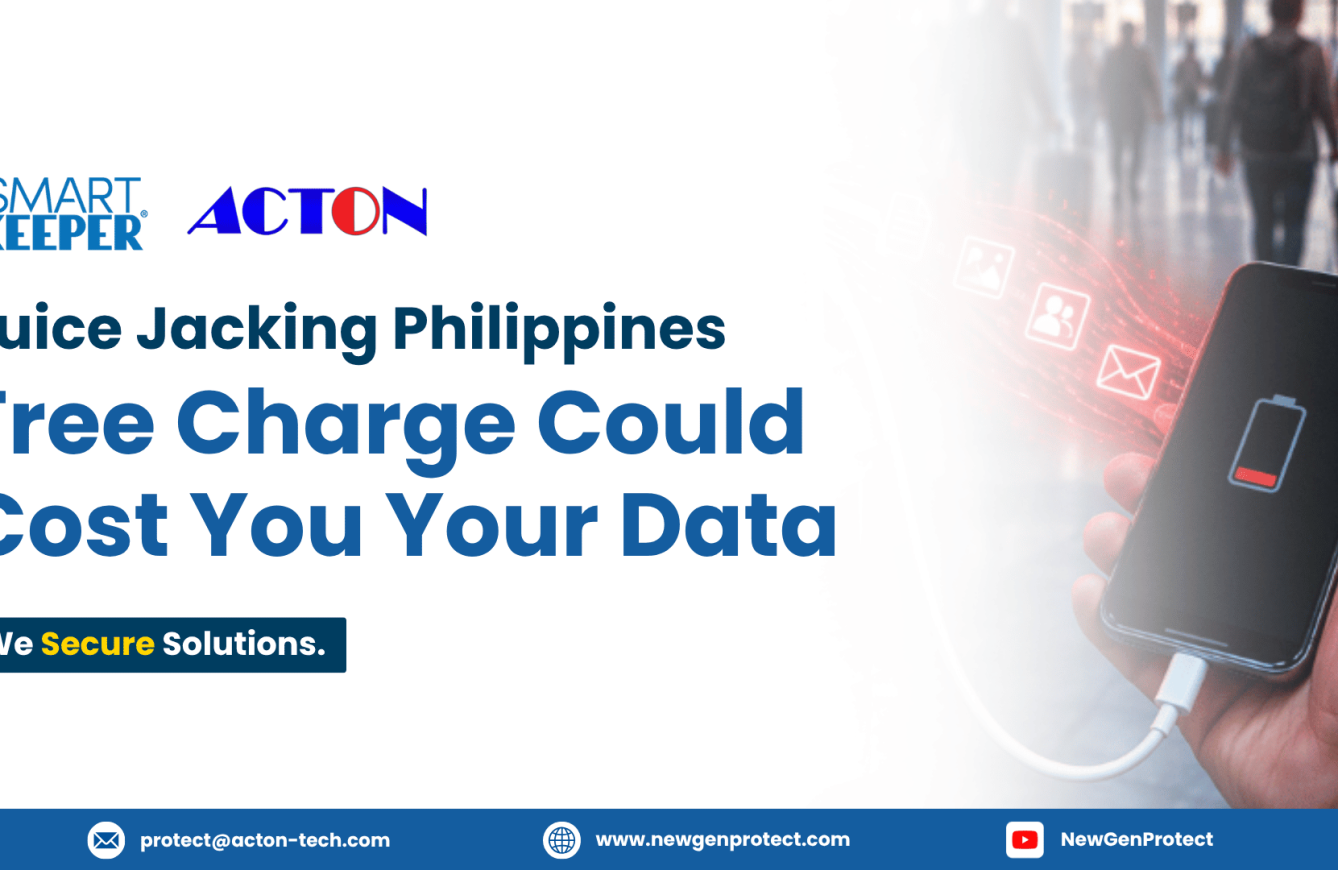
A perfect scenario when your device is low on battery, and want to charge on a free charging station in a public area. What looks like a quick battery boost could expose your device to malware, data theft, or account compromise without any obvious warning signs. That’s juice jacking: a cyberattack that uses the data connection inside a USB line to steal information or install malware on the device you plug in.
That’s why it remains a growing cybersecurity concern for travelers, professionals, and everyday device users alike.
Table of Contents

Why Juice Jacking Is Dangerous
For Filipinos, that risk sits inside everyday routines. Free charging is common to their public establishments. As a mobile-savvy nation, the concern keeps growing because the warnings have widened: from public charging ports to malicious cables sold online, to research showing phone protections can be bypassed.
Here’s why it matters:
- For cybersecurity: a physical-access attack that targets USB ports and cables, entry points that security software cannot physically block. Even prompts that ask for data-transfer permission can be bypassed by advanced attacks.
- For personal devices: A tampered port or cable can let attackers look into sensitive information, including bank account and credit card details, and install malware on the device
- For everyday habits: It hides inside a routine move. Another device can connect to your phone without your knowledge while it charges.
It’s a small plug-in with a big downside. So how close is this to home? Closer than you’d expect.
Sources: Bernardo, R. M. (2023, April 23)., Domingo, K. (2025, December 24)., Draschbacher, F. (2025)., Piad, T. J. C. (2023, April 18).
Juice Jacking is making Headlines to Philippines
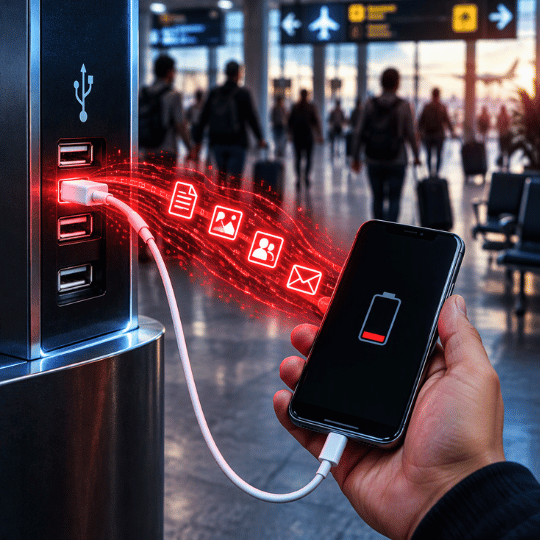
Free charging is everywhere in Philippine public spaces. Many establishments offer it as emergency, but few people stop to ask what’s on the other end of the cable. Here is where the problems start:
- People plug in without thinking. A low battery makes charging urgent and security optional. Even people who were warned about a “free charging”, still plugged in.
- Fake prompts do the rest. Malware can pose as a file-access or update request, and one tap gives it access.
- The cable itself can be the threat. In December 2025, the Cybercrime Investigation and Coordinating Center (CICC) warned about “malicious cables” sold online or lent to users. Infected cables may also be left plugged in at charging stations.
- The stakes are personal. One bad plug-in can expose passwords, GCash PINs, and credit card details
Sources: Bernardo, R. M. (2023, April 23)., Birkenhauer, T. (2025, November 20)., Lacsamana, B. H. (2023, April 17)., Domingo, K. (2025, December 24).
Risks for Everyday Filipinos
- Drained e-wallets and bank accounts.
- Personal Identity at risk.
- Stolen credentials.
- Exposed files and app data.
- Silent spying from devices.
Where Does It Happen?
- Airports and terminals.
- Malls, hotels and cafes.
- Shared office computers.
- Open public free charging stations
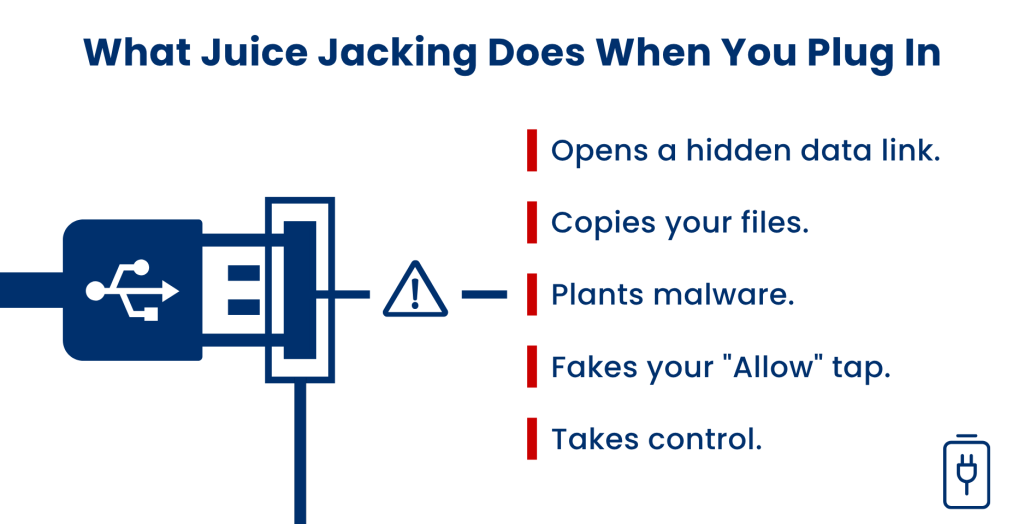
While you charge, another device connects and can inject data into your phone.
Pictures, documents, and app data can be reached.
Malware can be installed on the connected device. It usually needs your permission, so deny prompts you don’t recognize.
Some attacks approve the data connection for you, so you never agree to anything.
Malicious cables can infect a phone with a virus so attackers can control it.
The scary part? Your phone keeps charging, so you may never notice the connection happening.
How SmartKeeper Protects your Device from Juice Jacking, Wherever You Charge
Smart Keeper closes the gap at the hardware level. No software, no power, no setup. Security experts point to the same fix: a USB data blocker that physically blocks data while letting power through, continue safe charging.
Port Block Solutions:
Why Source from Acton for Cybersecurity Solution?
Authorized Distributor of SmartKeeper
Your phone is only as safe as the port or cable you plug it into, which is why protection against juice jacking must start at the hardware level, not just in your phone’s settings. As an authorized distributor, NewGenProtect delivers genuine SmartKeeper, X-PHY, and Flexxon solutions, backed by expert deployment guidance and local support across Southeast Asia. This physical-first approach blocks unauthorized access, guards your sensitive data, and closes the gaps software alone can’t reach, so every charge stays power-only, whether you’re at the airport, the mall, or your desk. With NewGenProtect, your everyday charging stays authentic, dependable, and built to last.
FAQs
Use your own charger and a wall outlet, or add a data blocker between the device and the cable. SmartKeeper’s Smart Data Blocker keeps charging power-only.
Think before you tap. Malware needs your permission, so refuse prompts or notifications you don’t recognize.
Experts says cable attacks are costly and usually aimed at high-value targets. The Cybercrime Investigation and Coordinating Center (CICC) still warned the general public, so a data blocker is a low-cost safeguard.
- Post date: October 8, 2026
- 583 Views
- 0 Comments
Discover Smart Keeper Essentials Series Cybersecurity
Open Ports Are Easy Targets. SmartKeeper Essentials Locks Them Down
(Smart Keeper Essentials)
A spare USB port, an unplugged LAN cable, or an unattended laptop rarely looks like a threat. But each one is a direct physical path to your devices and data, and software alone cannot close it. SmartKeeper Essentials is built for exactly that gap to ensure your critical assets are fully protected with a physical layered cybersecurity.
What Is SmartKeeper Essentials?
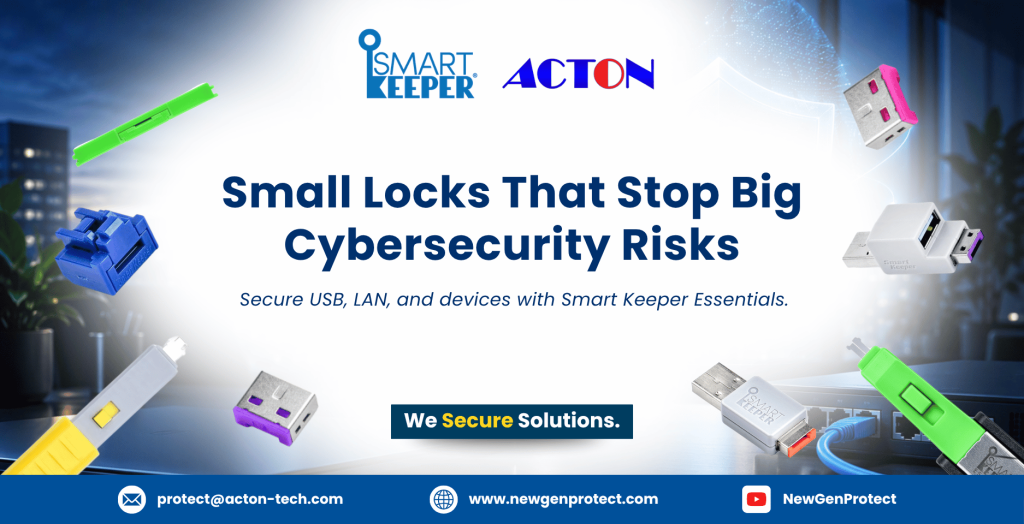
SmartKeeper Essentials is a line of physical locks, providing physical protection that seals open ports, secure connections, peripherals, and storage interfaces. Every lock is color-coded and unlocks only with a key of the same color.
Common things about SmartKeeper Essentials include:
- Hardware only. Physical locks for ports, cables, and devices.
- Color-coded. Each lock opens only with its matching colored key.
- Single-key convenience. Lock Key Basic or Lock Key Mini works across multiple locks of the same color.
- Built for personal use. Designed for personal devices, individual workstations, and everyday users.
- Plug-and-lock simple. No software to install and no power required.
- Cost-Effective Security. Durable, Reusable and Easy-to-Use.
What Does SmartKeeper Essentials Do?
Cybersecurity is not only about software. Every open port, loose cable, or unattended device is a physical entry point that firewalls and antivirus tools cannot block.
SmartKeeper Essentials closes these entry points at the hardware level, adding a physical layer of protection that strengthens your overall cybersecurity. Each lock opens only with a matching colored key.
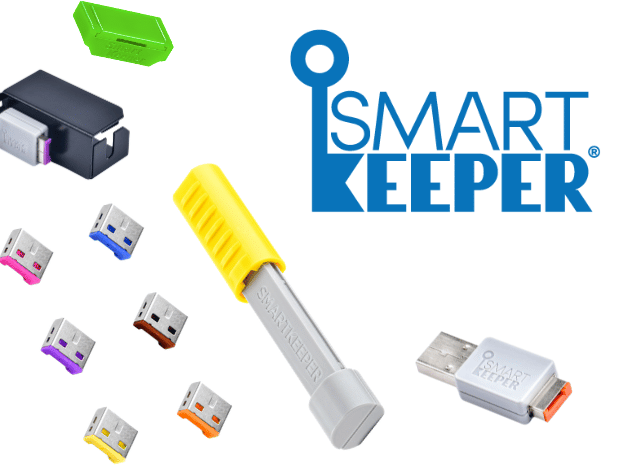
Smart Keeper Essential Series Offers...
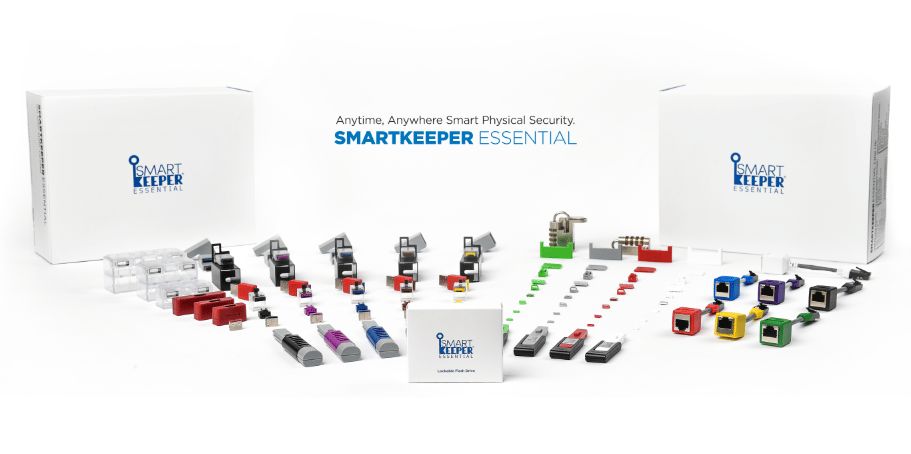
The Smart Keeper Essential Series offers color-coded locks that seal the ports, cables, and devices people rely on every day. From USB and LAN connections to card slots, keyboards, and laptops, each lock stays in place until its matching key releases it.
Why is it important?
- Adds a Physical Layer to your Cybersecurity.
- Works alongside your antivirus.
- Ensures cables connected and prevent accidents.
- Cuts malware and data theft risks.
- Locked ports reduce unauthorized plugs.
- Low-cost locks strengthen existing security.
- Sensitive data stays protected.
Smart Keeper Essential Series Provides:
- USB-A, USB-B, USB-C Port Lock.
- Mini USB and Micro USB Port Lock.
- Smart Data Blocker.
- RJ45 Port Lock.
- LAN Cable Lock.
- Lockable Flash Drive.
- DVI, Serial, Parallel Port Lock.
- Display and Mini Display Port Lock.
-
PC Lock and Laptop Lock.
- SD Port Lock.
- Lock Key Basic and Lock Key Mini.
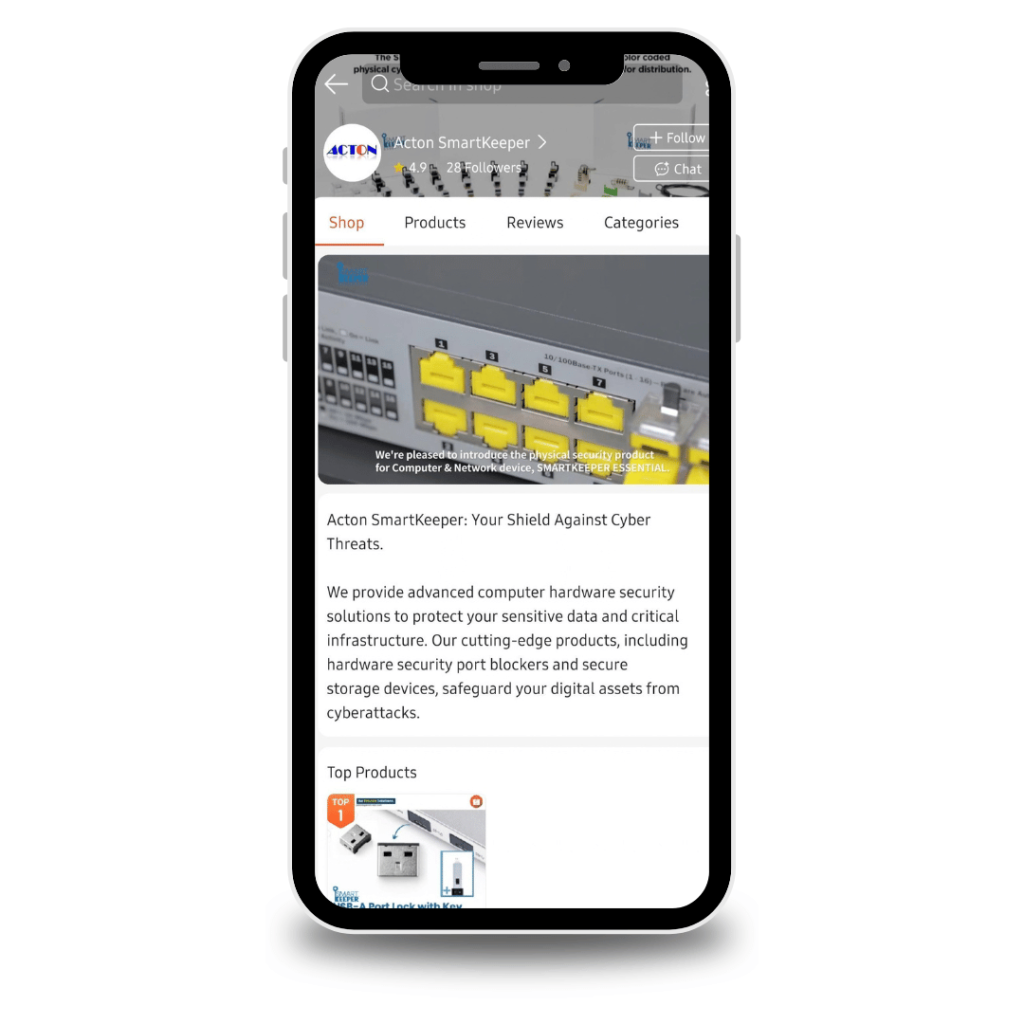
Acton Smart Keeper is also Available in Shopee
As the official SmartKeeper distributor in the Philippines. Order port locks, cable locks, and keys online with nationwide delivery.
Get genuine SmartKeeper Pro and Essential Series of Products from our official Shopee Page. Explore More Now
Like to Purchase Smart Keeper Port Locks?
Why Source from Acton for Cybersecurity Solution?
Authorized Distributor of SmartKeeper
Cybersecurity requires more than one layer of protection. Acton SmartKeeper provides:
- Genuine Smart Keeper solutions.
- Guidance based on devices and applications.
- Consultation for solution selection.
- Local technical expertise.
- Enterprise support across Southeast Asia.
Acton SmartKeeper helps customers match each technology to the correct cybersecurity requirement. This gives organizations one source for cybersecurity solutions and the technical support needed for deployment.
FAQs
Essentials uses a standardized color-coded key for personal devices and individual workstations. Pro Series uses a unique custom key for organizations that need controlled access across many devices.
Yes. Most Essential locks open with the same-colored Lock Key Basic or Lock Key Mini, so you do not need a separate key for each port.
Shared offices, laboratories, finance, education, public institutions, and any workplace with accessible computers or network devices.
It covers desk-level USB ports and peripherals, Ethernet ports and LAN cables, network modules, display and memory card slots, and legacy serial and parallel ports. It also includes secure storage and charge-only USB options.
- Post date: October 7, 2026
- 3420 Views
- 0 Comments
Understanding Industrial Cybersecurity and Why It Matters Now
Industrial Cybersecurity: Protect the Systems That Keep Operations Running
(Industrial Cybersecurity Solutions)
Industrial operations can’t afford downtime yet the systems that keep them running are often the least protected. Plants, substations, mine sites, and data halls depend on equipment built for uptime, not for defending itself, and a single unauthorized connection can halt production, compromise safety, and cost far more than the breach itself. Industrial cybersecurity closes that gap. It secures the hardware, ports, and control systems at the exact point attackers reach them physically, where firewalls and antivirus simply can’t follow. Here’s what it covers, why it matters, and how the right protection keeps operations running.
Table of Contents
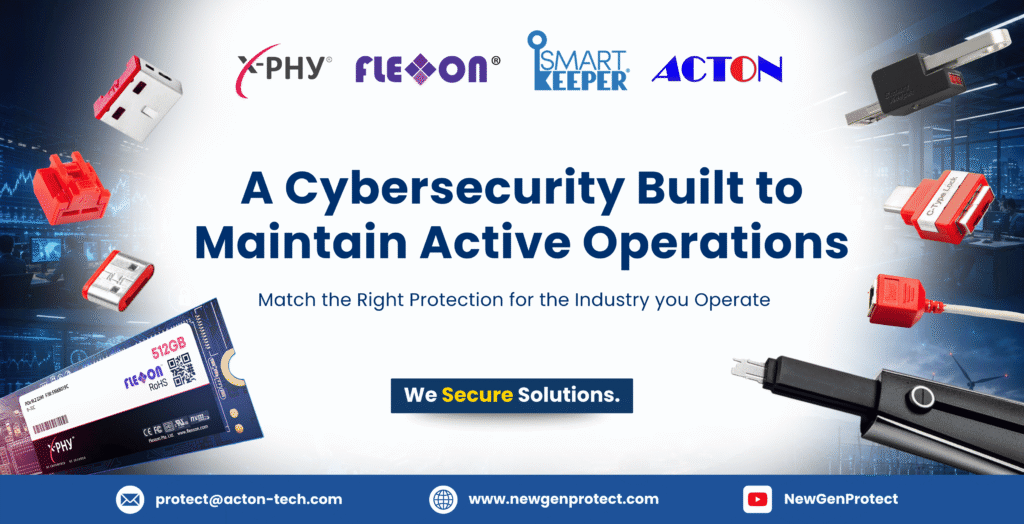
A Cybersecurity Built to Maintain Active Operations
Industrial sectors have become a preferred target, and the cost is measured in downtime, not just dataIndustrial cybersecurity protects the equipment that keeps operations physically running such as office desktops, control rooms, data servers, engineering workstations, hospital devices, field terminals, and networked machinery.
Common Solutions that Strengthen one’s Industry:
- Secures the physical layer; ports, cables, and hardware interfaces anyone can reach.
- Treats uptime as a security outcome, since downtime is the real cost of a breach.
- Protects equipment that can’t run modern security software or be patched often.
- Controls who connects to operational systems, including contractors and vendors.
- Defends data where it lives, on the drives and devices inside the operation.
- Works alongside existing IT defenses instead of replacing them.
The difference is simple: in industrial environments, a breach doesn’t just leak data, it stops production, compromises daily growth, and brings insecurity to persons.
Why Industries Must Strengthen Their Cybersecurity?
Industrial environments have become a preferred target because the payoff is immediate, stop the equipment, and you stop the business.
Most organizations invest heavily in software defenses while leaving the hardware layer untouched, and that’s exactly where attackers look first. Left unaddressed, the consequences reach far beyond IT.
Here are the following issues for industries if left unnoticed:
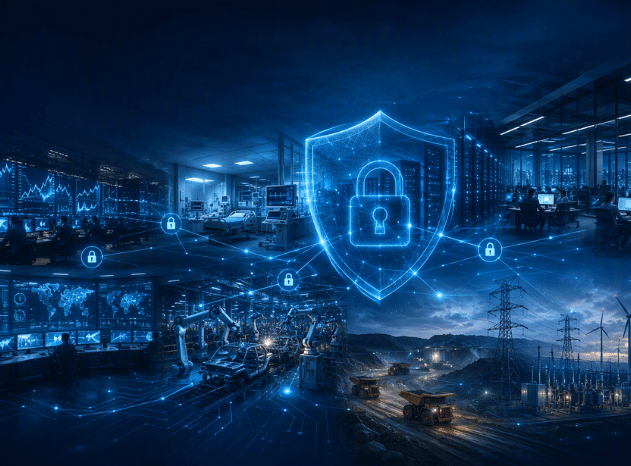
Industries NewGenProtect Secures
Critical work looks different in every sector, but the weak point is the same accessible hardware. NewGenProtect secures eight industries where a single exposed port and an insecured hardware can interrupt the systems people depend on.
Click One Industry to ACCESS & LEARN MORE of its CYBERSECURITY SOLUTIONS
Need Cybersecurity Solutions
for your Industry?
Check Out the Key for Port Locks: Universal Lock Key
Why the Right Device Matters for Each Industry
Generic security fails because industrial environments aren’t generic. A production line, a server hall, remote field site, and etc. each exposes different problems. What matters is choosing the right protection that fits the equipment, the environment, and the way people actually work around it, closing the gap without adding friction or downtime.
Here are the following Cybersecurity Solutions to consider for your industry:
- SmartKeeper Pro Series & Essential Series blocks unused ports and locks cables. No software, no power required.
- X-PHY adds hardware-level ransomware defense on compatible workstations and servers.
- Flexxon protects sensitive operational data stored on supported devices.
- Key-controlled access, customized and tailored to your industry for better security management.
- Cybersecurity technical expertise team for deployment guidance and solution matching.
Why Source from Acton for Cybersecurity Solution?
Authorized Distributor of SmartKeeper
Industrial cybersecurity is only as strong as its weakest connection, which is why protection must start at the hardware level, not just the network. As an authorized distributor, NewGenProtect delivers genuine SmartKeeper, X-PHY, and Flexxon solutions, backed by expert deployment guidance and local support across Southeast Asia. This physical-first approach blocks unauthorized access, guards sensitive data, and closes the gaps software alone can’t reach, securing every port across daily operations. With NewGenProtect, industrial cybersecurity stays authentic, dependable, and built to last.
FAQs
- Post date: September 22, 2026
- 569 Views
- 0 Comments
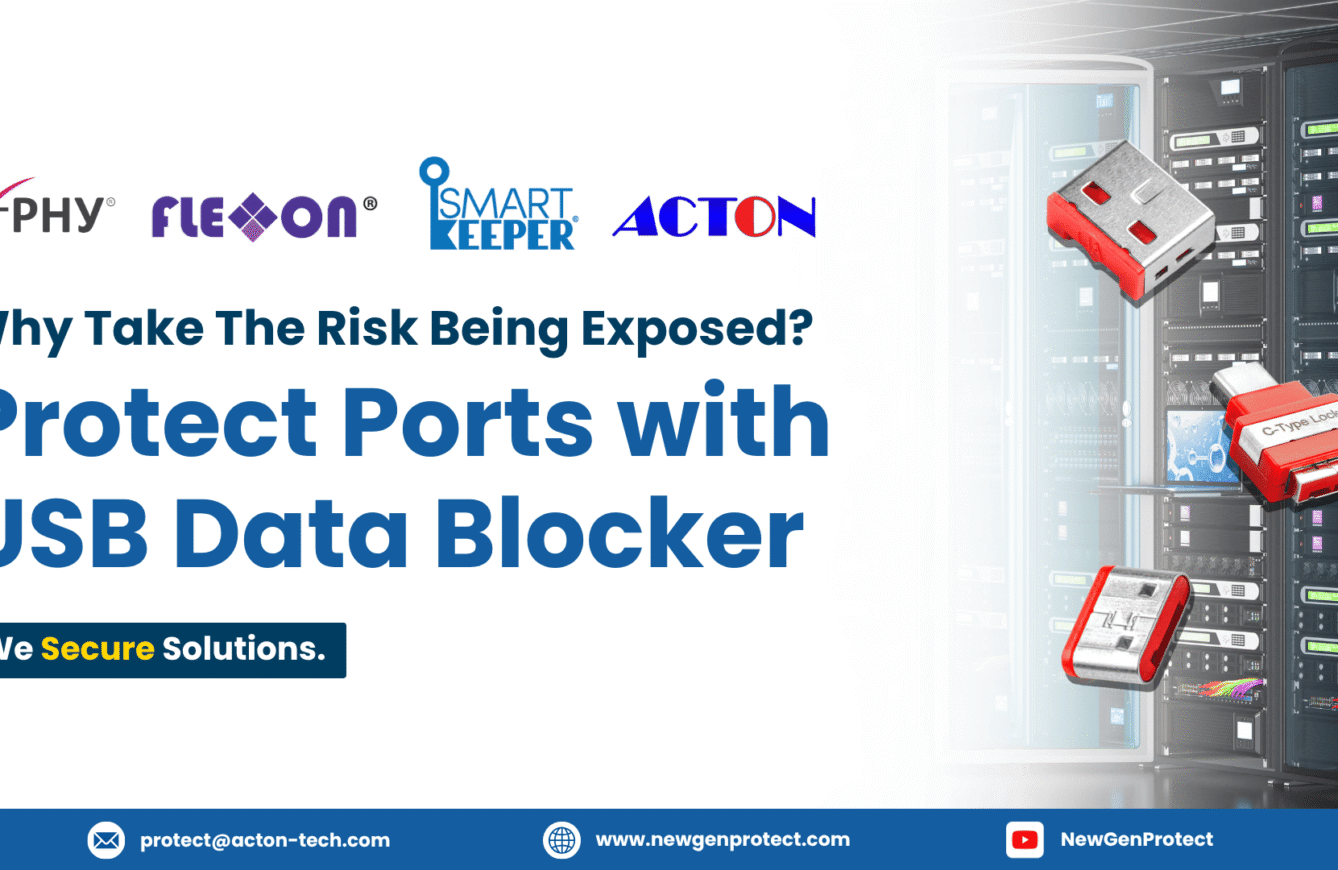
Why Take the Risk? Secure It With a USB Data Blocker




Why Block Unused USB ports?
(USB Data Blocker Solutions)
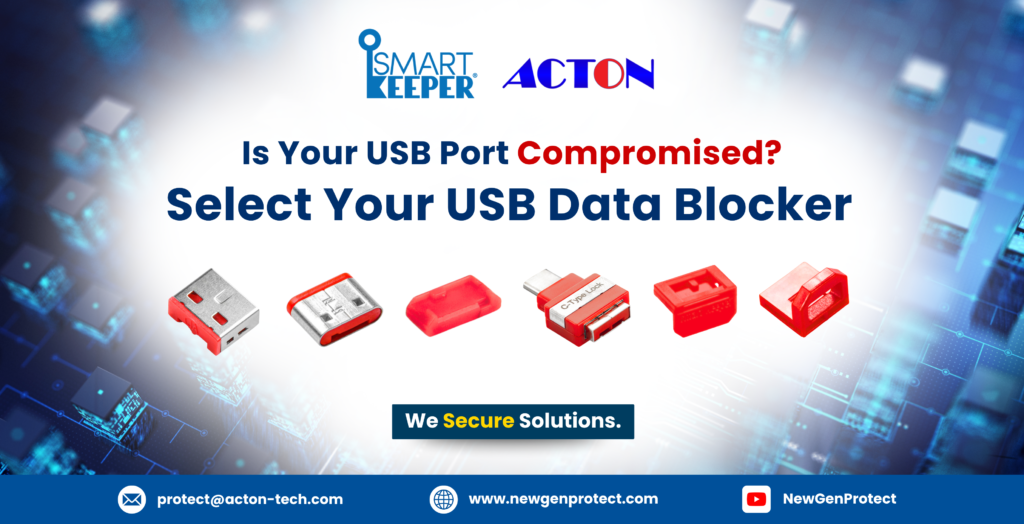
Every exposed USB port is a potential doorway into your data, whether it’s a data port, a charging port, or simply an open USB slot left unprotected. A USB Data Blocker guards against this by physically preventing unauthorized data transfer, safeguarding both device-level information and an organization’s most sensitive business data. Here’s why it has become an essential cybersecurity solution for daily operations.
Table of Contents
The Overlooked Risk Sitting in Every Desk
You don’t need a sophisticated hacker to lose critical data, you just need one unprotected USB port. Whether it’s a data port on a shared workstation, an open USB slot on a forgotten machine, or a port sitting idle on a public-facing device, every exposed connection point is a potential doorway for data theft, malware, or unauthorized access. This is why the USB Data Blocker has quickly become a frontline cybersecurity solution, not an afterthought.
The Problems Organizations Face Every Day
- Employees plug in unknown USB drives with no approval or encryption checks.
- Unattended workstations and kiosks leave ports exposed to anyone nearby.
- Legacy machines can’t run modern antivirus, the port is their only defense.
- Public charging stations risk data extraction, a tactic the FBI has warned against.
- Rogue devices disguised as chargers can silently exfiltrate data on connection.
- Every exposed port is a shared risk, securing it takes a physical safeguard for every situation.

Why Do You Need a USB Data Blocker?
A USB Data Blocker is a physical cybersecurity device built to guard data against theft, leakage, and unauthorized access at the port itself, not just charging risks. It physically blocks unauthorized data transfer, closing the pathway hackers rely on to extract information or plant malware.

USB Data Blocker Solutions: Guarding Every Port
SmartKeeper extends the USB Data Blocker family across every common port type, so no connection point is left unguarded. Already deployed across 2,000 plus major sites globally, including finance, government, and military. Here’s what each solution can do:
- Seals unused USB-A ports
- Blocks unauthorized drives
- First line of defense vs. USB malware
- Seals printer and peripheral ports
- Closes an often-overlooked entry point
- Simple, tool-free installation
- Guards modern USB-C ports
- Covers today’s most common connector
- Fits laptops and current devices
- Enhanced USB-C protection
- Built for docking stations
- Added tamper resistance
- Ultra-compact, 0.1g design
- Fits legacy and embedded devices
- Reliable, low-profile protection
- Secures older mini USB-B ports
- Fits legacy scanners and POS terminals
- Extends protection to equipment
Where to Deploy USB Data Blockers
The following USB solutions are matching with the right industry for every circumstance.
Industry
Recommendation
Why It Fits?
Banking & Finance
USB Port Lock + USB-C Port Lock
Guards teller and back-office terminals handling sensitive financial data.
Healthcare
USB Port Lock + USB-B Port Lock
Protects patient record systems and legacy diagnostic equipment.
Data Centers
USB Port Lock + USB-B Port Lock
Blocks server terminals and network hardware from unauthorized transfer.
Corporate & Enterprise
USB Port Lock + USB-C Port Lock Plus
Secures shared workstations and docking stations company-wide.
Government & Defense
USB Port Lock + Micro/Mini USB-B Lock
Protects sensitive systems and legacy government hardware.
Manufacturing & Industrials
USB Port Lock + Mini USB-B Lock
Secures HMIs, PLCs, and legacy OT machines on the plant floor.
Mining
USB Port Lock + Mini USB-B Lock
Guards rugged, remote-site equipment from unauthorized access.
Energy Infrastructure
USB Port Lock + USB-B Port Lock
Protects control systems and SCADA-linked terminals from data theft.
Why It Matters for Cybersecurity
Cybersecurity is no longer just about firewalls and antivirus. It starts at the physical port. Every unguarded connection is an open invitation, and organizations that overlook this layer leave their most sensitive data exposed to a threat that software alone cannot stop.
Here are the following why you should strengthen your Cybersecurity:
USB-based threats continue to grow year over year, adapting faster than traditional defenses can keep up.
Public charging stations carry real risk, prompting official warnings against plugging into unknown ports.
Most organizations have little to no visibility or control over USB access, leaving a critical blind spot.
A single compromised port can expose an organization’s most sensitive records in seconds.
Physical port security closes a gap that firewalls, antivirus, and endpoint software simply cannot see or control.
Why Source from Acton for Cybersecurity Solution?
Authorized Distributor of SmartKeeper
FAQs
Install a USB Data Blocker. It’s an easy plug-in physical device setup that physically prevents unauthorized data access at the port the moment it’s installed. No drivers, no configuration, and no ongoing maintenance required.
Both, it prevents extraction from personal devices and guards’ business records, client data, and IP.
No. It’s tool-free and plug-and-play, you can install it in seconds.
One-time and reusable. No software licenses or subscriptions required.
- Post date: September 8, 2026
- 610 Views
- 0 Comments
Secure Data as you Protect Lives with Healthcare Solutions
Behind Every Record Is a Life: Secure Data, Protect Lives
(Healthcare Cybersecurity Solution)
A stolen medical record endangers the lives of patients. In healthcare, protecting a patient’s personal data is inseparable from protecting their health, their identity, and their peace of mind. Backed by hard evidence, including research linking cyberattacks to higher patient mortality. Here’s why SmartKeeper, X-PHY, and Flexxon are essential to safeguarding the people behind the data.
Table of Contents

Why a Patient's Health and their Data are One and the Same
Every record in a hospital represents a person: their diagnoses, their prescriptions, their history, their identity. Unlike a password or a payment card, this information can never be reset. A patient’s date of birth, Social Security number, blood type, and medical history follow them for life, which is exactly why criminals prize it, and exactly why protecting it is a duty, not an option.
But the stakes go beyond privacy. When a hospital’s systems are compromised, care itself slows down, scans are delayed, procedures postponed, ambulances diverted. In healthcare, data security and patient well-being are the same fight. Safeguarding a person’s records is safeguarding the person’s life.
A Breach Doesn't Just Expose Data, It Endangers Lives
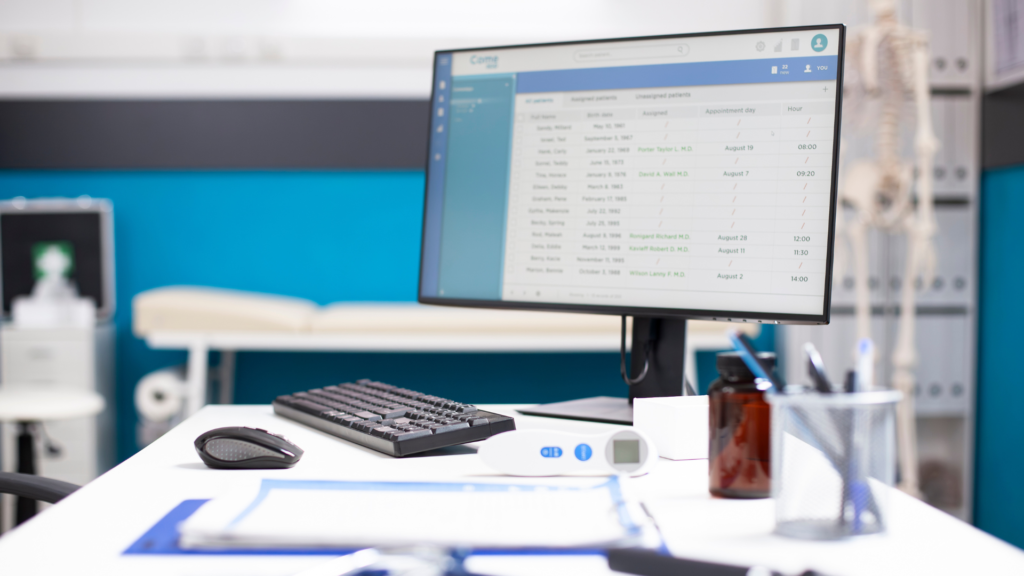
When a hospital is hit by ransomware, care itself slows down. In-hospital mortality for patients already admitted when an attack begins rises by roughly 34 to 38 percent, and nearly one in four healthcare organizations report increased patient deaths following a ransomware attack; 72 percent experience direct disruptions to patient care such as delayed procedures and diverted ambulances.
Ref. Hayes, B. (2026). Healthcare cybersecurity 2026: From EHR downtime to patient safety risk. Echelon Risk + Cyber.
Ref. TechTimes. (2026, August 1). Hospital ransomware raises patient mortality 38%: Black Hat and HIMSS launch healthcare summit. Tech Times.
The Weak Point Isn't the Firewall, It's the Bedside Device
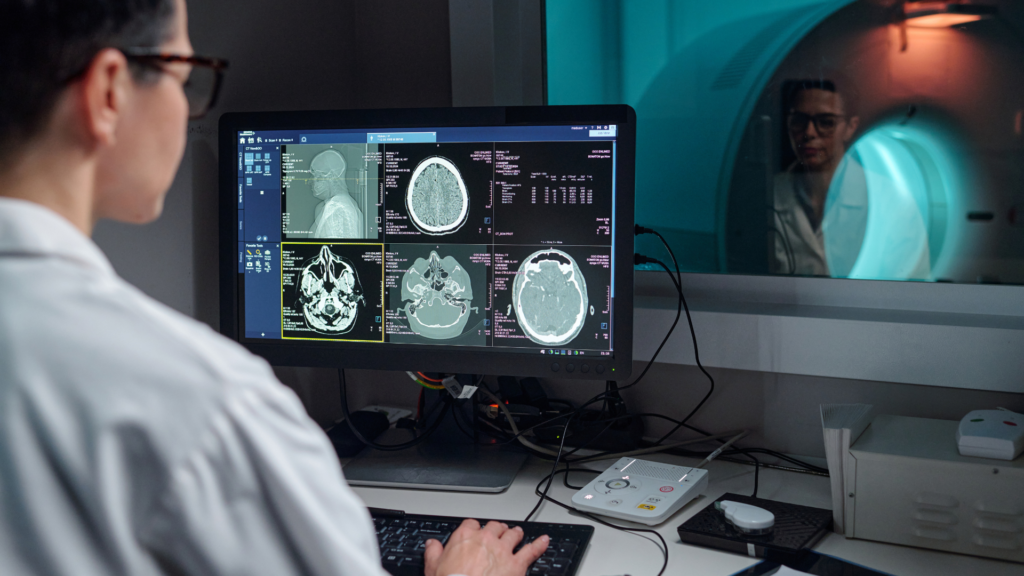
Most clinical technology was built for care, not for security. An estimated 99 percent of hospitals operate connected devices that contain known, exploited vulnerabilities, and many breaches begin at a physical touchpoint, an open USB port on a nurse station, a shared workstation, or an unattended mobile cart, that software defenses never watch. Protecting patients means protecting those everyday devices, securing the process of their daily operation to continue smoothly.
Ref. Hayes, B. (2026). Healthcare cybersecurity 2026: From EHR downtime to patient safety risk. Echelon Risk + Cyber.
Key Solutions That Keep Your Production Line Running and Secure
Each solution below is a small investment against a very large risk, preventing risks that endangers the production.
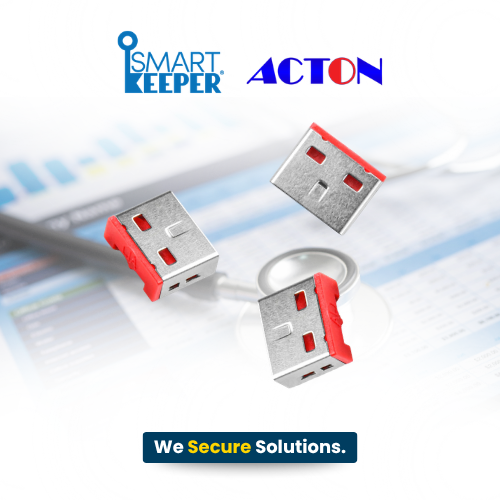
USB Port Lock
Shields the record-handling PCs where a single rogue drive can expose thousands of lifelong identities.
- Blocks malware and data thieves at nurse-station and records PCs.
- Protects permanent patient identities that can never be reissued.
- Shrinks HIPAA exposure with zero added steps for staff.
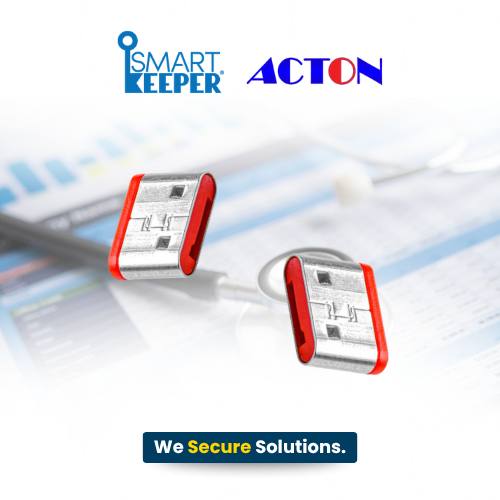
USB-C Port Lock
Keeps roaming bedside tablets and carts from carrying patient data straight into the wrong hands.
- Locks the USB-C ports on tablets, laptops, and mobile carts.
- Stops tampering and unauthorized connections at the bedside.
- Keeps mobile care devices trustworthy wherever they travel.
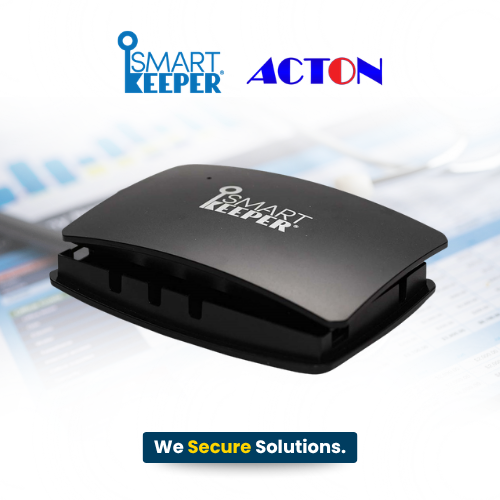
Link Lock Hub
Brings order to shared workstations so no device or the patient’s data on it, walks off mid-shift.
- Secures a cluster of essential USB devices under one lock.
- Prevents peripherals from being swapped or stolen during rounds.
- Adds accountability at high-traffic clinical stations.
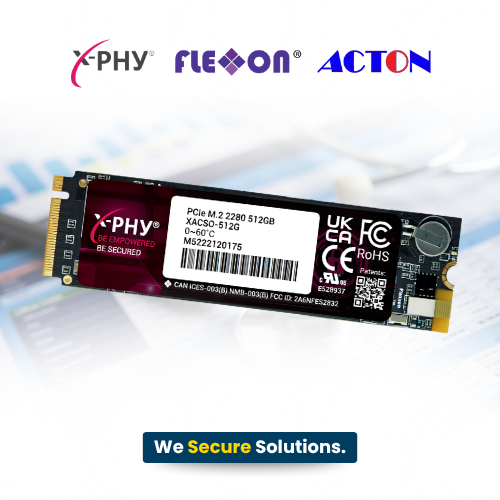
X-PHY AI Embedded Hardware
Keeps life-critical systems running so a cyberattack never becomes a patient-safety event.
- Stops ransomware in real time, even on offline devices.
- Protects continuity of care when every second matters.
- Defends against the attacks now linked to higher mortality.
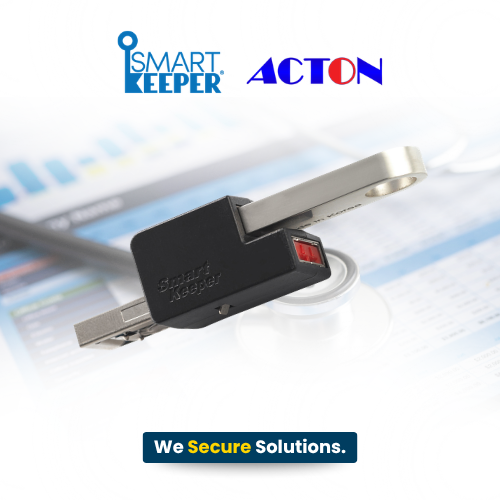
Secure Drive
Makes a patient’s records worthless to anyone but your authorized team, even if a drive goes missing.
- Keeps PHI unreadable if a drive is lost or stolen.
- Enables safe record transfer between departments and sites.
- Turns an everyday transfer risk into a compliance win.
Why Source from NewGenProtect for Healthcare Cybersecurity Solution?
Authorized Distributor of SmartKeeper
Effective healthcare cybersecurity requires a full-time layered protection across clinical operations, from physical to AI-powered layers. As an authorized distributor, NewGenProtect delivers comprehensive patient data cybersecurity with SmartKeeper physical port security, X-PHY AI-powered protection, and Flexxon secure storage solutions. This layered cybersecurity approach helps providers prevent unauthorized access, secure sensitive patient records, and detect emerging threats, strengthening care continuity and patient trust across every ward, workstation, and connected device. With Acton, your investment stays compliant, reliable, and built for the long term.
FAQs
Because it can’t be cancelled. A medical record contains permanent identifiers; name, birth date, and history that fuel fraud for years, which is why it sells for up to ten times a credit card.
No. SmartKeeper locks are passive hardware, no power, software, or signal interference. They simply block unused ports.
Yes. Physical access control plus hardware-level data protection strengthens your safeguards, and forensic-ready logs support your audit trail.
- Post date: September 3, 2026
- 39670 Views
- 0 Comments
Secure Every Layer of Production | Manufacturing & Industrials Solutions
Uptime Is Everything: Secure Every Layer of Production
(Manufacturing & Industrials Cybersecurity Solution)
On the factory floor, a cyberattack isn’t just a data breach, it’s a stopped line, a missed shipment, and lost revenue. In 2026, manufacturing remains the world’s most-targeted industry, where legacy OT and one infected USB can halt everything. Here’s how SmartKeeper, X-PHY, and Flexxon keep production running and design secrets safe.
Table of Contents

When the Line Stops, Everything Stops
Manufacturing runs on uptime, precision, and intellectual property, and every connected machine, HMI, and control system is a link that can’t afford to break. That’s exactly why attackers love it: per IBM’s 2026 X-Force Threat Intelligence Index, manufacturing absorbed 27.7% of all cyberattacks, the most-targeted industry for the fifth straight year. And the pressure is still climbing in Q2 2026 alone, Dragos tracked 1,140 industrial ransomware incidents, with manufacturing accounting for 65% of them.
Layers that Ensure Production Runs Continuously
A trusted manufacturing plant has to have an in-depth cybersecurity assurance to its operation. Rugged, software-free protection that fits OT environments and protects uptime as much as data.
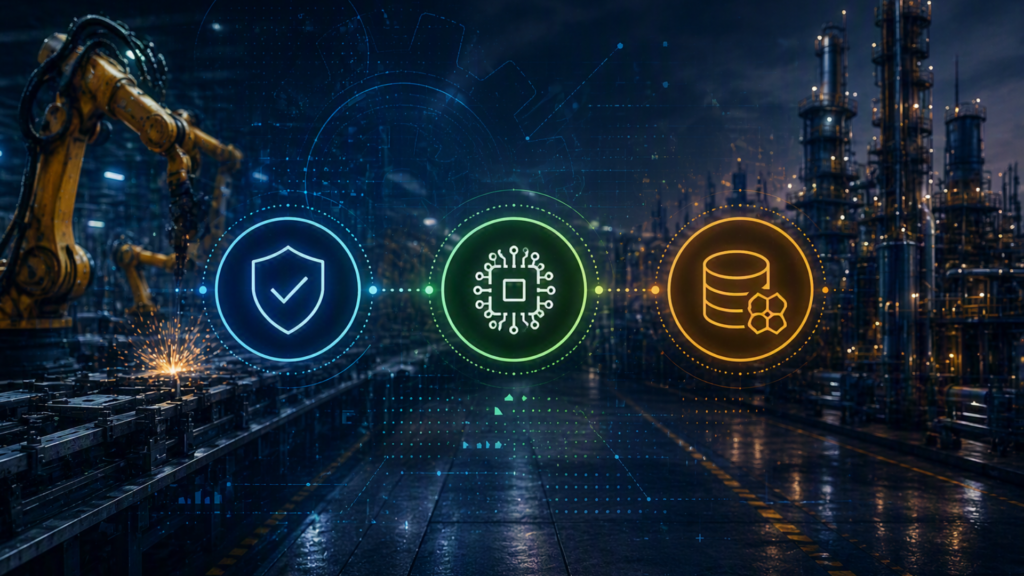
- SmartKeeper -
Physical Layer
- Blocks USB and network ports on HMIs, PLCs, and control panels.
- Locks cables in place to prevent line-stopping disconnection.
- Rugged, tamper-resistant, and maintenance-free.
- X-PHY -
AI Hardware Layer
- Real-time AI detection and lockdown of ransomware.
- Runs autonomously on air-gapped production systems.
- Protects control systems and design IP without updates.
- Flexxon -
Data Storage Layer
- AI-embedded SSD locks data the moment a breach is detected.
- Protects design files even when a device is removed.
- Forensic-ready logs for post-incident audits.
Key Solutions That Keep Your Production Line Running and Secure
Each solution below is a small investment against a very large risk, preventing risks that endangers the production.
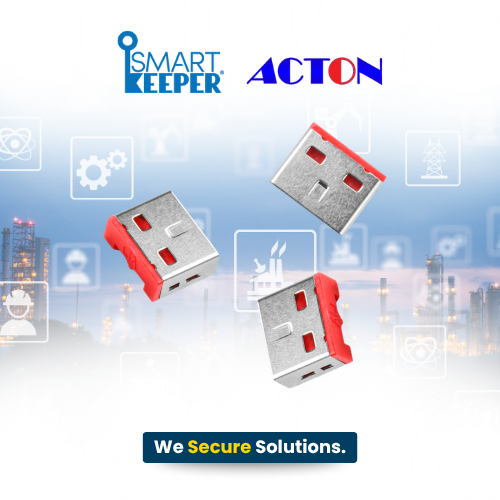
USB Port Lock
Removes the plant’s most common entry point for less than a minute of downtime.
- Blocks USB-borne malware from ever reaching an HMI or PLC.
- Protects legacy machines that can’t run modern antivirus.
- Installs in seconds without pausing a single production line.
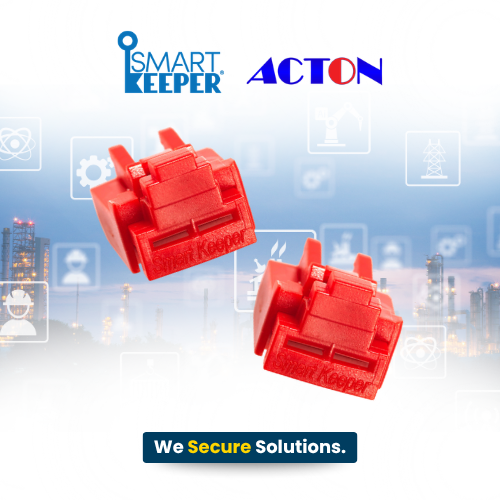
Network Port Lock Plus
Keeps outsiders and rogue devices off the systems that run production.
- Shuts the door on unauthorized OT and SCADA network access.
- Stops rogue laptops and sniffers before they can connect.
- Built rugged for the heat, dust, and vibration of the floor.
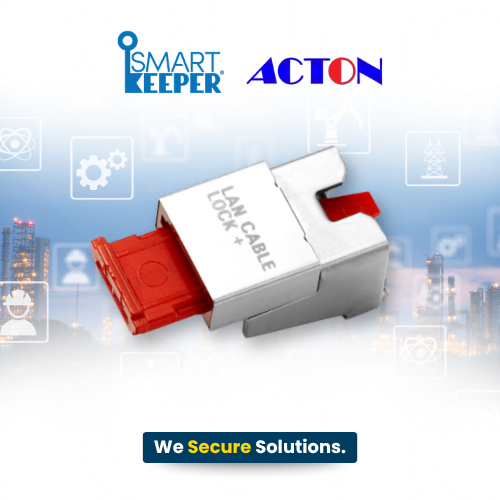
LAN Cable Lock Plus
Turns a line-stopping accident into something that simply can’t happen.
- Prevents accidental cable pulls to idle machines mid-run.
- Keeps critical machine links stable in high-vibration areas.
- Removes a hidden, everyday cause of unplanned downtime.
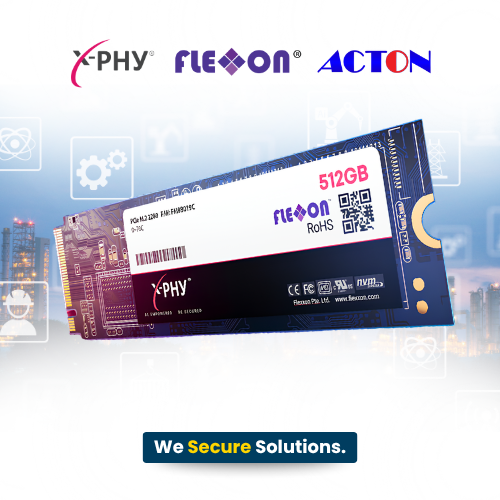
X-PHY AI Embedded Hardware
Fights ransomware at machine speed — the line keeps moving.
- Keeps production systems running the moment ransomware strikes.
- Defends control systems that can never be taken offline to patch.
- Protects the design IP that took years and fortunes to build.
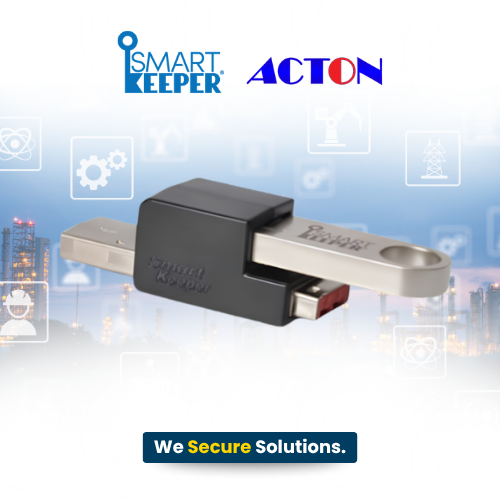
Secure Drive
If a drive leaves the building, your competitive edge doesn’t leave with it.
- Keeps process recipes and CAD files unreadable in the wrong hands.
- Enables safe data transfer across air-gapped production cells.
- Turns a lost or stolen drive into zero exposure, zero liability.
Why Source from NewGenProtect for Manufacturing & Industrials Cybersecurity Solution?
Authorized Distributor of SmartKeeper
Effective manufacturing & industrial cybersecurity requires multi-layered protection across manufacturing operations, from physical to AI-powered layers. As an authorized distributor, NewGenProtect delivers comprehensive factory-floor cybersecurity with SmartKeeper physical port security, X-PHY AI-powered protection, and Flexxon secure storage solutions. This layered cybersecurity approach helps manufacturers prevent unauthorized access, secure critical design IP, and detect emerging threats, strengthening operational resilience and production uptime across every plant, line, and OT system. With Acton, your investment stays compliant, reliable, and built for the long term.
FAQs
Yes. SmartKeeper locks are passive hardware, no software, power, or drivers. So, they protect even decades-old OT equipment.
Absolutely. Its AI lives in the firmware and works fully offline. No connectivity or updates required.
No. Installation is tool-free and non-intrusive, and protection runs silently in the background.
- Post date: September 3, 2026
- 41822 Views
- 0 Comments