
Lock USB Port or Disable It? Best Way to Secure Devices in 2026
(Lock USB Port)
While organizations invest heavily in firewalls and endpoint software, USB ports remain one of the most exploited physical entry points.
Should you disable USB ports with software—or physically lock USB ports for real protection?
Table of Contents

Why Lock USB Port Are a High‑Risk Entry Point
USB ports are designed for convenience, but that same convenience creates risk.
Transfer sensitive data without leaving network traces
Introduce malware that bypasses firewalls
Steal data in seconds
The issue is not detection—it is uncontrolled access.

Disable USB Ports (Software‑Based Control)
When disabling USB ports helps
- Centralized policy enforcement
- Managing large device fleets remotely
- Reducing casual or accidental USB usage
Where disabling USB ports fails
- Can be overridden by users with admin access
- Vulnerable to policy changes or OS reinstalls
- No visible deterrent—users still attempt access
- Does not physically block device insertion
Disabling USB ports improves control—but it does not eliminate risk.
Lock USB Port (Physical Security Control)
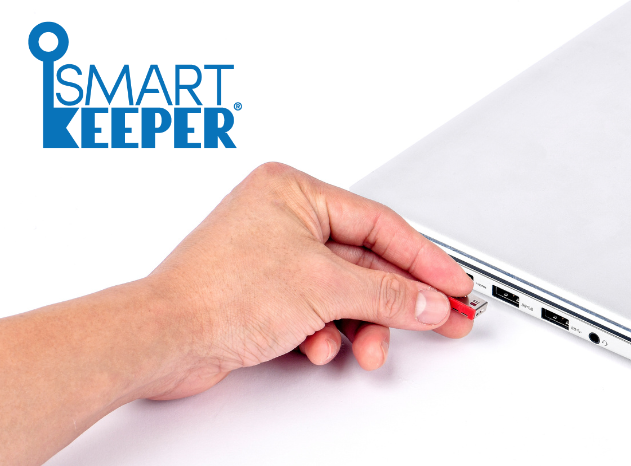
To fully close the gap, organizations increasingly choose to lock USB ports physically. A USB port lock blocks the port itself—making access impossible without authorization.
Why locking USB ports is more secure
- Completely prevents device insertion
- Cannot be bypassed by software or remote access
- Acts as a visible deterrent to misuse
- Works independently of OS or system policies
If nothing can be plugged in, nothing can attack through that port.

Lock USB Port vs Disable USB Port: Which Is Better?
Method
Disable USB port (software)
Lock USB port (physical)
Level of Protection
Moderate
High
Best practice: use software controls for policy management—and lock USB ports for enforcement.

What Happens If Lock USB Port Are Left Unsecured?

Data breaches and IP theft
Malware infections spreading across networks


Costly downtime and reputational damage
In many cases, breaches aren’t sophisticated—they happen because a USB port was left open.
Why Organizations Choose to Lock USB Port

Strong endpoint protection without complex systems
Reduced insider‑threat exposure
Clear, enforceable security policies
Lock USB Port Key Features and Capabilities
Stops unauthorized devices at the source
Only authorized personnel can unlock ports
No software, drivers, or system changes
Works on desktops, laptops, and shared devices
Why Buy Lock USB Port SmartKeeper from Acton
Authorized distributor of Smartkeeper
As an authorized SmartKeeper distributor, Acton delivers more than just hardware. You gain access to genuine SmartKeeper products, along with expert recommendations tailored to your specific use case. With local consultation and reliable after-sales support, Acton ensures a smooth and effective deployment. You’re not just locking USB ports—you’re strengthening your overall endpoint security.


