RJ45 Port Blocker: Secure Your Network Physically
RJ45 Port Blockers for Physical Protection
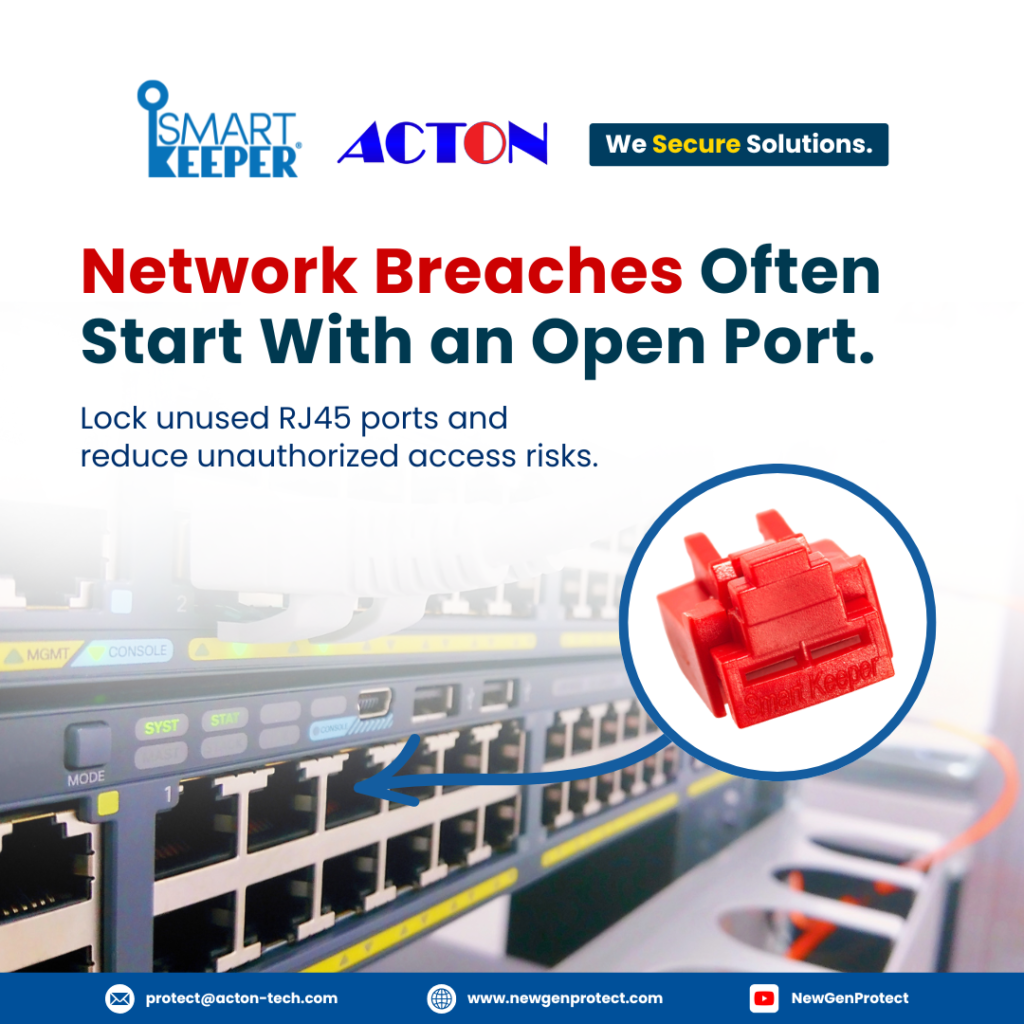
RJ45 Port Blocker | Have you ever felt uneasy about the open ports on your company’s computers and network switches? Those gaping holes are gateways for data thieves and other digital delinquents.
Don’t just rely on firewalls and software – add another layer of physical security to your system.
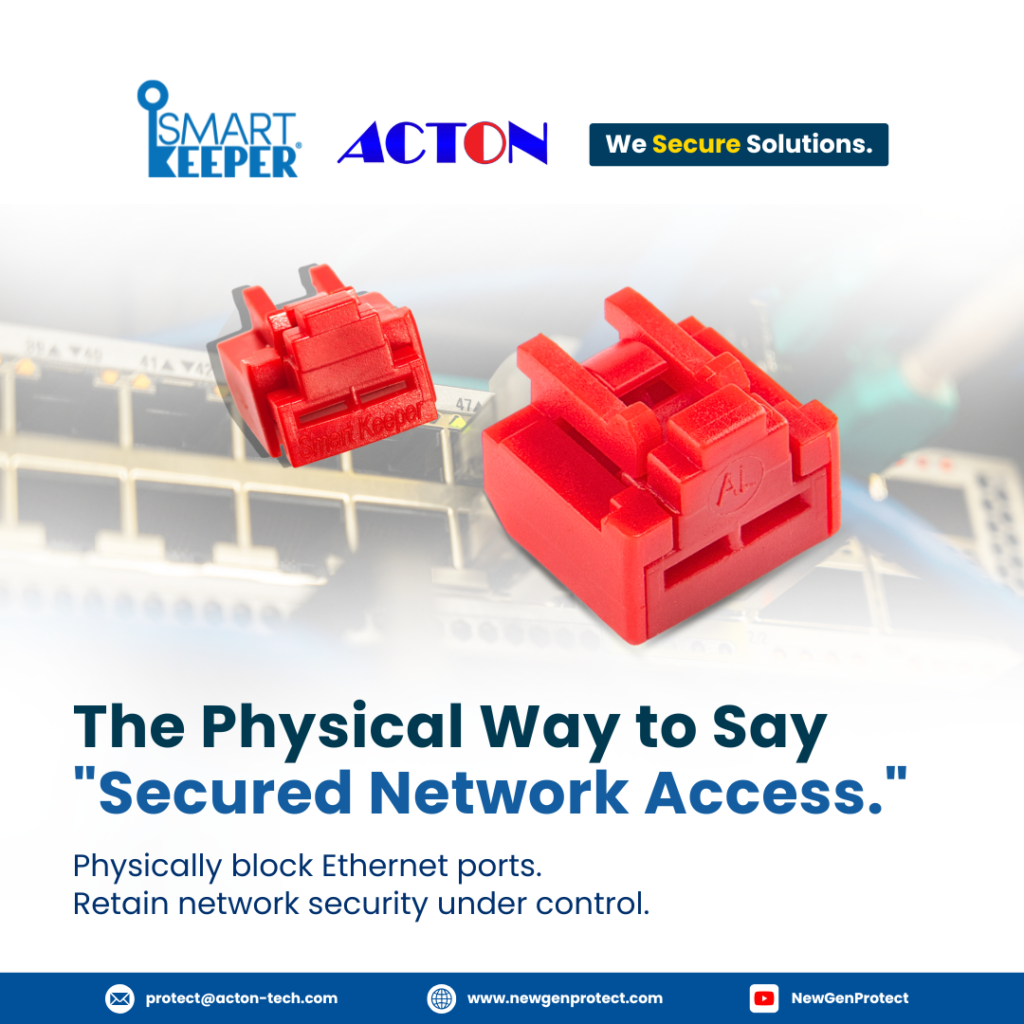
Smart Keeper’s RJ45 port blockers are the innovative solution to seal up your equipment’s vulnerable inputs and outputs.
These unassuming little widgets are your first line of defense.
Don’t wait until it’s too late – start securing your network physically today with Smart Keeper’s RJ45 port blockers.
The Importance of Physical RJ45 Port Blocker
Physical security for your network is just as important as software firewalls and antivirus programs. Without securing access points in your office or server room, you’re leaving the door wide open for threats.
Restrict Unauthorized Access
An open network jack is an easy target. SmartKeeper port blockers physically seal off vacant ports, eliminating the risk of unauthorized access from rogue devices plugged into your network. This provides an added layer of protection for any sensitive data on your systems.
Deter Internal Sabotage
Unfortunately, not all threats come from outside. A disgruntled employee with malicious intent could easily access your network by plugging into an empty wall jack. SmartKeeper blocks unused ports to mitigate risks from internal sources as well.
Cost-Effective Solution
While software security requires ongoing investments and maintenance, Smart Keeper provides a simple, economical solution. Once installed, you have peace of mind that your network is physically locked down around the clock. For pennies per port, you get an extra barrier against cyber threats targeting your infrastructure.
How RJ45 Port Blocker Enhance Network Protection
rj45 port blocker in singapore
rj45 port blocker in malaysia
rj45 port blocker in philippines
RJ45 port blockers, also known as Ethernet port lockouts or Network Port Locks, are physical security devices that lock down the ports on Ethernet switches, routers, and patch panels. By blocking unused ports, they prevent unauthorized access to your network infrastructure and the sensitive data transmitted across it.
Prevent Unauthorized Access
With open ports on network equipment, anyone can plug in and access your network. RJ45 port blockers seal off unused ports so no one can tap into your network without authorization. This adds an extra layer of protection for your network security.
Deter Tampering
RJ45 port blockers also deter attempts to tamper with network equipment by locking ports and protecting cabling. This makes it much more difficult for someone to install a network tap or other sniffing device to monitor network activity.
Reduce Configuration Errors
Blocking unused ports on Ethernet equipment also helps prevent configuration errors. With open ports, it’s possible to accidentally plug cables into the wrong ports, causing network issues. RJ45 port blockers eliminate this possibility by sealing off ports not in use.
Simple but Effective Solution
While software firewalls and other cybersecurity measures are important, physical security should not be overlooked. RJ45 port blockers provide an easy, affordable way to strengthen the physical security of your network. Combined with other best practices like patching, monitoring, and user education, they help create a robust, defense-in-depth security posture for your organization.
For any successful business today, multi-layered security is essential. Network Port Locks add an extra physical layer to help protect your network, complementing the software measures already in place. They may be a simple solution, but in security, simplicity and effectiveness are a powerful combination.
Interested in tailored cybersecurity solutions?
- Post date: May 7, 2024
- 6812 Views
- 0 Comments
Network Security in 2024: Threats, Tools and Best Practices
The Evolution of Network Security Threats
These days, your network is exposed to a whole new world of vulnerabilities. With the rise of IoT, you have more devices than ever connected to your network — and each one is a potential entry point for hackers. Data breaches have become commonplace, exposing the personal information of millions of people.
Ransomware and malware have also become more sophisticated.
Ransomware like WannaCry and NotPetya can infect your network and lock you out of your critical systems and data. Malware is adept at stealing data, mining crypto, and giving hackers backdoor access to your network.
Insider threats are also a concern.
Disgruntled employees or those with too much access pose a risk to your network security. They have the credentials and knowledge to steal data, plant malware, or cause other damage from within.
To stay ahead of these advanced threats in 2024, you'll need to take a multilayered approach to network security.
Deploy tools like next-gen firewalls, automated patch management, and network access control. Provide security awareness training for employees. Use network monitoring to detect threats early. And consider physical security measures like Smartkeeper Cable Locks to prevent unauthorized access at the source.
With the right strategy and solutions in place, you can protect your network even as threats continue to evolve. But network security in 2024 will require constant vigilance and a proactive approach. Complacency is not an option.
In just a few years, networks will be more advanced but also more vulnerable. As IoT expands, so do the risks of cyber threats like data breaches, malware, and unauthorized access. To protect your network in 2024 and beyond, you’ll need innovative security solutions that go beyond software alone.
Physical Locks for Network Protection
One of the most effective ways to safeguard your network is by securing physical access points. Smartkeeper Pro Series LAN cable locks are precision-engineered to protect Ethernet connections and restrict unauthorized tampering. These durable locks prevent intruders from accessing your network cables and ports.
Layered Security for Comprehensive Protection
By combining software security systems with physical LAN cable locks, you establish “defense in depth.” This layered approach strengthens your security environment end-to-end, reducing vulnerabilities across the board. In 2024, multilayered security will be essential, especially for organizations relying on advanced networks and IoT systems.
Adaptable, Scalable Solutions
As networks become more complex, security measures must keep up. Smartkeeper Pro Series LAN cable locks are designed to secure standard Ethernet connections now and in the future. These modular, scalable solutions can adapt to changes in technology and network infrastructure. They provide an extra layer of protection that evolves with your systems over time.
Convenient, Cost-Effective Security
While software solutions typically require ongoing investments and updates, physical LAN cable locks are a one-time purchase. They provide years of reliable security in a convenient, tamper-proof form factor. For budget-conscious organizations, these locks offer an affordable way to strengthen network protection with minimal long-term costs.
Overall, multilayered security will be critical for future networks and IoT systems. In 2024 and beyond, LAN cable locks can serve as a simple yet effective line of defense, protecting your vital network access points while complementing advanced software protections. With the right blend of physical and virtual security measures in place, your network will be well-positioned to handle whatever threats may emerge.
Integrating Physical Security Tools Like CSK-NL11 in IoT Networks
To truly secure an IoT network, you need to consider both cyber and physical security. Smartkeeper’s CSK-NL11 LAN cable locks are one example of a physical security solution that can complement your IoT technology.
Prevent Unauthorized Access
By physically locking critical network cables and connections, tools like the CSK-NL11 prevent unauthorized individuals from tampering with or accessing your network infrastructure. This deters hackers from directly tapping into your network cables to steal data or install malware.
Deter Inside Threats
Unfortunately, not all security threats are external. The CSK-NL11 LAN cable locks can also help deter malicious insiders or employees by controlling who has access to network connections. Only authorized staff with the correct keys will be able to unlock the cable locks, creating an audit trail of access.
Reduce Human Error
An additional benefit of the CSK-NL11 LAN cable locks is reducing accidental changes or disconnects. By locking down cables and requiring keys to make any changes, you minimize the chance of an employee accidentally unplugging something or connecting cables incorrectly.
Robust and Scalable
The CSK-NL11 LAN cable locks are built to withstand physical force and tampering, while still being convenient for authorized staff to use.
No matter how many connected devices or network endpoints you have, these cable locks help ensure they all remain physically secure.
Integrating the right physical security tools into your IoT infrastructure is key to protecting these interconnected networks of the future. While cybersecurity gets most of the attention, don’t forget about low-tech measures like physical locks and access control.
Port Locks may seem simple, but they provide an important layer of protection for your IoT devices and data. With the right combination of cyber and physical security, you can build an IoT ecosystem with end-to-end protection.
Best Practices for Network Security in 2024
Businesses adopting IoT and other advanced technologies in 2024 will need to implement stringent network security measures to protect sensitive data and critical systems. As networks become increasingly interconnected, the potential attack surface also expands. Follow these best practices to strengthen your network security.
- Use Multi-Factor Authentication
- Encrypt Sensitive Data
- Isolate IoT Networks
- Educate Employees
- Invest in Physical Security
Software solutions alone will not fully secure networks in 2024. Combine cybersecurity technology with physical safeguards like SmartKeeper LAN Cable Locks to control access to network ports and cabling. Network Port locks prevent unauthorized connections that could be used to access data or install malware.
Following these best practices and keeping security policies and defenses up-to-date will help ensure your business has a robust network security posture in 2024 and beyond. Combining the latest technologies with tried-and-true physical safeguards gives the most comprehensive protection.
In 2024, hackers won’t just attack your firewall—they’ll target your Ethernet ports. SmartKeeper Pro Series LAN cable locks put your network security on lockdown. Precision-engineered to protect every Ethernet connection and restrict unauthorized access, these durable locks are a multilayered defense against advanced threats trying to breach your system through physical access points. When your network’s at stake, lock it up with the pros. Contact our Tech Experts now for free demo.
- Post date: April 26, 2024
- 2472 Views
- 0 Comments
The Best Port Locks for Complete Data Security
What is the use of a Port Blocker? You’ve probably never given much thought to the open ports on your devices. USB, ethernet, HDMI – we plug things in all the time without worrying.
But have you considered the security risks? Leaving ports accessible is like leaving your front door wide open. One tiny device and bam – instant data breach.
The Overlooked Threat of Physical Data Breaches
Physical access to your ports provides an easy entry point for data thieves.
Unsecured ports on your routers, switches and servers are vulnerable to unauthorized access, allowing someone to plug in a device to steal data or install malware.
- Routers and switches: The ports on these networking devices provide access to your entire network. Someone could connect to steal account information, passwords or install a network sniffer to capture all your data.
- Servers: Server ports contain critical business data and applications. Unsecured server ports are a prime target, giving access to customer records, financial data, and more.
- Peripheral devices: Even ports for keyboards, mice and USB drives provide opportunities for data theft if left unsecured. Keylogging devices can be installed to record keystrokes and steal login credentials.
Staying Ahead of the Physical Threat
The solution is simple: Port locks. By physically locking down open ports, you eliminate the risk of unauthorized access and data theft through those entry points. Port locks install in seconds but provide powerful protection for your digital assets.
When every port on every device is secured, you have a solid defense against physical data breaches. Total security means protecting from all angles – both digital and physical. Take a few minutes to install port locks and you’ll have peace of mind knowing your data is safe from prying eyes and probing devices.
Your network security isn’t truly secure without addressing physical access. Port locks are an easy, affordable way to plug up this hole in your defenses. With threats coming from every direction, you need total protection for your data and systems. Lock your ports, lock down your data and keep intruders out.
Securing Your Ports With SmartKeeper Port Blocker
Physical port locks are crucial for protecting unauthorized access to your IT equipment. With SmartKeeper, securing your ports is a snap. Their patented port locks are designed to fit most standard ports, like USB, ethernet and HDMI, keeping intruders out while still allowing normal use of your devices.
USB Port Blocker
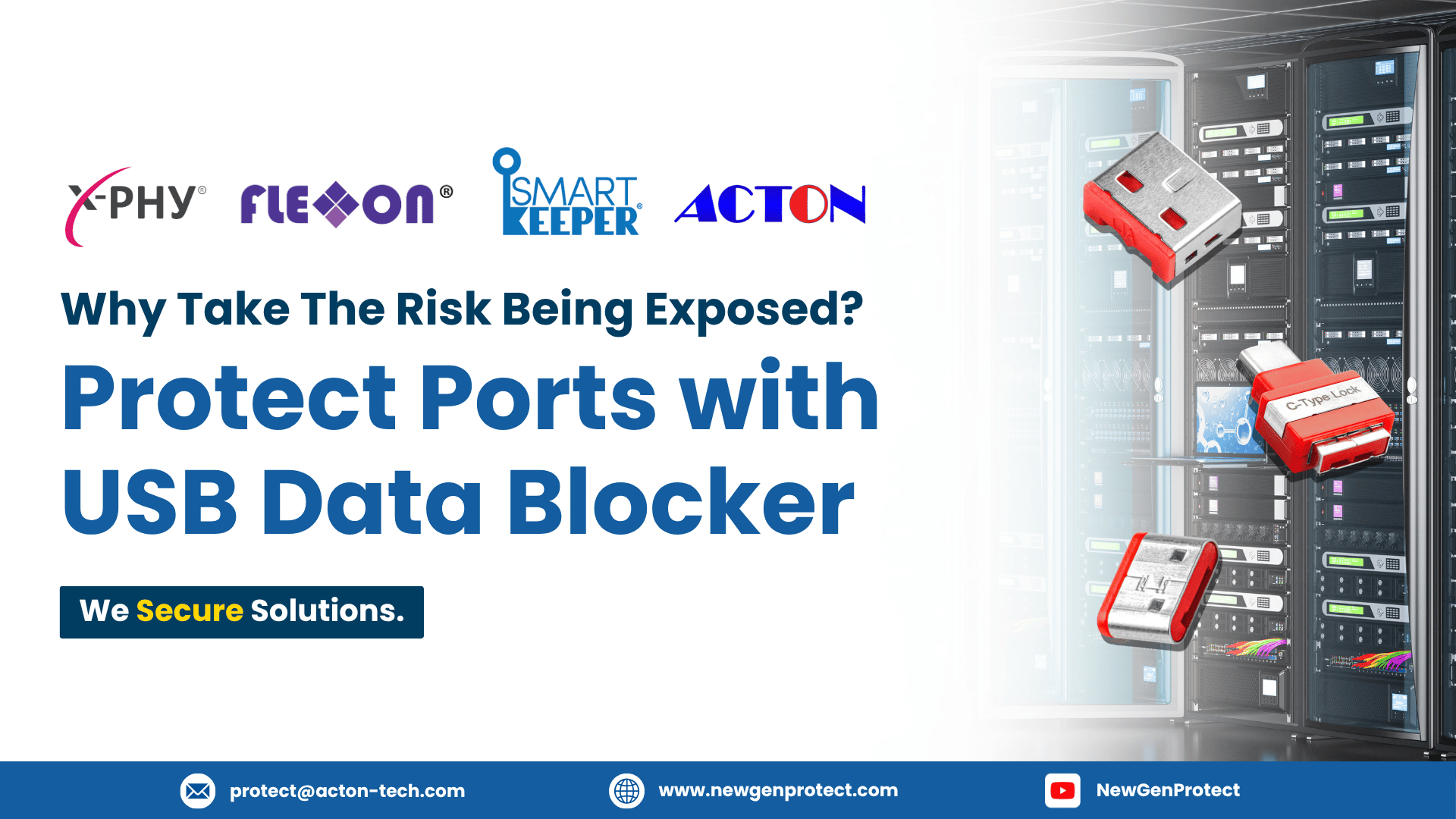
For USB ports, SmartKeeper offers all type A (standard USB), type B and type C locks. No more worrying about unsecured open USB port! These affordable port blockers give you peace of mind without breaking the bank.
Ethernet and HDMI Locks
SmartKeeper also produces specialty locks for ethernet and HDMI ports. Their ethernet lock allows an ethernet cable to remain connected while blocking access to the physical port. The HDMI lock does the same for HDMI cables, securing your monitor or TV connection.
Keys Included
All SmartKeeper port locks come with a key for added security. If a key is lost or stolen, SmartKeeper can easily provide replacements to keep your data safe.
Port locks from SmartKeeper offer an easy, affordable way to protect your digital assets from unauthorized physical access. For less than the cost of a single data breach, you can secure your USB ports, ethernet connections, HDMI cables and more. True security means protecting all access points – digital and physical. With SmartKeeper port locks, you can lock your ports and keep your data safe.
Peace of Mind
Port Blocker offers an easy way to gain peace of mind about your data security. By physically locking down access points to your IT equipment, you can rest assured that no one can just walk up and plug in a USB drive or other device to steal information. Out of sight, out of mind—your data will be locked away and safe from prying eyes.
Cost Effective
You can secure all the ports on your servers, PCs, laptops, and other devices. There’s no need for an expensive security system to protect from physical data breaches. Port locks get the job done at a fraction of the cost.
Simple to Implement
Port Blockers don’t require any advanced technical skills to set up and use. You simply lock each port cover in place over the physical ports and keep the keys in a secure location. There’s no software to install or configure. The straightforward, low-tech nature of port locks means you can roll out protection in minutes without the help of IT experts.
Added Layer of Defense
While digital security measures like firewalls, malware detection, and encryption are critical, port locks provide an added layer of defense for your data. If a cybercriminal manages to breach your digital defenses remotely, they still won’t have physical access to your equipment to directly access and steal information. Port locks seal up this entry point, providing comprehensive 360-degree data security when combined with standard data protection best practices.
Port locks are a simple solution with big benefits for data security. For any organization serious about protecting sensitive information, physically locking down access to IT equipment should be an important part of a comprehensive security strategy. Lock your ports, lock in your data.
How to Install and Remove USB Port Blocker
Installing SmartKeeper’s USB port blocker is simple.
To install:
- Locate the USB ports on your device that you want to secure. This could be a desktop computer, laptop, server or any other equipment with USB access.
- Place the blocker into the USB port opening. The blocker should slide in easily until it clicks into place, blocking access to the port.
- Repeat the installation process for any additional USB ports you want to lock. For most computers, we recommend blocking at least two of the three USB ports.
To remove USB Port Blocker:
When you need to access a locked USB port, simply insert the key (included with your port blocker) into the small hole at the top of the blocker. Gently pry outward and the blocker will pop out, unlocking the port. Be very careful not to use excessive force, as this could damage the port.
The installation and removal processes are intentionally simple so that accessing your USB ports remains convenient when needed, while still providing an effective barrier against unauthorized access the rest of the time.
By taking a few minutes to install SmartKeeper’s USB port blockers, you gain the peace of mind that your data and devices are safeguarded from unauthorized physical access.
Protect your most vulnerable entry points and outsmart even the cleverest intruders with these practical, affordable port locks. Total data security starts here.
FAQs: All About Port Lockers and Data Protection
What exactly is a port blocker?
A port blocker is a physical device that secures the unused/open ports on your IT equipment like servers, switches, and routers. It’s a steel enclosure that blocks over the ports to prevent unauthorized access. These provide an extra layer of physical security for your data infrastructure.
Why do I need port blockers?
While digital security measures like firewalls and encryption are important, we often overlook physical vulnerabilities. Unlocked ports provide easy access points for data breaches via USB drives or other connections. Port lockers eliminate this risk by locking down ports and securing sensitive data within your network. For complete data protection, you need physical security in addition to digital.
Do port blockers affect equipment performance?
No, port lockers have no impact on your IT equipment’s performance or functionality. They simply act as a physical barrier preventing unauthorized port access. Your servers, switches, and routers will continue to operate as normal. The steel enclosures are vented and will not cause overheating.
How much do port blockers cost?
Port locker pricing depends on the number and type of ports you need to secure.
To get discounts and expert advice contact us at protect@acton-tech.com or simply click here.
In summary, port lockers provide cost-effective physical security for your network ports and the sensitive data they contain. By eliminating unauthorized access points, you can rest assured your data is safe from all angles – both digital and physical. For comprehensive data protection in 2024, port lockers are a simple and effective hardware security solution.
SmartKeeper makes it easy and affordable to lock things down. When you lock your ports, you lock down your data. You can rest easy knowing you’ve got all your bases covered with digital defenses and physical port locks from SmartKeeper. Stay secure from every angle, because data protection is about more than bits and bytes. It’s about total peace of mind.
Acton SmartKeeper caters to all our clients in Southeast Asia Region, providing the best hardware security solution at the most affordable price. Contact our tech experts now for free!
- Post date: March 21, 2024
- 7320 Views
- 0 Comments
RJ45 Port Blocker | Lock and Secure: Protect your Data Security
Enhancing Security: RJ45 Port Blocker with Key
Looking for a cost-effective, efficient physical cybersecurity solution? Worried about cyberattacks and data breaches through open network ports? We provide tailored protection solutions – Customized RJ45 Port Blocker for your organization.
Caution: Easily purchasing port blockers online could compromise your security measures. This is why you need customized port blockers and keys for your company.
Explore reliable sources for these tailored solutions as having blockers in place doesn’t guarantee foolproof physical cybersecurity, especially with numerous online sellers available.
After all, why settle for common port blockers and keys? Safeguard your data with a personalized port blocker and key – a tailored solution.
Introducing RJ-45 port blockers with keys – the easy solution to safeguard your devices. These handy gadgets keep digital intruders at bay while allowing you access with a customized key.
Discover how these port blockers enhance cybersecurity and physical protection for your network.
Available in Singapore, Malaysia, and Philippines
What is RJ45 Port Blocker?
Physical Network Security
Tailored Security Solution
Our RJ-45 port blockers come with personalized keys for enhanced protection. Keys are tailored to fit your device ports accurately – ensuring access is restricted to authorized individuals, unlike generic alternatives you see online. Users to unlock ports when needed.
Easy to Install and Remove
These port blockers are simple to put in place and remove when needed. They slide easily onto standard Ethernet ports and the keyed lock secures them in place. When you need to use a port, just insert your customized key to unlock the blocker. No tools or reconfiguration needed.
Protect Your Network
Using RJ-45 port blockers is an easy way to strengthen your network security. By physically blocking unused access points, you reduce opportunities for unauthorized access and hacking.
Fewer open ports mean fewer vulnerabilities. And with our customized keys, you have an added layer of protection that generic port blockers can’t provide. Protect your infrastructure with our innovative, keyed RJ45 port-blocking solution.
Benefits of Using Customized RJ45 Port Blocker
RJ45 port blockers keep unauthorized users out of your network ports, but customizable keys take protection to the next level.
Control Access
With standard port blockers, anyone with a key can access your ports. Customized keys mean only those you authorize will have access, giving you total control over who can connect to your network.
Added Security
Lost or stolen keys won’t compromise your network security if you use customized keys. While standard keys are often replicable, your customized keys feature a unique design that prevents standard duplication. This deters attempts to gain unauthorized network access.
Misplaced or Lost key? Just give us the serial number from your prior purchase in our database to easily receive a replacement key.
Peace of Mind
Maximum protection secures your network ports. Customized RJ-45 port blockers give you confidence that only approved individuals with the proper key can access your ports.
Flexibility
We offer a range of colors and materials for your customized keys so you can choose an option that suits your needs. Whether you want durable metal keys, brightly colored plastic keys for easy ID, or another style, we have you covered. Our customization options provide flexibility to match your network security setup.
Using RJ45 port blockers with customized keys is a smart way to safeguard your network from unwanted access. Maximum protection, total control, added security, peace of mind, and flexibility – those are benefits every organization wants. Customized port blocker keys deliver all of these advantages so you can rest easy knowing your network ports are properly secured.
Where to Find the Best RJ45 Port Blocker
In ensuring your physical cyber protection, purchasing online doesn’t always guarantee top-notch quality.
Physical Cybersecurity is an important security measure, so thorough research and consultations with experts are essential. Opting for customized port blockers and keys tailored to your organization is far more crucial than settling for generic, off-the-shelf solutions found online.
Having a reliable technical expert by your side throughout the process is key to ensuring that your protection is prioritized over mere sales transactions.
Acton SmartKeeper offers top-notch technical expertise along with premium customized port blockers and keys. Our products are exclusively accessible to authorized businesses, personnel, and government departments, underscoring the significance of data security. For personal-use port blockers, click on this link.
Your data security matters to us.
Why Choose Acton SmartKeeper?
Superior Quality and Durability
Acton SmartKeeper produces high-quality RJ45 port blockers that are built to last. The precisely machined keyway and tumbler mechanism allows for smooth key operation even after years of use.
Customized Keys for Your Needs
At Acton SmartKeeper, we recognize the importance of personalized security solutions. That’s why we provide customized key options for your RJ45 port blockers. Our keys can be designed with distinct keyway profiles to match your precise requirements.
Need a universal key for all your port blockers? We can arrange that. Require 50 individually keyed port blockers? We’ve got you covered.
Trusted Brand for Cybersecurity
IT professionals, business owners, government departments, and security administrators worldwide trust our tamper-proof RJ45 port blockers to safeguard crucial network infrastructure daily. Count on our port blockers to deliver an additional shield for your Ethernet ports with confidence.
RJ45 Port Blocker FAQs: Your Top Questions Answered
How does an RJ45 port blocker with key work?
An RJ45 port blocker is a physical device that blocks access to an Ethernet port. It has a locking mechanism that is unlocked using a customized key.
Once the key is inserted and turned, it opens the blocker and allows a network cable to be plugged in, granting access to the port. When the key is removed, the blocker closes and locks the port again. This system allows you to control who has access to your Ethernet ports.
What is the purpose of using an RJ45 port blocker?
RJ45 port blockers are used to provide an extra layer of physical security for Ethernet ports. They prevent unauthorized access by locking down ports when they are not in use. This helps protect networks from intrusions via open ports. The customized keys mean that only authorized individuals can unlock the blockers, adding an access control mechanism.
Do you offer customization options for the keys?
Yes, the keys for our RJ45 port blockers can be customized in several ways while maintaining simplicity.
Customized keys boost system security by preventing unauthorized duplication or misuse on specific ports. Let us know if you have any custom requirements for your keys.
If I misplace my custom keys, how can I acquire a replacement?
If you misplace a customized key, simply provide the serial number stored in our database from your previous purchase to acquire a replacement key from us.
- Post date: March 18, 2024
- 3939 Views
- 0 Comments
USB Port Blocker: A Critical Line of Defense for Maritime Cybersecurity
Physical cybersecurity is critical. Port blockers that physically prevent unauthorized access to navigation and machinery control systems are essential. As threats increase, technologies like SmartKeeper’s innovative physical port blockers provide robust protection. Keep your vessel secure while you enjoy smooth sailing.
The Growing Threat of Cyber Attacks in Maritime
In the Maritime industry, the heightened concern lies in physical cybersecurity threats and intrusions. Unsecured USB ports and network connections provide opportunities for hackers to access critical infrastructure through malware or unauthorized access.
Preventing External Intrusions
Physical intrusions and external incidents remain a significant risk for maritime organizations. Attackers may try to gain unauthorized access to vessels through USB ports or other entry points to steal data or infect systems. Strict access control measures and port security protocols are needed to prevent unauthorized boarding and physical intrusions.
Land crew also need to coordinate closely with ship’s crew to detect and respond to potential incidents quickly. For example, if a seafarer notices an unauthorized person onboard in a restricted area, land crew should be alerted immediately so they can notify authorities.
Strong cybersecurity policies and employee training are also critical to mitigate the risk of physical intrusions. Seafarers should be trained to be vigilant for suspicious activity and report anything unusual. They must also understand the importance of securing access points and systems to prevent external threats from gaining a foothold.
Physical Protection
One of the most important things you can do is physically protect your networks and hardware. Port blockers are physical devices that block unauthorized USB- drives and other media from connecting to a ship’s systems. This helps prevent malware infection and data theft via removable media, which are common attack vectors.
Using port blockers and strict device control policies are some of the best ways to limit unauthorized access. You should also physically separate operational technology networks from administrative ones to avoid cross-contamination. Place any internet-connected equipment in a separate, locked room away from critical systems.
Staying Vigilant
Cyber risks are constantly evolving, so you need to stay up-to-date with the latest threats and best practices. Conduct regular risk assessments and audits of your networks, systems, and policies. Search for new vulnerabilities in the equipment and software you use. Provide ongoing cybersecurity training for crew members and shore-side staff.
Protecting data, systems, and infrastructure proactively will help ensure safe and efficient shipping for years to come.
Why Physical Cybersecurity Is Crucial for Maritime Organizations
As maritime operations become increasingly digitized and connected, cyber risks are growing exponentially. While technical measures are important, physical security is a crucial line of defense that organizations can’t afford to overlook.
Secure Access Points
Restricting access to operational technology networks should be a top priority. Ensure all access points like USB ports or ethernet connections are properly secured to prevent unauthorized access. Consider physical port blockers that only allow access to pre-approved devices.
Regulated Connectivity
Regulating connectivity between IT and OT networks adds an extra layer of protection. Only connect networks when absolutely necessary and disconnect when work is done. Unregulated connectivity provides more opportunities for cybercriminals to access critical infrastructure.
Staff Training
Your team is your first line of defense. Provide regular training on cyber risks, safe data handling procedures, and how to spot potential threats. Staff should understand how to strengthen both physical and technical security measures to build a comprehensive defense strategy.
While cybersecurity often focuses on software and technical controls, physical security should not be overlooked.
Effective strategies maritime organizations can implement to reduce risks:
- Regulating access
- Controlling connectivity, and
- Training staff
CHOOSE ACTON SMARTKEEPER: YOUR FIRST LINE OF DEFENSE
USB port blockers are a simple but critical tool for protecting ships and maritime infrastructure against cyber threats. By physically sealing off USB ports, they create a hard barrier against malware and unauthorized data transfers.
Acton SmartKeeper provides professional physical port blockers to limit unauthorized access for maritime cybersecurity.
Contact our technical experts now to get a free demo!
- Post date: March 5, 2024
- 2997 Views
- 0 Comments
Optimize Data Security in Your Semiconductor Business with Smartkeeper
Physical cybersecurity measures are crucial for the Semiconductor Manufacturing Industry due to the growing threat of Ransomware attacks.
Data Breaches are rampant and only growing, with research projecting a surge in 2024. It’s time to get back to basics – physical cybersecurity. While software protections matter, overlooking physical intrusions leaves you exposed. Blocking down access points is step one.
The Threat of Data Breaches in Semiconductor Manufacturing Industry in 2024
The semiconductor industry handles massive amounts of sensitive data, from intellectual property and trade secrets to customer information. According to research, data breaches across all industries are predicted to surge by over 30% in 2024. For semiconductor companies, a data breach could be devastating.
Real-World Examples of Data Breaches in the Industry
Case 1: In one high-profile incident, a notorious piece of malware was used in a cyberattack against a country’s nuclear facilities. The breach, which took place around 2010, involved the malware being transported via a USB stick. The malicious software exploited multiple zero-day vulnerabilities to infiltrate the systems that controlled the nuclear machines, causing extensive damage.
- Case 2: Around 2008, a significant data breach occurred within a major military organization. An infected flash drive was inserted into a laptop at a base in the Middle East, and the malicious code spread undetected across both classified and unclassified systems. This formed what was described as a “digital beachhead”, enabling data to be transferred to servers outside the organization’s control, prompting a comprehensive review of its cybersecurity protocols.
Case 3: In a landmark demonstration around 2014, researchers showed a vulnerability that could transform a USB device into a potential cyber threat. This involved reprogramming the firmware of a USB device to conceal malicious code, making it virtually undetectable. Although this wasn’t related to a specific data breach, it underscored a significant security loophole that could be exploited in real-world situations.
Why Physical Cybersecurity Matters
While strong passwords, encryption, and software firewalls are essential, they do not prevent unauthorized physical access. Once hackers gain physical access, they can install malware, steal data, or compromise systems. Port blockers provide a simple, low-cost solution by blocking USB and other ports to prevent unauthorized data transfer and access.
SmartKeeper Port Blockers stop unauthorized access to USB ports, Ethernet ports, and other interfaces. By blocking unauthorized access, they help prevent:
Data theft through USB drives or Ethernet cables
Port blockers are a prudent step all semiconductor companies should take to strengthen physical cybersecurity defenses cost effectively. In today’s world of increasing cyber threats, every layer of protection matters.
Semiconductor companies need to secure their sensitive data against the growing threats of breaches and ransomware. Physical cybersecurity solutions like SmartKeeper’s Port Blockers provide that critical first layer of defense by controlling physical access to devices and connections. While software protections are still vital, don’t overlook the importance of basic hardware protections. By implementing comprehensive cybersecurity measures on both the physical and software fronts, manufacturers can help safeguard their invaluable IP, operations, and reputations from potential attacks. The threat is real, but so are the solutions. Stay vigilant and proactive.
Acton serves as your one stop solution partner in your semiconductor and electronic requirements. This extends to your physical cybersecurity requirements too, where our technical professionals are ready and equipped to assist you. Don’t hesitate to reach out to us right away just by clicking this link.
- Post date: May 18, 2026
Network Access Control: Prevent Unauthorized Device Access
Prevent Unauthorized Device Network Access Control ( Network Access Control ) Every connected device represents a potential entry point for cyber …
- Post date: May 1, 2026
Data Breach Response Plan: First 24 Hours Explained
Data Breach Response Plan: What to Do in the First 24 Hours ( Data Breach) A data breach can happen to any organization—often …
- Post date: April 28, 2026
Data Protection | AI Cyber Threats vs Physical Security
AI‑Powered Cyber Threats vs Physical Security ( Data Protection ) Artificial intelligence is reshaping cybersecurity at an unprecedented speed. Recently, advanced AI models …
- Post date: April 24, 2026
Security Solutions: How to Choose the Right Protection for Your Business
How to Choose the Right Protection for Your Business ( security solutions ) Firewalls and endpoint software remain essential—but they cannot prevent physical …
- Post date: March 26, 2026
Lock USB Port or Disable It? Best Way to Secure Devices in 2026
Lock USB Port or Disable It? Best Way to Secure Devices in 2026 (Lock USB Port) While organizations invest heavily in firewalls …
- Post date: March 17, 2026
USB Lock: Where Insider Data Theft Starts
USB Lock: Where Insider Data Theft Starts (USB Lock) Most insider data breaches don’t start with hackers—they start with a USB port.An …
- Post date: February 18, 2026
Is That Really You? The Deepfake Threat Is Closer Than You Think
Is That Really You? The AI Deepfake Threat Is Closer Than You Think (AI Deepfake) Imagine Seeing Yourself Say Things You Never …
- Post date: February 4, 2026
Lock Your Data: Why Hardware Security Protection Matters
Lock Your Data: Why Hardware Protection Matters (Hardware Security) Think about how much of your life lives on your devices. Bank …
- Post date: December 10, 2025
USB Security Malaysia: DATA Breaches Surge 29% in Malaysia
DATA Breaches Surge 29% in Malaysia SmartKeeper Port Locks Offer Critical Line of Defense USB Security MalaysiaKUALA LUMPUR, Malaysia — The Malaysia …
- Post date: October 27, 2025
Singapore Warns Meta Over Facebook Scams as Deepfake Threats Escalate
Singapore Warns Meta Over Facebook Scams as Deepfake Threats Escalate Meta impersonation scams SingaporeSINGAPORE — The Singapore government has warned that …
References:
Fildes, B. J. (2011, February 15). Stuxnet virus targets and spread revealed. BBC News. https://www.bbc.com/news/technology-12465688
Greenberg, A. (2014, July 31). Why the Security of USB Is Fundamentally Broken. WIRED. https://www.wired.com/2014/07/usb-security/
Kovacs, E. (2023, June 30). TSMC says supplier hacked after ransomware group claims attack on chip giant. SecurityWeek. https://www.securityweek.com/tsmc-says-supplier-hacked-after-ransomware-group-claims-attack-on-chip-giant/
McLean, M. (2024, January 4). 2024 Must-Know Cyber Attack statistics and Trends | Embroker. Embroker. https://www.embroker.com/blog/cyber-attack-statistics/
- Post date: January 30, 2024
- 2365 Views
- 0 Comments
Exposed: Threats in Healthcare Cybersecurity
Healthcare cybersecurity faces a critical challenge: hackers exploiting hospital system vulnerabilities through USB ports.
This article uncovers a stark reality – a leading hospital crippled by ransomware via an unexpected USB breach, endangering operations and patient safety. With a focus on hacker hospital security protection, discover the urgent need for robust defenses like SmartKeeper to shield patient data while prioritizing care delivery.
A renowned hospital fell victim to a sophisticated ransomware attack that infiltrated its network through an unsuspecting USB port.
The attackers seized control of vital medical equipment, paralyzing the hospital’s operations and putting patients in jeopardy. Only after paying a hefty ransom was the hospital able to regain control, but the damage to their reputation and the trust of their patients was irreparable.
Healthcare Cybersecurity – How hackers exploits and endanger livesCybersecurity Threats inside Hospitals
These real-world examples serve as a chilling reminder that system compromises through USB ports can have devastating effects. The consequences extend beyond financial losses and reputational damage; they directly impact patient safety and well-being. It is imperative that we address this issue head-on and take proactive measures to prevent such events from occurring in the first place.
Ransomware Attacks | Healthcare Cybersecurity
Ransomware attacks, where hackers lock you out of your computer systems until you pay a ransom, are on the rise in the healthcare industry. Even scarier, medical devices like MRI machines and insulin pumps can also be hacked and held for ransom.
A system compromise can have far-reaching and severe consequences, impacting both individuals and organizations. When unauthorized access or control is gained over critical systems, the fallout can be devastating.
Some Potential Consequences of a System Compromise:
1. Data Breach
One of the most immediate and concerning consequences is the leakage of sensitive data. Confidential information, such as personal records, financial details, or proprietary business data, can be exposed to unauthorized parties. This breach of privacy can lead to identity theft, financial fraud, reputational damage, and legal ramifications.
2. Financial Losses
System compromises can result in significant financial losses for organizations. Cybercriminals may exploit compromised systems to steal funds, conduct fraudulent transactions, or demand hefty ransoms. Additionally, the costs associated with investigating and remediating the breach, restoring systems, and implementing enhanced security measures can be substantial.
3. Disruption of Operations
When critical systems are compromised, it can lead to disruptions in day-to-day operations. This can range from temporary inconveniences to complete shutdowns, depending on the severity of the compromise. Such disruptions can have cascading effects, impacting productivity, and even the safety and well-being of individuals relying on those systems.
4. Damage to Reputation
Organizations that suffer a system compromise often face reputational damage. News of a breach can quickly spread, eroding trust and confidence among customers, clients, and stakeholders. Rebuilding a damaged reputation can be a long and arduous process, with far-reaching implications for the organization’s future success.
5. Regulatory and Legal Consequences:
Depending on the nature of the compromised systems and the data involved, organizations may face legal and regulatory consequences. Breaches of data protection and privacy laws can result in penalties, fines, and potential legal actions from affected individuals or regulatory authorities.
The harsh reality is that healthcare organizations are particularly vulnerable to these kinds of cyber attacks due to outdated technology, lack of IT security training, and a tendency to prioritize patient care over data protection. USB ports, for example, are an easy entry point for malware and ransomware, but many doctors still use USB drives to transfer patient files between workstations.
Smartkeeper Products provide an easy solution to lock down USB ports and other vulnerabilities, giving you one less thing to worry about so you can focus on your patients.
Take action now to safeguard your hospital’s security.
Explore more of our Industrial Products and other innovative solutions to fortify your defenses against cyber threats. Prioritize patient safety and data protection with proactive hacker hospital security measures. Your hospital’s resilience starts with a click.
- Post date: October 22, 2023
- 1946 Views
- 0 Comments
Why Software Alone Won’t Save You: The Critical Role of USB Port Security
Have you ever considered the potential risks posed by the seemingly harmless USB ports scattered throughout your office, despite having invested a significant amount of money in the latest software to secure your network and endpoints?
Neglecting the security of these ports could result in the unauthorized removal of your sensitive data without your knowledge.
In today’s digital landscape, where cybercriminals are becoming increasingly sophisticated, relying solely on software is insufficient for safeguarding your information. USB ports have become an enticing target for hackers, serving as an entry point to pilfer valuable company and customer data. However, there is no need to panic just yet.
The Hidden Threat: Unsecured USB Ports
USB drive malware attacks have skyrocketed recently, increasing threefold in just the first half of 2023. Unsecured USB ports pose a significant threat to mission-critical systems, yet many businesses fail to recognize and address this vulnerability.
Recently, a hacking incident took place in a large corporate office. A disgruntled employee used unsecured USB ports to insert a malicious USB device into multiple computers. This allowed them to bypass the network’s firewall and antivirus software. As a result, valuable proprietary information was stolen, compromising the company’s competitive advantage and customer trust.
In another recent event, a government agency and a prominent financial institution both fell victim to hacking attacks that exploited unsecured USB ports. In the government agency incident, attackers used infected USB devices to infiltrate the network and gain access to sensitive data. This posed a risk to national security. In the financial institution breach, infected USB drives were strategically placed near the headquarters, leading employees to unknowingly plug them in and spread malware throughout the network. This compromised customer data and resulted in significant financial losses.
Unsecured USB ports pose a significant threat to mission-critical systems, yet many businesses fail to recognize and address this vulnerability.
Leaving USB ports open is like leaving your front door unlocked – you never know who might come in. Hackers frequently use infected USB drives to distribute malware, gain access to networks, and steal data. Once plugged in, malware can spread in seconds and wreak havoc.
Using unsecured USB ports for charging mobile devices or other purposes also introduces risk. You have no way of knowing what’s on that USB cord or drive. It could contain viruses, Trojans, or other nasties just waiting to infect your system.
While software solutions are important, they alone won’t save you. USB port security is a must. Smart USB protectors, like Smartkeeper, physically block unauthorized USB access, stopping threats before they start.
STAY ONE STEP AHEAD
With SmartKeeper guarding your ports, you can rest easy knowing your data is safe from Open Ports-based cyber threats. Hackers are always developing new ways to infiltrate systems and steal valuable information. Using multilayered security, including both software and hardware measures, is the only way to truly protect your data.
Don’t be caught off guard—invest in Physical security now with SmartKeeper. Safeguarding your open ports is a small price to pay for peace of mind and protection from cybercriminals looking to access your network.
Request a demo or connect with our experts directly to explore how Smartkeeper can fortify your defenses. Visit our website at newgenprotect.com to learn more
Curious for more? Our dedicated SmartKeeper team is just a click away, ready to assist you.
Smartkeeper offers an affordable and hassle-free solution that doesn’t require extensive IT expertise.
With this intuitive device, you can effectively neutralize and prevent malicious malware, potentially saving your organization from significant financial losses.
Welcome to the New Generation of Protection. Make a smart choice with Acton – Smart Keeper.
Protect what truly matters. Be smart with Smart Keeper.
- Post date: May 18, 2026
Network Access Control: Prevent Unauthorized Device Access
Prevent Unauthorized Device Network Access Control ( Network Access Control ) Every connected device represents a potential entry point for cyber …
- Post date: May 1, 2026
Data Breach Response Plan: First 24 Hours Explained
Data Breach Response Plan: What to Do in the First 24 Hours ( Data Breach) A data breach can happen to any organization—often …
- Post date: April 28, 2026
Data Protection | AI Cyber Threats vs Physical Security
AI‑Powered Cyber Threats vs Physical Security ( Data Protection ) Artificial intelligence is reshaping cybersecurity at an unprecedented speed. Recently, advanced AI models …
- Post date: April 24, 2026
Security Solutions: How to Choose the Right Protection for Your Business
How to Choose the Right Protection for Your Business ( security solutions ) Firewalls and endpoint software remain essential—but they cannot prevent physical …
- Post date: March 26, 2026
Lock USB Port or Disable It? Best Way to Secure Devices in 2026
Lock USB Port or Disable It? Best Way to Secure Devices in 2026 (Lock USB Port) While organizations invest heavily in firewalls …
- Post date: March 17, 2026
USB Lock: Where Insider Data Theft Starts
USB Lock: Where Insider Data Theft Starts (USB Lock) Most insider data breaches don’t start with hackers—they start with a USB port.An …
- Post date: February 18, 2026
Is That Really You? The Deepfake Threat Is Closer Than You Think
Is That Really You? The AI Deepfake Threat Is Closer Than You Think (AI Deepfake) Imagine Seeing Yourself Say Things You Never …
- Post date: February 4, 2026
Lock Your Data: Why Hardware Security Protection Matters
Lock Your Data: Why Hardware Protection Matters (Hardware Security) Think about how much of your life lives on your devices. Bank …
- Post date: December 10, 2025
USB Security Malaysia: DATA Breaches Surge 29% in Malaysia
DATA Breaches Surge 29% in Malaysia SmartKeeper Port Locks Offer Critical Line of Defense USB Security MalaysiaKUALA LUMPUR, Malaysia — The Malaysia …
- Post date: October 27, 2025
Singapore Warns Meta Over Facebook Scams as Deepfake Threats Escalate
Singapore Warns Meta Over Facebook Scams as Deepfake Threats Escalate Meta impersonation scams SingaporeSINGAPORE — The Singapore government has warned that …
- Post date: October 6, 2023
- 3936 Views
- 0 Comments
We have better Security
You’ve been looking around for ways to tighten up the security of your network without breaking the bank. It’s tough to find solutions that actually work without costing a fortune in equipment, software, and IT support.
But you just stumbled across something new – port blockers that physically seal off open ports you’re not using. These simple devices give you physical control over access points, stopping intruders from plugging into your network.
No software to install, no ongoing maintenance, just plug them in and your ports are blocked.
With Acton SmartKeeper, it’s easy and affordable to lock down your network. And their customer service team is ready to help you find the right products to protect your business.
- Post date: September 21, 2023
- 1704 Views
- 0 Comments
LOOK: Hackers are now using infected USB Drives to target your company
How Hackers Use Infected USB Drives to Target Oil and Gas Firms
Oil and Gas Under Siege: How Cybercriminals Weaponized USBs Against Asia's Energy Sector
Did you know that a seemingly harmless USB drive can detrimentally impact major industries and cause substantial financial loses? A harmless-looking device silently infiltrating a company’s network, causing chaos and destruction without anyone even suspecting a thing is a new and alarming crime on the rise. It’s crucial that you learn how to prevent this from happening to your company.
The oil and gas industry may be in the crosshairs today, but tomorrow it could be your organization
Recent Attacks Targeting Oil and Gas Firms Through USB Drives
Recent cyber-attacks targeted oil and gas companies in Asia by infecting their systems through USB drives.
Hackers used the SNOWYDRIVE malware to spread through USBs and create backdoors into networks. Once inside, it spreads to other USBs and executes commands to steal data.
Infected USBs: An Easy Entry Point
USB drives remain a common way for hackers to initially infect systems. They’re easy to lose track of and often shared between employees, so malware can spread quickly. These recent attacks show how hackers take advantage of USBs to hack into oil and gas firms’ networks.
To guard against USB-based attacks, organizations should:
- Restrict USB access and only allow approved drives. This makes it harder for infected USBs to enter the network.
- Scan all USBs for malware before allowing access. Solutions like Smart Keeper’s NewGen Protect can automatically scan USBs and block malware from spreading through USB ports.
- Educate employees about USB security best practices. Remind staff to only use approved USB drives and be cautious when plugging in unknown USBs.
- Monitor for signs of USB-based malware like SNOWYDRIVE. Watch for unusual activity that could indicate a backdoor or malware spreading through USB connections.
- Have an incident response plan in place. Be ready to isolate infected systems, stop the spread of malware, and remediate damage from a USB-based attack.
With vigilance and the right safeguards, companies can reduce the risks of data breaches and cyber espionage through infected USB drives. Choosing smart, easy-to-use security solutions helps prevent these kinds of attacks while easing the burden of compliance for IT teams. Protecting your organization’s networks and data from all entry points, including USBs, should remain a top priority.
Preventing USB-Based Cyber Attacks with Port Blockers
To prevent USB-based cyber attacks, using port blocking devices is key. These tools physically block USB ports to prevent unauthorized devices like infected USB drives from connecting to your systems.
Smart Keeper USB Blockers
USB Port blocking devices from Smart Keeper are designed specifically to thwart USB-based threats. Their port lockers physically seal off USB ports to stop malware from entering through removable media. Smart Keeper’s solutions are simple to set up and don’t require advanced IT skills to implement or manage.
Choosing Smart Keeper port blockers provides an easy, all-in-one solution to help safeguard your organization’s data and simplify compliance. Their port blocking tools seal USB ports to prevent:
- Malware infections from infected USB drives
- Data breaches from unauthorized USB devices
- Ransomware attacks that often start with a USB infection
To use Smart Keeper port blockers, you just insert them into your USB ports. They instantly block access while allowing you to quickly unblock specific ports when needed for approved devices. Smart Keeper’s solutions are user-friendly and affordable, giving you comprehensive USB port security without complexity or high cost.
Using port blocking devices like those from Smart Keeper, in combination with other best practices like USB scanning and employee education, can significantly reduce the risks of a damaging cyber attack from infected USB drives. Physically restricting USB access helps ensure that only approved removable media can connect to your systems. Port blockers provide an easy first line of defense against one of the most common infection vectors.
For comprehensive data and network security, port blocking tools should be part of your organization’s overall cyber risk management strategy. Smart Keeper’s USB port blockers provide a simple, affordable solution to help block malware, prevent data breaches, and ease compliance burdens. Protecting your systems and data from threats is easier with the right port blocking solution in place.
Smart Keeper's Port Blocker Solution Safeguards Against USB Threats
Smart Keeper’s Port Blocker solution protects your organization from threats like the SNOWYDRIVE malware. Their USB port blocking tools prevent unauthorized devices from connecting to your systems, stopping malware from dying in its tracks.
Smart keeper's Port Blocker safeguards your data
Smart Keeper’s Port Blockers monitors and controls the USB ports on all your devices. It allows you to choose which USB drives and other external storage devices can connect to your systems. If an unauthorized drive is plugged in, Port Blocker prevents it from mounting and blocks the flow of data.
This helps shield you from malware like SNOWYDRIVE that spreads through infected USBs. Port Blocker secures your ports so that only pre-approved USB drives that you know and trust can connect. It gives you control and visibility over what’s plugging into your network.
Smart Keeper’s solution is also user-friendly. You don’t need an advanced IT degree to set it up or maintain it. Port Blocker’s intuitive interface lets you easily approve or block specific USB drives with the click of a button. You can schedule scans, receive alerts about unauthorized connection attempts, and generate reports on port activity.
Choosing Smart Keeper’s Port Blockers helps reduce the risk of a malware infection through USB drives. It provides an affordable, all-in-one solution to safeguard your ports and the data that flows through them. Port Blocker gives you control, visibility, and peace of mind that your systems are protected from threats trying to sneak in through USB connections.
For organizations in high-risk industries like oil and gas, solutions like Smart Keeper’s Port Blocker are essential. By securing your USB ports and controlling what devices can access your network, you make yourself a harder target for cybercriminals trying to infiltrate your systems. Port Blocker helps ensure that infected USBs like those delivering SNOWYDRIVE stay out of your organization.
Why Choose Smart Keeper - Acton?
Smartkeeper – Acton is a smart choice for businesses for several reasons:
Cost Effective
Smartkeeper – Acton Products is very budget-friendly. The low cost means any business can benefit from the platform regardless of size or budget.
Easy to Use
Smartkeeper – Acton is extremely intuitive and easy to use. The simple, streamlined interface requires almost no training to get started. The plug and play technology do not require any advanced IT knowledge to fully secure your devices
Create a key unique to your organization only!
The Pro Series utilizes a key that is specific to your organization. This key grants access to the port locks installed within your organization. Keys that are not designed for your organization will not be able to unlock the locks specifically created for your organization. For more information, please contact our sales team and technical team.
Free Demo!
Protect your organization with Smartkeeper. Experience the power of this simple technology that can safeguard your organization from cyber threats. Schedule a demo or speak directly with our engineers to learn how Smartkeeper can protect you by clicking this, check us at newgenprotect.com.
Want to know more? Our Smartkeeper team is just one click away.
Smartkeeper is an affordable, easy-to-use solution that doesn’t require advanced IT skills. With this straightforward device, you can effectively halt and prevent harmful malware, potentially saving you from millions of dollars in damages.
This is the New Generation of Protection, make a SMART choice with Acton – Smart Keeper.
Safeguard what matters most.
Be smart with Smart Keeper
- Post date: September 1, 2023
- 2138 Views
- 1 Comment