Network Access Control: Prevent Unauthorized Device Access

Prevent Unauthorized Device Network Access Control
( Network Access Control )
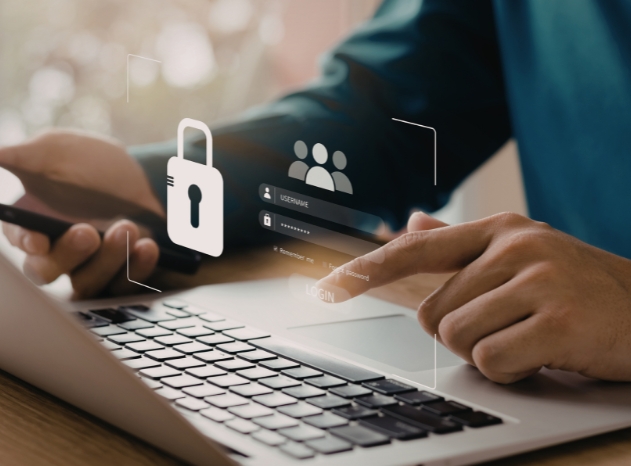
Every connected device represents a potential entry point for cyber threats. This is where network access control (NAC) plays a vital role.
Table of Contents
NAC is a cybersecurity framework that ensures only authorized and compliant users and devices can access your network, reducing the risk of breaches and unauthorized access.
What is Network Access Control?
Network access control is a security solution that manages and regulates who and what can connect to a network by enforcing predefined security policies.
It works by:
Authenticating users and devices before access is granted
Checking device compliance (such as antivirus and system updates)
Granting, limiting, or denying access based on policy rules
Continuously monitoring network activity
By implementing Network Access Control, organizations can ensure that only trusted devices gain access to their network infrastructure.
Why Preventing Unauthorized Network Access Control is Critical
Without effective NAC, organizations face several risks:
Data breaches caused by unverified or compromised devices
Malware and ransomware entering through unsecured endpoints
Insider threats from unmanaged or unauthorized devices
Modern enterprise networks are more complex than ever, with increased device diversity across endpoints, mobile devices, and IoT systems.
How to Prevent Unauthorized Network Access Control
Implement Strong Network Access Control Policies
Allow only compliant users and devices to access the network by enforcing strict NAC policies.
Enforce Device Authentication
Require devices to verify their identity using methods like MFA, certificates, or access controls.
Perform Endpoint Compliance Checks
Ensure devices meet security requirements before granting them network access.
Segment Your Network
Limit access across the network to reduce risk and contain potential threats.
Monitor Network Activity in Real Time
Continuously monitor and respond to suspicious activity as it happens.
Secure IoT and BYOD Devices
Apply strict access controls and profiling to manage risks from unmanaged devices.
Why Choose Acton for Your Data Security Need
Authorized distributor of X-PHY
Acton provides a comprehensive enterprise cybersecurity approach by combining network access control with advanced data protection technologies, integrating network, endpoint, and hardware-level security to deliver complete protection across the entire IT environment.
Network access control is a cybersecurity framework that regulates access to a network by verifying users and devices before allowing connection.
NAC ensures that only authenticated and compliant devices can connect, blocking or restricting any unverified or risky devices.
While NAC is essential, it is most effective when combined with endpoint and hardware-level security solutions for comprehensive protection.
NAC can manage laptops, desktops, mobile devices, IoT systems, servers, and other network-connected endpoints.
Hardware-level security protects against advanced threats that can bypass traditional software defenses, providing deeper and more proactive protection.
Secure your network before threats strike
Strengthen your cybersecurity posture with effective network access control to limit unauthorized access, reduce risks, and protect your most sensitive data. For organizations in high-risk environments, elevate your defense strategy by combining NAC with advanced solutions like Acton integrated with X‑PHY—delivering a more comprehensive, future-ready security approach.
- Post date: May 18, 2026
- 420 Views
- 0 Comments
Data Breach Response Plan: First 24 Hours Explained

Data Breach Response Plan: What to Do in the First 24 Hours
( Data Breach)
A data breach can happen to any organization—often through human error, unsecured access points, or insider misuse. While no business can eliminate all risk, how you respond in the first 24 hours has a major impact on recovery time, data exposure, and future resilience.
Table of Contents
A data breach is any incident where sensitive or confidential data is accessed, exposed, or removed without authorization.
This may involve customer information, employee records, credentials, or proprietary data.
Common causes include:
Phishing or credential compromise
Insider misuse or accidental data exposure
Malware or ransomware
Unsecured physical access points, such as USB or network ports
First 24 Hours: Contain the Data Breach
The first 24 hours are critical. The goal is containment and stabilization, not cleanup.
Isolate Affected Systems
Disconnect compromised devices from the network
Disable suspicious user accounts or credentials
Block unauthorized external access immediately
Secure Physical Access Points
Restrict access to devices, workstations, and servers
Lock unused USB, HDMI, and network ports
Prevent removable media from being connected
Preserve Evidence
Do not reformat systems prematurely
Document affected devices, users, and access points
Record timelines and initial findings
24–72 Hours: Assess and Coordinate
Once the immediate threat is contained, focus shifts to impact assessment and coordination.
Determine What Was Affected
What data was accessed or exposed
Which systems and devices were involved
Whether sensitive or business-critical data was impacted
Identify the Root Cause
IT and security teams
Management and operations
Compliance or risk stakeholders (if applicable)
After 72 Hours: Recover and Prevent Recurrence
Restore Systems Safely
Restore only verified, clean systems
Reset affected credentials
Monitor devices and endpoints for unusual behavior
Strengthen Preventive Controls
What data was accessed or exposed
Which systems and devices were involved
Whether sensitive or business-critical data was impacted
Update the Response Plan
Document lessons learned
Improve response workflows
Train staff using real incident scenarios
Why Choose Acton for Data Breach Prevention?
Authorized distributor of Smartkeeper
Effective data breach prevention requires protection across physical, hardware, and software layers. As an authorized distributor, Acton provides a holistic security approach by combining SmartKeeper physical port protection, X‑PHY Secure SSD for hardware‑embedded data security, and X‑PHY AI Deepfake Detector for real‑time threat detection. This layered model helps organizations reduce breach risks at the point of access, protect sensitive data at rest, and detect advanced impersonation and social‑engineering threats. With one trusted partner and end‑to‑end solutions, Acton supports long‑term resilience beyond incident response alone.
The first step is containment—isolating affected systems, securing access points, and preventing further data exposure.
Initial assessment typically occurs within 24–72 hours, depending on system complexity and data scope.
No. Many breaches result from insider actions, accidental exposure, or unsecured physical access, such as open USB or network ports.
Unsecured ports allow unauthorized devices to connect, enabling data theft, malware insertion, or network compromise.
By combining a tested response plan with proactive controls such as physical port security, access management, and employee awareness.
- Post date: May 1, 2026
- 395 Views
- 0 Comments
Data Protection | AI Cyber Threats vs Physical Security

AI‑Powered Cyber Threats vs Physical Security
( Data Protection )
Artificial intelligence is reshaping cybersecurity at an unprecedented speed. Recently, advanced AI models such as Mythos, developed by U.S.-based AI company Anthropic, have sparked intense debate across the global cybersecurity industry.
Table of Contents
Praised by some as a security breakthrough and feared by others as a potential cyber catastrophe, Mythos highlights a new reality: AI can now find and exploit software vulnerabilities faster than humans ever could.
This raises a critical question for organizations worldwide: In an era of AI‑powered cyber threats, how do we truly protect our data?
The Rise of AI‑Driven Cyber Threats
Modern AI systems are no longer limited to automation or analytics
Advanced models are now capable of:
Discovering previously unknown software vulnerabilities
Simulating real-world cyberattack scenarios
Targeting critical infrastructure such as power grids, water systems, and financial networks
While these AI tools are designed primarily for defensive cybersecurity research, many experts warn that the same capabilities could be weaponized if they fall into the wrong hands.
A security revolution
A potential security catastrophe
And this may only be the beginning. As second‑ and third‑generation AI models are released, attack capabilities are likely to evolve even faster.
Expert Advice: Strengthening the Basics of Data Protection
focusing on strong foundational security controls before relying on advanced technologies.
Why Physical Security Is Essential to Data Protection
AI-powered cyber threats operate in digital environments—software, networks, firmware, and cloud systems.
Physical security operates outside that environment.
This distinction makes physical security a foundational pillar of effective data protection.
What AI Cannot Compromise
Operating systems
Applications and firmware
Network configurations
However, AI cannot bypass hardware that is physically secured.
SMARTKEEPER: Hardware‑Based Data Protection AI Can’t Touch
Authorized distributor of Smartkeeper
SMARTKEEPER delivers hardware‑based protection by physically securing access points before software defenses are involved. With no operating systems, firmware, or applications, it eliminates software vulnerabilities and requires no updates or maintenance. By physically blocking USB ports, network ports, laptops, servers, and removable storage, SMARTKEEPER provides immediate, AI‑resistant protection at the source.
Data protection refers to measures that prevent unauthorized access, loss, or misuse of data. This includes digital controls and physical security.
AI accelerates both defensive and offensive cybersecurity capabilities, increasing the importance of layered protection strategies.
Physical security blocks access to devices and data storage at the source, reducing reliance on software-based defenses.
No. Hardware-based physical security operates outside digital systems and cannot be bypassed by AI-driven cyberattacks.
Hardware-based solutions like SMARTKEEPER are maintenance-free and do not require updates or monitoring.
- Post date: April 28, 2026
- 360 Views
- 0 Comments
Security Solutions: How to Choose the Right Protection for Your Business

How to Choose the Right Protection for Your Business

( security solutions )
Firewalls and endpoint software remain essential—but they cannot prevent physical access, hardware tampering, or insider threats that occur directly at the device level.
Table of Contents
As cyber threats continue to evolve, businesses are realizing that security solution must go beyond software alone.
To truly protect systems, data, and operations, organizations must adopt layered security solution that combine software, physical security, and hardware‑based protection.
Here’s how to choose the right security solutions for your business environment.
Security Solutions | Identify Where Your Security Gaps Exist
Before selecting any solution, it’s important to understand where your vulnerabilities lie.
Consider:
Unauthorized data copying
Shared or unattended workstations
Endpoints used by contractors or rotating staff
Systems handling sensitive or regulated data
Many breaches do not happen through the network—but through physical access points that are often overlooked.
Don’t Rely on Software Security Alone
Before selecting any solution, it’s important to understand where your vulnerabilities lie.
Unauthorized USB devices connected to endpoints
Malicious hardware inserted into unused ports
Network manipulation through exposed physical connectors
This is where physical security play a vital role. SmartKeeper physically blocks unused or high-risk access points, preventing unauthorized connections before an attack can even begin.
Look for Scalable and Easy-to-Deploy Security Solutions
Effective security solution should strengthen protection without disrupting operations. Prioritize solutions that are:
Scalable across multiple teams or locations
Compatible with existing IT infrastructure
Strong Security Solutions Start at the Core
Authorized distributor of Smartkeeper
Choosing the right security solution means protecting your organization at every layer—from software to physical access to hardware itself.
With SmartKeeper’s physical cybersecurity businesses gain smarter, stronger, and more resilient security—designed for today’s evolving threat landscape.
These are technologies and tools designed to protect systems, devices, and data from cyber threats, unauthorized access, and physical tampering.
Physical security prevent unauthorized access to hardware ports and devices—risks that software-based security cannot fully control.
SmartKeeper secures systems by physically locking unused or vulnerable ports and cables, blocking unauthorized device connections.
Hardware-based security protects devices at the firmware and hardware level, enabling real-time threat detection without relying on software updates.
Yes. SmartKeeper and X‑PHY complement each other by providing physical protection at access points and AI-driven security at the hardware core.
- Post date: April 24, 2026
- 270 Views
- 0 Comments
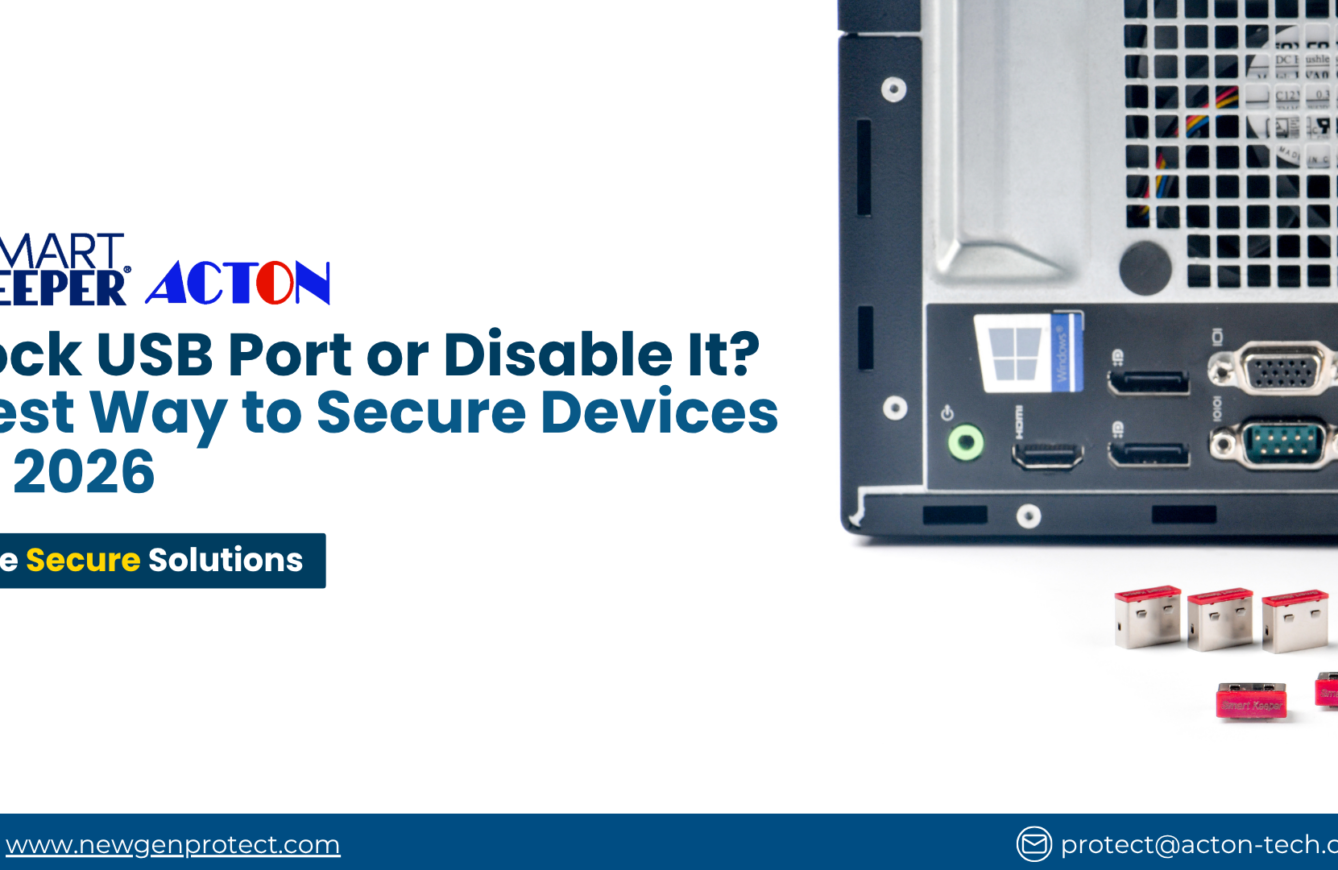
Lock USB Port or Disable It? Best Way to Secure Devices in 2026


(Lock USB Port)
While organizations invest heavily in firewalls and endpoint software, USB ports remain one of the most exploited physical entry points.
Should you disable USB ports with software—or physically lock USB ports for real protection?
Table of Contents
Why Lock USB Port Are a High‑Risk Entry Point
USB ports are designed for convenience, but that same convenience creates risk.
Transfer sensitive data without leaving network traces
Introduce malware that bypasses firewalls
Steal data in seconds
The issue is not detection—it is uncontrolled access.
Disable USB Ports (Software‑Based Control)
When disabling USB ports helps
- Centralized policy enforcement
- Managing large device fleets remotely
- Reducing casual or accidental USB usage
Where disabling USB ports fails
- Can be overridden by users with admin access
- Vulnerable to policy changes or OS reinstalls
- No visible deterrent—users still attempt access
- Does not physically block device insertion
Disabling USB ports improves control—but it does not eliminate risk.
Lock USB Port (Physical Security Control)
To fully close the gap, organizations increasingly choose to lock USB ports physically. A USB port lock blocks the port itself—making access impossible without authorization.
Why locking USB ports is more secure
- Completely prevents device insertion
- Cannot be bypassed by software or remote access
- Acts as a visible deterrent to misuse
- Works independently of OS or system policies
If nothing can be plugged in, nothing can attack through that port.
Lock USB Port vs Disable USB Port: Which Is Better?
Method
Disable USB port (software)
Lock USB port (physical)
Level of Protection
Moderate
High
Best practice: use software controls for policy management—and lock USB ports for enforcement.
What Happens If Lock USB Port Are Left Unsecured?
Data breaches and IP theft
Malware infections spreading across networks
Costly downtime and reputational damage
In many cases, breaches aren’t sophisticated—they happen because a USB port was left open.
Why Organizations Choose to Lock USB Port
Strong endpoint protection without complex systems
Reduced insider‑threat exposure
Clear, enforceable security policies
Lock USB Port Key Features and Capabilities
Stops unauthorized devices at the source
Only authorized personnel can unlock ports
No software, drivers, or system changes
Works on desktops, laptops, and shared devices
Why Buy Lock USB Port SmartKeeper from Acton
Authorized distributor of Smartkeeper
As an authorized SmartKeeper distributor, Acton delivers more than just hardware. You gain access to genuine SmartKeeper products, along with expert recommendations tailored to your specific use case. With local consultation and reliable after-sales support, Acton ensures a smooth and effective deployment. You’re not just locking USB ports—you’re strengthening your overall endpoint security.
Don’t Just Disable—Lock USB Port
Disabling USB ports is a good start.
But if you want real, enforceable protection:
Lock USB ports physically.
Because in cybersecurity, the smallest ports often create the biggest breaches.
FAQs
Locking a USB port means inserting a physical lock that blocks device access. The port can only be reopened using a dedicated key.
Yes. Locking USB ports provides physical enforcement that software alone cannot bypass.
No. USB port locks work best as part of a layered security strategy alongside endpoint and network controls.
Yes. SmartKeeper USB port locks install in seconds with no technical setup.
- Post date: March 26, 2026
- 771 Views
- 0 Comments
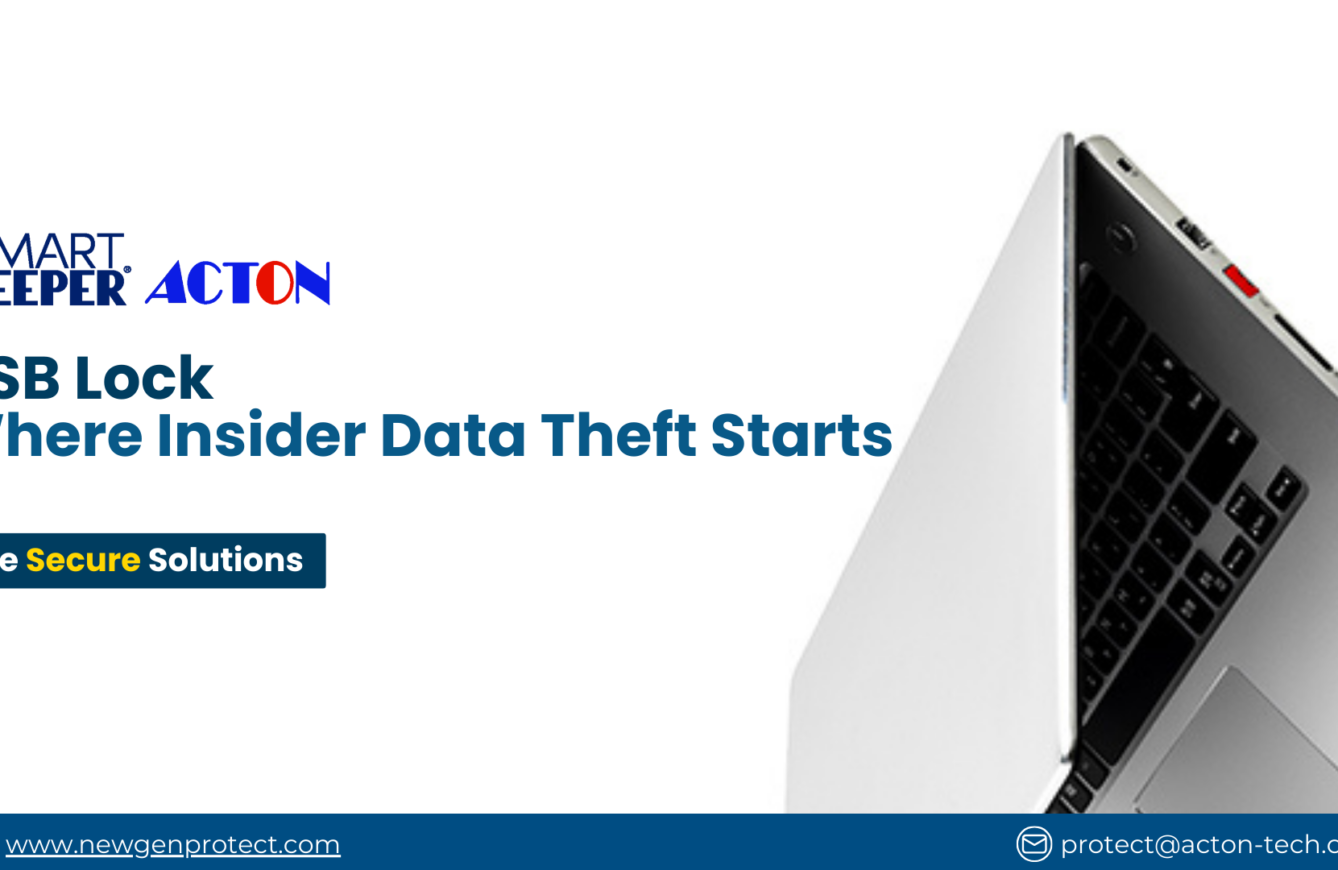
USB Lock: Where Insider Data Theft Starts
(USB Lock)
Most insider data breaches don’t start with hackers—they start with a USB port.
An unlocked USB port allows files to be copied, malware to be introduced, and security policies to be bypassed in seconds—often without triggering any alerts. No firewall, antivirus, or endpoint tool can stop what happens once physical access is already granted.
Table of Contents
Why Insider Threats Are Harder to Stop Than External Attacks
Insider threats are dangerous because they don’t look like attacks.
Employees, contractors, and visitors already have proximity to devices, which means their actions rarely raise red flags. Whether intentional or accidental, a single USB connection can compromise sensitive systems.
Most insider incidents follow the same few patterns
Once a USB port is exposed, organizations face recurring risks:
Unauthorized data copying
Malware introduced through trusted access
Bypassing security controls without resistance
The issue is not detection—it is uncontrolled access.
Why Endpoint Security Alone Is Not Enough
Endpoint security reacts after a device connects
Antivirus, EDR, and DLP solutions are built to monitor behavior and respond to threats, but they do so only once a USB device is already recognized by the system.
A USB lock prevents the risk before it exists
By physically blocking the port, a USB lock stops unauthorized devices from connecting at all—removing the need for alerts, scans, or incident response.
This physical layer of protection delivers practical advantages:
Prevents access at the source
Reduces malware exposure instantly
Strengthens compliance and audit readiness
Together, endpoint software and a USB lock create a true defense‑in‑depth strategy.
Where USB Lock Deliver the Most Value
Not all endpoints carry the same level of risk.
These are most impactful in environments where access changes frequently or devices are shared.
Shared and public‑facing devices
Meeting rooms, training rooms, kiosks, and hot‑desking setups where hardware is used by multiple people.
Endpoints handling sensitive or regulated information
Systems in finance, healthcare, education, and government environments where data leakage carries serious consequences.
High‑turnover workplaces
Contractor‑heavy or seasonal environments where users need system access but should not extract data.
Key Features and Capabilities
Why Organizations Choose SmartKeeper USB Lock
Authorized distributor of Smartkeeper
to deter forced removal
including laptops and desktops
without software installation, power, or maintenance
As an authorized distributor of SmartKeeper products, Acton provides organizations with access to reliable physical cybersecurity solutions designed to protect endpoints from insider threats and unauthorized access.
By partnering with Acton, organizations gain not only authentic, enterprise-grade USB locks but also professional guidance for selecting and deploying the right solutions. Acton’s local expertise ensures that SmartKeeper products integrate seamlessly with existing endpoint security systems, creating a comprehensive, layered defense strategy.
With Acton, companies benefit from both high-quality physical security technology and the support needed to implement it effectively across their organization, safeguarding sensitive data and maintaining compliance with security standards.
USB Lock: Prevention Starts with Physical Security
You cannot secure data if you cannot secure access points.
Software tools help detect and respond to threats, but physical security ensures those threats never gain entry in the first place.
A USB lock is a small, deliberate investment that closes a major insider‑threat gap. By physically controlling USB access, organizations reduce data‑theft risks, strengthen compliance posture, and protect endpoints where software alone falls short.
For organizations in Singapore and beyond, Acton delivers SmartKeeper USB lock solutions that help secure critical endpoints and safeguard sensitive data—before incidents occur.
Contact protect@acton-tech.com
- Post date: March 17, 2026
- 359 Views
- 0 Comments
Is That Really You? The Deepfake Threat Is Closer Than You Think

Is That Really You? The AI Deepfake Threat Is Closer Than You Think

(AI Deepfake)
Imagine Seeing Yourself Say Things You Never Said
Picture this. You’re scrolling through your phone when a friend messages you in a panic.
“Did you really say this?”
You tap the link—and there you are. Your face. Your voice. Saying things you never said. Promoting something you don’t believe in. Or worse, admitting to something you never did.
That uneasy feeling in your chest? That’s the reality of AI deepfakes.
Table of Contents
What Exactly Is an AI Deepfake?
A USB port. A network socket. An unattended computer. A few seconds is all it takes for sensitive data to be copied, malware to be installed, or private information to be exposed. For everyday consumers—not just large corporations—this is becoming a serious privacy problem.
A deepfake is media—usually video, audio, or images—that has been artificially manipulated using AI to look and sound real.
Using public media, attackers can mimic a person’s:
- Face
- Voice
- Expressions
- Speech patterns
What makes deepfakes so dangerous is how real they look—and how fast they can be created.
Shocking Facts About AI Deepfakes
To understand the scale of the problem, here are a few eye-opening facts:
- Creating a realistic deepfake now takes minutes, not days
- Free and low-cost deepfake tools are widely available online
- Voice deepfakes can be generated using just a few seconds of audio
- Video calls, social media clips, and webinars are common data sources
- Many people cannot reliably tell real content from fake
As AI improves, deepfakes are becoming harder for humans to detect—especially under pressure or in real-time situations.
Why AI Deepfakes Are a Real Threat to Everyday People
Deepfakes aren’t just about viral videos. They’re being actively used for fraud, manipulation, and deception.
Common deepfake-driven attacks include:
- Impersonation scams using fake video or voice calls
- Fake instructions from “bosses” or “executives”
- Social engineering attacks targeting employees
- Manipulated evidence used for blackmail or extortion
- Reputation damage through fake content
All it takes is one convincing message or call for serious damage to occur.
AI Deepfakes in the Workplace: A Growing Risk
With remote and hybrid work becoming normal, trust is often built through screens.
That trust can be exploited.
Imagine receiving a video call from someone who looks and sounds exactly like your manager, asking you to urgently approve a payment or share sensitive information. In the moment, hesitation feels risky—and attackers know this.
Deepfake attacks are designed to:
- Create urgency
- Exploit authority
- Bypass traditional security controls
And once the damage is done, it’s often too late to undo it.
Why Traditional Security Tools Fall Short Against AI deepfake
Firewalls, antivirus software, and email filters are essential—but they were not designed to detect AI-generated deception.
Traditional tools struggle because:
Deepfakes don’t contain malware
The content itself looks legitimate
Attacks often occur over video or voice
Human trust becomes the weakest link
This is why deepfakes represent a new class of threat—one that targets perception, not just systems.
The Rise of AI Deepfake Detection Technology
As deepfake threats grow, so does the need for specialized detection tools.
Deepfake detection focuses on identifying subtle signals that humans usually miss, such as:
- Inconsistencies in facial movement
- Unnatural eye blinking or lip sync issues
- Audio anomalies and voice patterns
- AI-generated artifacts invisible to the naked eye
This is where advanced AI works against AI—to restore trust in digital interactions.
Introducing X-PHY’s AI Deepfake Detector
X-PHY’s Deepfake Detector is designed to help individuals and organizations identify manipulated media before it causes harm.
Instead of relying on guesswork, the solution analyzes content using AI-based models trained to detect signs of synthetic manipulation.
Key capabilities include:
- Detection of AI-generated video and audio
- Real-time or near-real-time analysis
- Endpoint-level protection
- Support for modern digital workflows
The goal is simple: help users verify authenticity before acting.
Try Before You Commit: Free Trial Now Available
Acton now offers a free trial of X-PHY’s Deepfake Detector, making it easy to experience the technology firsthand.
This allows users to:
Test detection accuracy
Understand how deepfake analysis works
Assess how it fits into daily workflows
With deepfake threats evolving quickly, hands-on experience is one of the best ways to understand the risk—and the solution.
Why Acton?
Acton provides access to trusted cybersecurity solutions designed for today’s threat landscape.
By offering X-PHY’s Deepfake Detector, Acton helps bridge the gap between emerging AI risks and practical protection—without unnecessary complexity.
Key capabilities include:
- Access to advanced endpoint security tools
- Guidance on modern digital threats
- Solutions suitable for real-world usage
- Post date: February 18, 2026
- 423 Views
- 0 Comments
Lock Your Data: Why Hardware Security Protection Matters
Lock Your Data: Why Hardware Protection Matters
(Hardware Security)
Think about how much of your life lives on your devices. Bank logins, work files, family photos, health records, private messages—your digital identity is scattered across laptops, desktops, and shared computers every single day. We spend a lot of time worrying about hackers, phishing emails, and malware. But here’s the uncomfortable truth: some of the biggest data leaks don’t start online at all.
Table of Contents
They start with something much simpler.
A USB port. A network socket. An unattended computer. A few seconds is all it takes for sensitive data to be copied, malware to be installed, or private information to be exposed. For everyday consumers—not just large corporations—this is becoming a serious privacy problem.
In highly connected countries like Singapore, where digital services, cashless payments, and smart workplaces are part of daily life, protecting personal data isn’t optional anymore. It’s essential.
That’s where hardware data protection comes in.
What Is Hardware Security Protection?
Hardware data protection focuses on physically securing access points on your devices so unauthorized users cannot connect, copy, or tamper with your data.
Unlike software-based security (antivirus, firewalls, encryption), hardware protection works at the physical level. It doesn’t rely on updates, passwords, or user behavior. Once it’s in place, it simply blocks access—period.
In simple terms:
- Software security protects data after an attack starts
- Hardware security prevents the attack from happening in the first place
This makes it especially powerful for everyday users who share devices, work in public spaces, or handle sensitive information.
Why Software Security Alone Is No Longer Enough
Most consumers believe that antivirus software and strong passwords are enough. They help—but they don’t cover everything.
Here’s what software security can’t fully protect against:
- USB drives used to steal or inject data
- Unauthorized peripherals (keyboards, storage devices)
- Insider threats or curious onlookers
- Shared computers in offices, schools, or homes
- Devices left unattended for just a few minutes
A locked screen doesn’t stop someone from plugging in a malicious USB device. Encryption doesn’t help if data is copied directly from a port. This is why physical access is often called the weakest link in cybersecurity.
Identity Theft: The Real Cost of a Small Mistake
When personal data is exposed, the damage goes far beyond a single file.
Identity theft can lead to:
- Unauthorized financial transactions
- Fraudulent loan or credit applications
- Compromised social media and email accounts
- Long-term damage to your reputation
- Stress, legal issues, and financial loss
Recovering from identity theft is often slow, expensive, and emotionally draining. Prevention is always easier than recovery.
The Power of Hardware Security
This is where SmartKeeper hardware security solutions stand out.
SmartKeeper products are designed to physically block access to critical ports on your devices, including:
USB ports
Network (LAN) ports
HDMI and display ports
Other peripheral access points
Why this matters:
No unauthorized USB devices
No accidental data copying
No hidden malware installation
No reliance on software settings
It’s simple. It’s visible. And it works.
SmartKeeper: Hardware Security Made Simple
SmartKeeper is globally recognized for its plug-and-lock hardware security solutions. These products are widely used not only by enterprises but also by individuals who value privacy and control.
Key advantages of SmartKeeper products:
- Tool-based locking systems for controlled access
- Tamper-resistant design
- No software installation required
- Instant deployment
- Reusable and scalable
For everyday consumers, this means strong protection without complexity.
SmartKeeper Products Available on Acton
If you’re in Singapore, accessing genuine SmartKeeper products is easy.
Acton is an authorized distributor of SmartKeeper, offering a wide range of hardware data protection solutions for consumers, professionals, and organizations.
By purchasing through an authorized distributor, you get:
- Authentic SmartKeeper products
- Proper product guidance and compatibility support
- Reliable supply and after-sales assurance
- Solutions suited for local usage needs
This ensures your security investment is both effective and trustworthy.
Small Devices, Big Peace of Mind
One of the biggest advantages of SmartKeeper products is how simple they are. There’s no learning curve, no configuration, and no performance impact.
Once installed:
Ports stay locked
Data stays protected
You stay in control
That peace of mind is invaluable—especially when protecting your identity and privacy.
Take Control Before It’s Too Late
Data breaches don’t always start with sophisticated hacks. Sometimes, they start with a single unlocked port.
For everyday consumers in Singapore, hardware data protection is one of the easiest and most effective steps you can take to safeguard your identity and privacy.
With trusted SmartKeeper products available through Acton, protecting your data doesn’t have to be complicated or expensive. It just has to be intentional.
contact us at protect@acton-tech.com
- Post date: February 4, 2026
- 856 Views
- 0 Comments
USB Security Malaysia: DATA Breaches Surge 29% in Malaysia
DATA Breaches Surge 29% in Malaysia
SmartKeeper Port Locks Offer Critical Line of Defense
USB Security Malaysia
KUALA LUMPUR, Malaysia — The Malaysia Computer Emergency Response Team (MyCERT) has reported a sharp 29% increase in data breach incidents during the first quarter of 2025, with 195 cases recorded compared to 151 in the previous quarter.
Table of Contents
A Worsening Trend
According to MyCERT, the total number of cybersecurity incidents reported to Cyber999, Malaysia’s national cyber response center, reached 1,657 cases in Q1 2025, representing a 7% rise from Q4 2024. The organization warns that these attacks are becoming more sophisticated, targeting not only databases but also personal devices and connected systems.
This rise follows a broader regional trend. A separate call report revealed that Malaysia had the highest rate of personal data leaks in Asia, with 72.5% of users discovering that their information had been compromised.
Alarmingly, 98% of those cases involved leaked phone numbers, 89% involved names, followed by home addresses and emails — data that can easily be used for scams, phishing, and impersonation attempts.
CyberSecurity Malaysia’s quarterly analysis further supports this worrying pattern. In Q3 2024, data breach incidents climbed by 44%, rising from 117 cases in Q2 to 168 cases in Q3.
Historically, Malaysia was also ranked the 8th most breached country globally in Q3 2023, with nearly 495,000 leaked accounts — a 144% jump from the previous quarter.
Experts warn that this trajectory points to systemic weaknesses in Malaysia’s data protection infrastructure, especially as industries accelerate digital transformation and remote work expands attack surfaces.
Why Physical Security Still Matters
Software firewalls and encryption remain essential, but many organizations still overlook physical security.
Unsecured USB ports and peripheral interfaces are frequent targets for data exfiltration and malware injection.
Cybercriminals continue exploiting endpoint vulnerabilities, making physical protection more critical than ever.
SmartKeeper port locks offer a tangible, hardware-based defense against unauthorized device connections.
By securing USB and network ports, these locks help prevent insider leaks and block common malware entry points.
USB Security Malaysia
As Malaysia continues to experience rapid digitalization, the message is clear: data security starts at every connection point. In an age where breaches can begin with a single USB device, SmartKeeper port locks provide the first and most practical line of defense.
contact us at protect@acton-tech.com
- Post date: December 10, 2025
- 1543 Views
- 0 Comments
Singapore Warns Meta Over Facebook Scams as Deepfake Threats Escalate
Meta impersonation scams Singapore
SINGAPORE — The Singapore government has warned that it may impose fines on Meta Platforms amid a surge of Facebook impersonation scams targeting local users and businesses.
Table of Contents
Meta Impersonation scams Singapore
The Ministry of Communications and Information (MCI) and the Infocomm Media Development Authority (IMDA) have called out Meta for failing to curb the proliferation of fraudulent accounts on its platforms.
Authorities report that deepfake scams using fake profiles have caused major financial and reputational damage.
Earlier this month, cybersecurity reports revealed a sharp increase in phishing and impersonation attacks, with experts warning that deepfakes are becoming the next major vector for cyber threats.
A Growing Cybersecurity Concern
- Businesses and governments face risks from deepfakes disrupting operations and eroding public trust.
- Fake announcements or executive impersonations can manipulate financial markets.
- Everyday users are targeted through romance scams and fake investment videos using AI-generated celebrity likenesses.
The Solution: The X-PHY Way
As digital deception becomes harder to spot, cybersecurity experts are urging organizations to adopt advanced detection tools. One emerging solution is X-PHY’s AI Deepfake Detector, designed to identify AI-generated forgeries in real time.
“Real-time detection is key,” cybersecurity analysts note. “The faster we can identify and flag deepfake content, the less opportunity scammers have to exploit it.”
- Advanced AI Detection
- Real-Time Analysis
- High Accuracy
- Seamless Integration
- User-Friendly Deployment
- Scalable Solution
X-PHY AI Deepfake Detector
As AI-generated deception becomes increasingly sophisticated, experts stress that public awareness and proactive cybersecurity measures — such as deploying deepfake detection systems — will be essential to maintaining trust in digital spaces.
contact us at protect@acton-tech.com
- Post date: October 27, 2025
- 886 Views
- 0 Comments