HomeCybersecurity Locking Ethernet Cable | Secure Your Network Connections
Locking Ethernet Cable: How to Physically Secure Network Connections
(Locking Ethernet Cable)
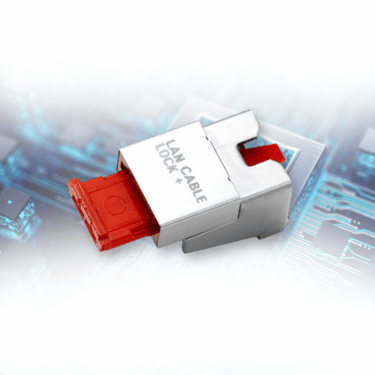
A network can be protected by firewalls, monitoring, and access controls, yet the physical Ethernet connection can still be exposed. Locking Ethernet Cable connections adds a hardware-level control that keeps an authorized RJ45 cable attached to its network port until someone with the exclusive SmartKeeper key releases it.SmartKeeper LAN Cable Lock Plus designed specifically to restrict physical removal of an inserted LAN cable from network devices such as switches, servers, and routers.
Locking Ethernet Cable means physically securing the RJ45 connector to the Ethernet port so the cable cannot simply be pulled out. For SmartKeeper, the most direct method is the LAN Cable Lock Plus, which mounts on the connected RJ45 cable and is released with the corresponding patterned Universal Lock Key. This creates a physical control at the connection point rather than relying only on software-based network protection.
Locate the RJ45 Ethernet cable already connected to a switch, server, router, workstation, POS terminal, IP camera, VoIP phone, or another compatible network device.
Keep the LAN cable connected
Where continuity matters, leave the Ethernet cable in place. LAN Cable Lock Plus is designed for installation without disconnecting the cable from the network port.
Fit the LAN Cable Lock Plus
Mount the SmartKeeper LAN Cable Lock Plus on the connected RJ45 connector and engage its locking mechanism so the cable is physically retained at the port.
Control removal with the matching key
To remove the lock, use the customized patterned SmartKeeper Key. Either a Professional or Essential-specific key patterns can be used to limit who can remove protected connections.
Protect nearby unused RJ45 ports too
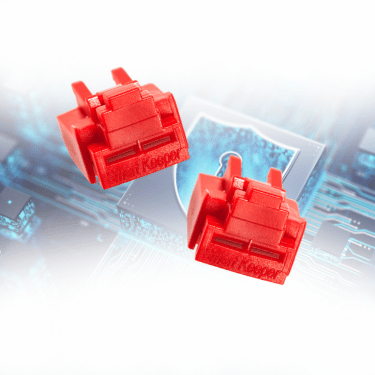
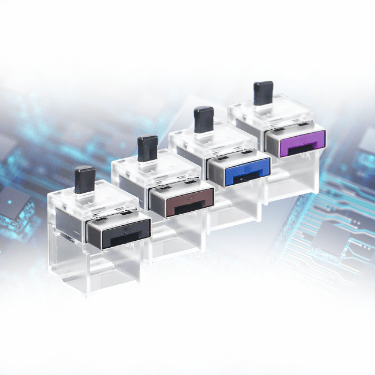
Cable locking secures an active connection. For unused Ethernet ports beside it, use SmartKeeper Network (RJ45) Port Lock Plus so an unauthorized device cannot simply use an open port instead.
A locked connection makes it harder for an unauthorized person to disconnect an approved network cable or replace the connection with another device.
Reduce accidental disconnection
In busy offices, classrooms, server rooms, and shared environments, physical retention helps keep critical wired connections in place.
Protect network availability
Removing the wrong cable from infrastructure such as a switch, server, or POS terminal can interrupt the service that depends on that wired connection.
Control physical access to sensitive networks
Physical cable & port controls add another layer around network hardware, especially where switches, servers, and wall connections are accessible to staff, contractors, or students.
Close the gap beside software security
Software can manage network traffic and logical access, but a physical lock directly controls whether an Ethernet connector can be removed from its port.
Areas where Locking Ethernet Cables Is Critical
The strongest use cases are locations where a wired connection supports sensitive data, shared infrastructure, operational continuity, or equipment that should not be casually disconnected. Prioritize the following areas and connection points:
Environments
Priority Ethernet Connections
Why Physical Locking Matters
Data centers and server rooms
Server, switch, router, firewall, management, and rack connections
Helps prevent service disruption from cable removal
Corporate offices
Network switches, meeting-room systems, shared workstations, VoIP phones, printers, and wall ports
Ensures shared Ethernet connections are securely in place
Government offices and public sector facilities
Workstations, secure administrative areas, network closets, service counters, and shared terminals
Supports controlled access to sensitive network connections
Manufacturing and industrial sites
Industrial PCs, HMIs, network switches, control-room equipment, and Ethernet-connected machinery
Helps maintain stable connections for operational equipment
Retail and POS environments
POS terminals, back-office PCs, network switches, IP phones, and connected peripherals using Ethernet
Reduces cable tampering and accidental disconnection
Banks and financial offices
Employee workstations, branch systems, network appliances, service desks, and back-office equipment
The primary SmartKeeper solution for Locking Ethernet Cable connections. It physically restricts removal of an inserted LAN cable from an RJ45 network device and can be installed without unplugging the cable
Secures unused RJ45 Ethernet ports. Use it alongside cable locks so an unauthorized device cannot bypass a protected active connection by moving to an open port.
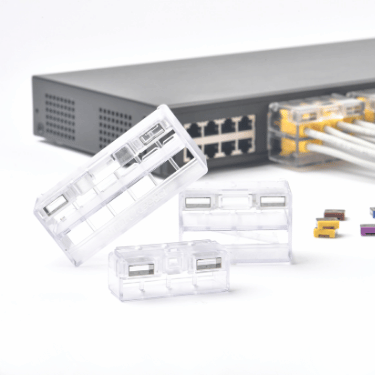
It comes with 4P/8P/12P, designed to tether multiple LAN cables to Ethernet ports as a module. A module configurations for multiple adjacent connections and installation without unplugging the LAN cables.
An Essential Series device, a simpler SmartKeeper option for fastening an Ethernet cable to its port, suited to personal or individual-device use cases where compatible.
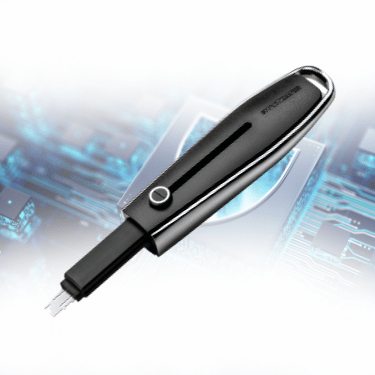
A SmartKeeper Pro Series key that removes locks only when the key pattern matches, and organization-specific patterns can support controlled access across business deployments.
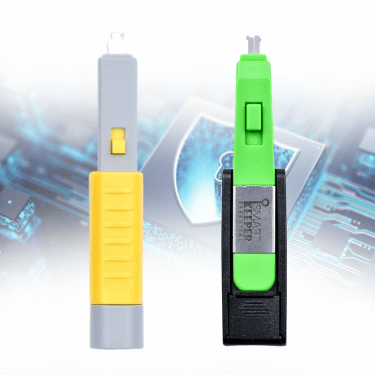
Color-coded keys for compatible SmartKeeper Essential Series locks. Unlocks the locks with the same matching color, making it easier to manage multiple locks for personal devices and individual workstations.
Network security is only as strong as its most exposed physical connection, which is why protection must extend beyond software and start at the Ethernet port. As an authorized distributor, NewGenProtect provides genuine SmartKeeper, X-PHY, and Flexxon solutions, supported by deployment guidance and local assistance across Southeast Asia. For Locking Ethernet Cable connections, SmartKeeper adds a physical layer that helps prevent unauthorized cable removal, protects active RJ45 connections, and secures nearby unused ports that software alone cannot physically control. With NewGenProtect, businesses can strengthen physical network security with authentic, dependable solutions built for daily operations.
A Locking Ethernet Cable setup physically secures an Ethernet cable at its RJ45 connection point. With SmartKeeper LAN Cable Lock Plus, the connected cable is retained at the network port and can only be released with the corresponding patterned Universal Lock Key.
No. A cable lock secures an active cable connection. Use SmartKeeper Network Port Lock Plus or an RJ45 Port Blocker on nearby unused Ethernet ports to restrict unauthorized physical access through open network ports.
LAN Cable Lock Plus retains an inserted Ethernet cable in an active RJ45 connection. An RJ45 Port Blocker secures an unused Ethernet port. Using both helps protect active connections and nearby open ports.
For multiple adjacent LAN connections, SmartKeeper Network Module Lock is designed to tether multiple LAN cables to Ethernet ports as a module. Suitable configuration and port spacing should be confirmed before deployment.
No. Physical cable and port controls complement firewalls, access controls, monitoring, and other software-based protections. They address physical removal of cables and physical access to Ethernet ports.