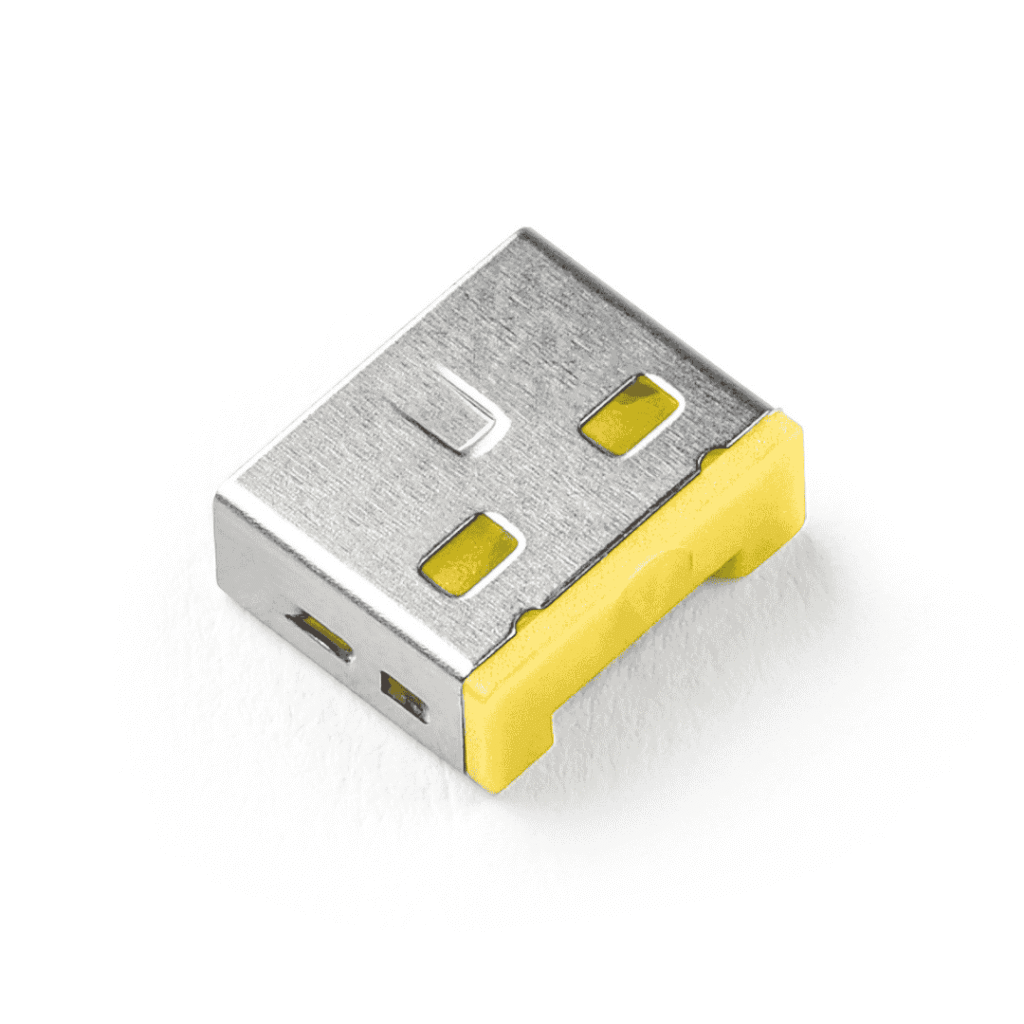
Smartkeeper USB A Port Lock | Recommended by experts

USB Port Lock

USB A Port Lock Photo

USB A Port Lock | UL03

Keep your data safe from unauthorized access with Smartkeeper’s USB A port locks that is near you. Simply block unused ports and unlock them only when needed with the Smartkeeper Lock Key Basic

KEY FEATURES OF USB A PORT LOCK | UL03

  • Compact size: 12.3mm (W) x 4.6mm (H) x 10mm (L)

  • Lightweight: Only 1g

  • Model: UL03

  • Available Colors: Black (BK), Dark Blue (DB), Brown (BN), Orange (OR), Pink (PK), Purple (PL), and Yellow (YL)

Secure & Portable USB A Port Lock | UL03

Made from durable materials, this compact lock provides reliable security at an unbeatable price. Easy to use and carry.

It’s the best USB A port lock.

Can be used for:

  • Computers and Accessories
  • Gaming Consoles 
  • Office Equipment
Smartkeeper USB A Port Lock

With USB-A Port Lock

✔ Blocks unauthorized access

✔ Stops malware & data theft 

✔ Key-controlled security 

✔ Ideal for shared spaces

✔ Color-coded options 

With USB-A Port Lock

Open to hackers & malware ✖

Risk of data theft ✖

No access control

Vulnerable to tampering ✖

No tracking ✖

Lock it down or leave it exposed—the choice is yours.

Available colors

Tips

✔ Match keys & locks by color.
✔ Apply opposite pressure if stuck.
✔ Ensure key is fully engaged.
✔ Avoid pinching when sliding.

Colors Available: Black, Dark Blue, Brown, Orange, Pink, Purple, Yellow.

Simple, secure, and customizable.

USER GUIDE Smartkeeper USB A Port Lock

How To Use USB A Port Lock?

To Install:

  1. Gently push the lock into the USB-A port by hand.

To Remove:

  1. Insert the key (button facing up) and press it backward.

  2. Pull the key to remove the lock.

  3. Push the key forward to release.

USB A port lock

A cost-effective way to add an extra layer of

security to any computer or workstation.

Smartkeeper Physical Locks can be purchased through Acton SmartKeeper’s offices across Singapore, Philippines, Thailand, Malaysia, and Vietnam. 

Frequently Asked Questions

How do USB A Port Lock WORK?

The USB A Port Lock by Smartkeeper is designed to block USB ports on laptops, PCs, keyboards, hard drives, and other devices. With its unique lock key, it allows easy connection and removal. By using this tool, you can effectively thwart unauthorized physical access.

Why do I need A USB A Port Lock?

This essential tool safeguards your data by preventing any unauthorized physical access to your devices, ensuring enhanced security for your valuable information. By incorporating this device into your security measures, you can have peace of mind knowing that your data is shielded from unauthorized tampering.

CHECK OUR PRODUCTS MORE:

HARDWARE SECURITY

Pro series is a customized security solution tailored to your company’s IT infrastructure.

Essential Series delivers similar security solutions to safeguard personal use.

Smart Keeper Singapore Office

1 Woodlands Close, #09-27 Woodlands 11,
Singapore 737853

Office Hours

9:00 am – 6:00 pm 
Monday to Friday

Contact Smart Keeper

Facebook: Acton SmartKeeper
LinkedIn: Acton SmartKeeper
WhatsApp: +65 8430 2884
Email: protect@acton-tech.com

Subscribe To Our Newsletter

Join our mailing list to receive the latest news and updates from our team.

You have Successfully Subscribed!