

KEY FEATURES OF NETWORK MODULE LOCK 12P | CSK-NM10/P12
-
Compact size: 87.7mm (W) x 39mm (H) x 30mm (L)
-
Lightweight: Only 35.1g
-
Model: CSK-NM10/P12
- Made with premium quality materials like PC, Brass
- It requires either the Pro Series USB-A Port Lock or the Essential Series USB-A Port Lock
- Comes in Network Module Lock 4P and Network Module Lock 8P
Please check the key here:
Essential Series: Color Matched – Lock Key Basic
Professional Series: Universal Lock Key Customized for your organization
ARE YOU FROM THE PHILIPPINES?
Click Here to Shopee for Easier Purchase & Faster Deliveries.
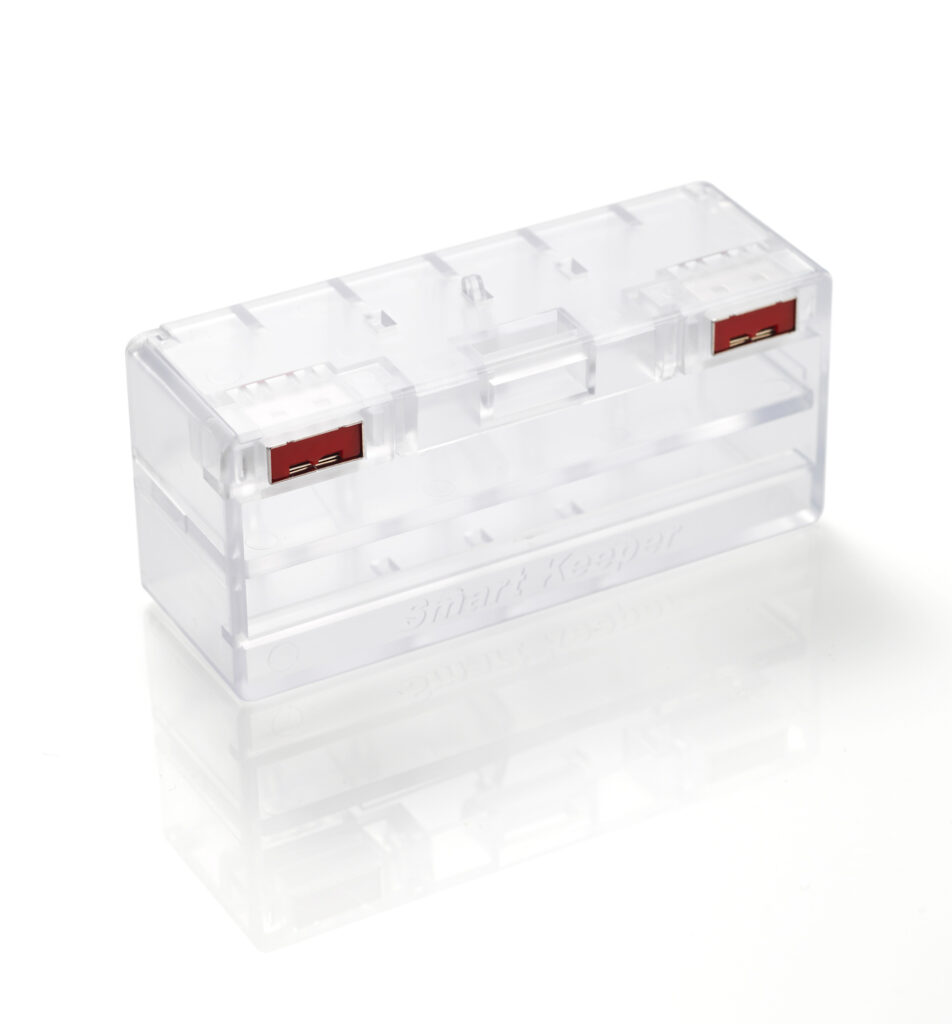
Network Module Lock 12P | CSK-NM10/P12
The SmartKeeper Network Module Lock 12P delivers robust physical protection for your network infrastructure by tethering multiple LAN cables to their Ethernet (RJ-45) ports, preventing unauthorized access, tampering, and accidental disconnection. Applied as a single module unit across up to 12 ports, it secures your connections without ever unplugging the LAN cables. Network modules are critical components, and physical tampering or accidental removal can lead to costly downtime, data exposure, or security breaches. Available in 4,8 or 12 port configurations
Advantages:
- Secures cables firmly in place
- Stops bandwidth and data theft
- Zero-downtime installation
- Simple key-based control
Network Module Lock 12P | Secure Every Network Connection
Introducing the Network Module Lock 12P, a physical layer of protection, purpose-built to secure up to 12 LAN cables simultaneously, this durable module tethers each connection to its RJ-45 port, preventing unauthorized access and accidental removal without ever taking your network offline. By physically sealing the point where breaches so often begin, the CSK-NM10 delivers preemptive, hardware-level defense against data theft and downtime. Reliable, cost-effective, and effortlessly deployed, the Network Module Lock 12P is the smart way to safeguard the connections your operations depend on.

Why Network Module Lock 12P Matters for Network Operations
Every network is only as secure as its weakest access point, and that weak point is a physical one. While organizations invest heavily in digital defenses, an exposed RJ-45 port remains an open invitation for someone to unplug, swap, or hijack a connection in seconds. The SmartKeeper Network Module Lock 12P shuts that door. By binding up to 12 LAN cables directly to their Ethernet ports, it transforms a vulnerable stretch of cabling into a locked-down, controlled zone where access happens strictly on your terms.
What makes it indispensable is its simplicity. There’s no software to configure, no power to supply, and no need to take the network offline, the lock secures live connections instantly and stays out of the way of performance and airflow. That combination of strength and convenience makes it a natural fit for data centers, server rooms, enterprise offices, and any shared IT space where uptime and trust can’t be compromised.
It’s Available in colors: Black (BK), Dark Blue (DB), Brown (BN), Orange (OR), Pink (PK), Purple (PL), and Yellow (YL), for your preference and needs.

Frequently Asked Questions
The SmartKeeper Essential Series is available through Acton SmartKeeper across
Singapore, Philippines, Thailand, Malaysia, and Vietnam.
Do I need to unplug my LAN cables to install it?
No. The lock is applied as a single module unit without unplugging any connected cables, so your network stays live and uninterrupted throughout installation, with zero downtime.
How does it protect against data theft?
By physically locking cables into their ports, it blocks unauthorized connections that could be used to intercept traffic, siphon bandwidth, or access sensitive data, closing off an entry point that firewalls and antivirus software can’t defend.
Can it help with security compliance and audits?
Yes. By enforcing controlled key-based physical access to network connections, it supports internal security policies and compliance requirements that call for demonstrable control over critical infrastructure and access points.
Does it protect against accidental disconnection?
Yes. In addition to blocking deliberate unauthorized access, it holds cables firmly in place, preventing accidental unplugging in busy, high-traffic environments that could otherwise cause unexpected downtime.
CHECK OUR PRODUCTS MORE:
HARDWARE SECURITY

Pro series is a customized security solution tailored to your company’s IT infrastructure.
Essential Series delivers similar security solutions to safeguard personal use.

Smart Keeper Singapore
Address: 11 Woodlands Close #09-27
Woodlands 11 Singapore 737853
Phone: +(65) 6684-2013
Fax: +(65) 6684-2011
Smart Keeper Philippines
Address: G/F, Correal Property Building, #14 Lotus St. T.S. Cruz Subd, Almanza Dos, Las Piñas City 1751
Phone: (+632) 8850 6182 /83
Fax: (+632) 8850 6184
Smart Keeper Thailand
Address: 277/12-13 Soi Rongrian Khlong Lamchiak, Klong Chan, Bangkapi Bangkok Thailand 10240
Phone: +(66) 2-508-1529
Fax: +(66) 2-508-1530
Smart Keeper Malaysia
Address: 11-1, Persiaran Bayan Indah, Bayan Bay, Sungai. Nibong, 11900 Penang, Malaysia
Phone: +(60) 4-646-7818
Fax: +(60) 4-645-0818
Contact Smart Keeper
Facebook: Acton SmartKeeper
LinkedIn: Acton SmartKeeper
WhatsApp: +65 8430 2884
Email: protect@acton-tech.com
Office Hours
9:00 am – 6:00 pm
Monday to Friday