Low Battery, High Risk: Juice Jacking Is Closer Than You Think
(Juice Jacking Philippines)
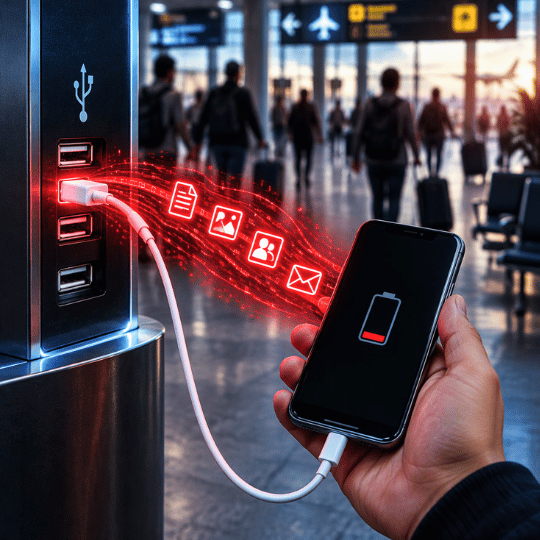
A perfect scenario when your device is low on battery, and want to charge on a free charging station in a public area. What looks like a quick battery boost could expose your device to malware, data theft, or account compromise without any obvious warning signs. That’s juice jacking: a cyberattack that uses the data connection inside a USB line to steal information or install malware on the device you plug in.
That’s why it remains a growing cybersecurity concern for travelers, professionals, and everyday device users alike.
For Filipinos, that risk sits inside everyday routines. Free charging is common to their public establishments. As a mobile-savvy nation, the concern keeps growing because the warnings have widened: from public charging ports to malicious cables sold online, to research showing phone protections can be bypassed.
Here’s why it matters:
For cybersecurity: a physical-access attack that targets USB ports and cables, entry points that security software cannot physically block. Even prompts that ask for data-transfer permission can be bypassed by advanced attacks.
For personal devices: A tampered port or cable can let attackers look into sensitive information, including bank account and credit card details, and install malware on the device
For everyday habits: It hides inside a routine move. Another device can connect to your phone without your knowledge while it charges.
It’s a small plug-in with a big downside. So how close is this to home? Closer than you’d expect.
Sources: Bernardo, R. M. (2023, April 23)., Domingo, K. (2025, December 24)., Draschbacher, F. (2025)., Piad, T. J. C. (2023, April 18).
Juice Jacking is making Headlines to Philippines
Free charging is everywhere in Philippine public spaces. Many establishments offer it as emergency, but few people stop to ask what’s on the other end of the cable. Here is where the problems start:
People plug in without thinking. A low battery makes charging urgent and security optional. Even people who were warned about a “free charging”, still plugged in.
Fake prompts do the rest. Malware can pose as a file-access or update request, and one tap gives it access.
The cable itself can be the threat. In December 2025, the Cybercrime Investigation and Coordinating Center (CICC) warned about “malicious cables” sold online or lent to users. Infected cables may also be left plugged in at charging stations.
The stakes are personal. One bad plug-in can expose passwords, GCash PINs, and credit card details
Sources: Bernardo, R. M. (2023, April 23)., Birkenhauer, T. (2025, November 20)., Lacsamana, B. H. (2023, April 17)., Domingo, K. (2025, December 24).
Risks for Everyday Filipinos
Drained e-wallets and bank accounts.
Personal Identity at risk.
Stolen credentials.
Exposed files and app data.
Silent spying from devices.
Where Does It Happen?
Airports and terminals.
Malls, hotels and cafes.
Shared office computers.
Open public free charging stations
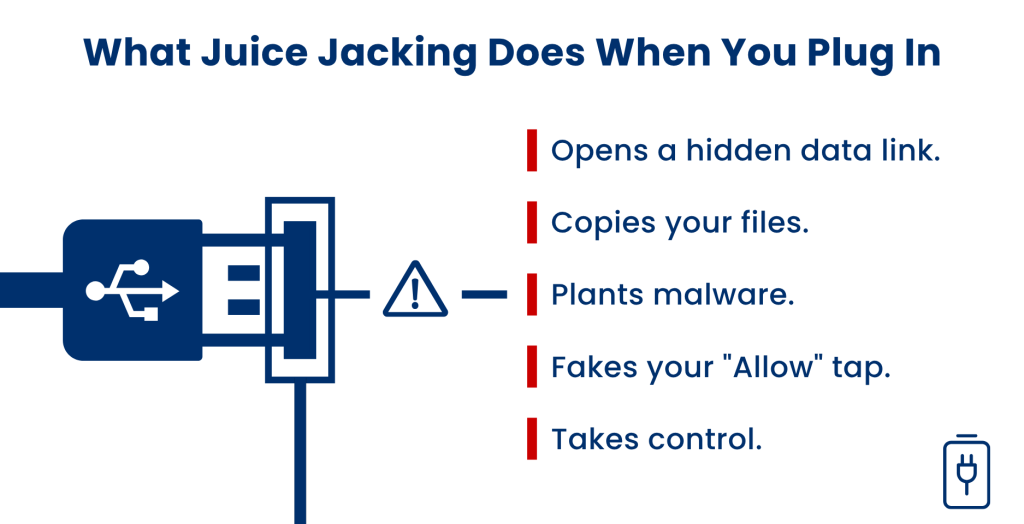
Opens a hidden data link
Accesses your files
Plants Malware
Fakes your "Allow" Tap
Takes Control
Opens a hidden data link
While you charge, another device connects and can inject data into your phone.
Accesses your files
Pictures, documents, and app data can be reached.
Plants Malware
Malware can be installed on the connected device. It usually needs your permission, so deny prompts you don’t recognize.
Fakes your "Allow" Tap
Some attacks approve the data connection for you, so you never agree to anything.
Takes Control
Malicious cables can infect a phone with a virus so attackers can control it.
The scary part? Your phone keeps charging, so you may never notice the connection happening.
How SmartKeeper Protects your Device from Juice Jacking, Wherever You Charge
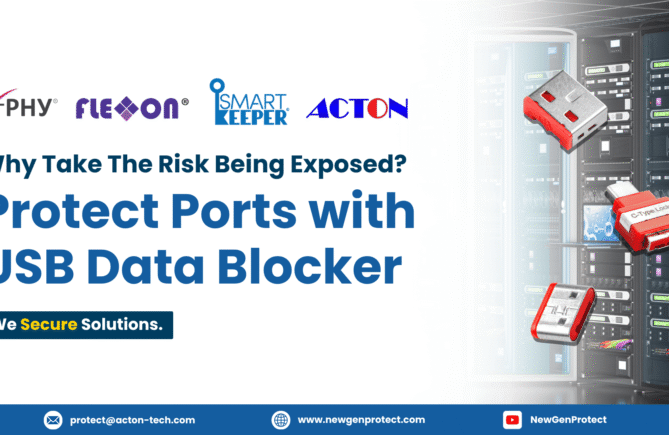
Smart Keeper closes the gap at the hardware level. No software, no power, no setup. Security experts point to the same fix: a USB data blocker that physically blocks data while letting power through, continue safe charging.
Your phone is only as safe as the port or cable you plug it into, which is why protection against juice jacking must start at the hardware level, not just in your phone’s settings. As an authorized distributor, NewGenProtect delivers genuine SmartKeeper, X-PHY, and Flexxon solutions, backed by expert deployment guidance and local support across Southeast Asia. This physical-first approach blocks unauthorized access, guards your sensitivedata, and closes the gaps software alone can’t reach, so every charge stays power-only, whether you’re at the airport, the mall, or your desk. With NewGenProtect, your everyday charging stays authentic, dependable, and built to last.
Experts warn attackers can steal passwords, GCash PINs and credit card details, and malware can spy on banking transactions. So be wary where you charge.
Use your own charger and a wall outlet, or add a data blocker between the device and the cable. SmartKeeper’s Smart Data Blocker keeps charging power-only.
Experts says cable attacks are costly and usually aimed at high-value targets. The Cybercrime Investigation and Coordinating Center (CICC) still warned the general public, so a data blocker is a low-cost safeguard.